AI Story Writer for Faster, Stronger Creative Writing
Story321 is an AI story writer that turns a loose idea into a plot, cast, world, and editable draft. Use it as an AI story generator and writing assistant for fantasy, romance, thrillers, children's stories, fanfiction, short fiction, and more.
What Is an AI Story Writer?
An AI story writer is a writing partner that helps you plan, draft, and improve fiction from the first spark to the final scene. Unlike a simple text bot, Story321 focuses on story logic: premise, conflict, pacing, character motivation, scene purpose, and emotional payoff. You can ask the assistant for a fresh story idea, a tighter outline, a stronger opening, better dialogue, or a cleaner ending. The goal is not to replace the author. The goal is to help the author move faster, make clearer decisions, and keep creative control at every step.
AI Story Writer with Plot Awareness
Build story arcs, turning points, chapter beats, and scene goals before drafting.
Character Development Tool
Create motives, flaws, relationships, secrets, and voice notes that keep characters believable.
Creative Writing Tool for Every Draft
Brainstorm, expand, rewrite, summarize, and polish without leaving your story workflow.
Product Preview
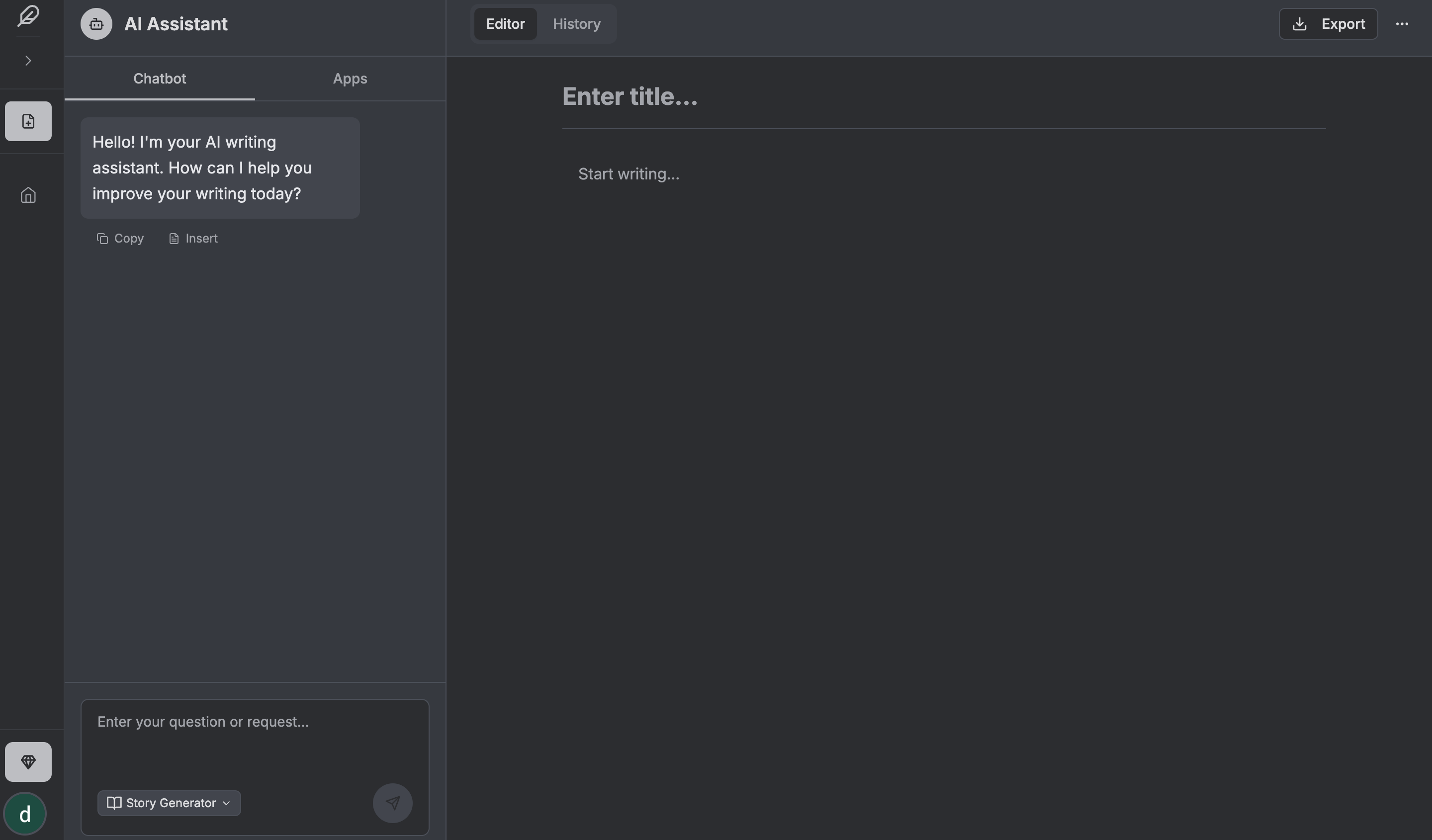
A Focused Writing Workspace, Not a Generic Chat Box
Prompt-first story creation
Start with a clear creative brief and turn it into usable story material.
Drafts stay editable
Use generated text as a starting point, then revise every line in your own voice.
Built for story decisions
Plan plot, character, pacing, and scene purpose before polishing prose.
AI Story Writer Examples
See how one prompt can become a clear outline, scene direction, or draft starter.
Prompt to Outline
Write a cozy mystery about a baker who discovers a hidden map inside an old recipe book.
- Premise: A small-town baker follows clues hidden in family recipes after a rival shop owner disappears.
- Main beats: discovery, first false lead, town festival pressure, secret family connection, final reveal.
- Tone: warm, witty, low-violence mystery with food details and community stakes.
Prompt to Scene Draft
Draft the opening scene where a young pilot hears a forbidden signal from a dead planet.
- The scene opens in the cockpit during routine navigation, then shifts when the signal repeats her childhood nickname.
- The AI story writer can suggest sensory details, tension, and a cliffhanger without locking the author into one style.
Prompt to Character Direction
Create a fantasy mentor who is helpful, funny, and secretly afraid of magic.
- Core conflict: the mentor teaches magical theory but avoids casting spells because one mistake cost them a friend.
- Voice notes: dry humor, practical advice, deflects fear with jokes, becomes serious when students take reckless risks.
How to Write with an AI Story Writer
Story321 keeps the process simple: decide the story direction, create the structure, draft scenes, and refine the final result.
1. Start with Your Story Idea
Give the AI story writer a prompt, genre, character, theme, or conflict. You can begin with one sentence or a detailed brief. The tool responds with usable story directions.
2. Build the Plot and Characters
Use the tool to shape the outline, define the protagonist, build the antagonist, set the stakes, and decide what each major scene must accomplish.
3. Draft and Rewrite Scenes
Generate a scene, continue an existing passage, or rewrite a weak section. Story321 gives you material to edit instead of forcing you to wait for inspiration.
4. Polish the Finished Story
Review the draft for pacing, clarity, tone, dialogue, and consistency. The AI story writer can suggest improvements while you make the final creative choices.
AI Story Writer Features Built for Storytellers
Use one workspace for ideas, outlines, scenes, characters, and revisions.
AI Story Generator for Fresh Ideas
Start with a genre, theme, trope, or single sentence. The AI story writer can generate original premises, conflict ideas, hooks, endings, and alternate directions so you always have a strong next move.
Plot Generator for Clear Structure
Turn a rough concept into a usable outline. The AI story writer can map inciting incidents, rising action, twists, midpoint reversals, climaxes, and resolutions that fit your genre.
Scene Drafting Assistant
Describe the goal of a scene and let the assistant draft a starting point. Then revise, expand, shorten, or change the tone until the scene feels like yours.
Character Voice and Dialogue Help
Use the AI story writer to create sharper dialogue, clearer character voices, and stronger emotional beats. Keep conversations purposeful instead of generic.
World and Lore Support
For fantasy, sci-fi, adventure, and game stories, Story321 can help organize rules, places, factions, timelines, and lore details.
Revision and Polishing Tools
Ask for help to improve pacing, remove repetition, clarify stakes, strengthen descriptions, or rewrite a paragraph in a more vivid style.
Why Use the Story321 AI Story Writer?
Beat Writer's Block
When you are stuck, the AI story writer can propose hooks, conflicts, transitions, and next scenes. You keep moving instead of staring at a blank page.
Write More Consistently
A reliable AI story writer helps you keep plot threads, character goals, and world details aligned across short stories, chapters, and series plans.
Improve Story Quality
Use Story321 to test alternatives before committing. Compare different openings, endings, tones, conflicts, or character choices in minutes.
Protect Your Voice
The best writing assistant does not force one style. Story321 helps you draft faster while giving you room to rewrite, reject, and refine every line.
Story321 AI Story Writer vs Other Writing Options
Choose the tool that matches the actual writing job: idea generation, story structure, drafting, and revision.
| Features | Story321 AI Story Writer | Generic Chatbot Open-ended chat | Basic Generator One-shot output |
|---|---|---|---|
Story workflow Supports idea, outline, scene, and revision steps. | Manual setup | ||
Editable draft control Keeps the author in charge of rewriting and polishing. | Limited | ||
Fiction-focused guidance Helps with plot, character, scene purpose, and pacing. | Prompt-dependent | Basic | |
Best for Where each option fits best. | Story planning and drafting | General brainstorming | Quick idea output |
Who Is This AI Story Writer For?
Short Story Writers
Use Story321 to create compact plots, strong openings, memorable endings, and clean scene arcs for contests, newsletters, or personal projects.
Novel and Series Authors
Plan chapters, track arcs, test twists, and draft scenes with an AI story writer that supports longer fiction workflows.
Game Masters and RPG Creators
Create quests, NPC backstories, lore, mysteries, and branching events with an AI story writer made for imaginative worlds.
Content Creators
Develop narrative scripts, serialized posts, brand stories, and video ideas with a flexible assistant for fast creative production.
Related Story321 Writing Tools
Explore more tools for planning, drafting, and polishing creative projects.
Fantasy Story Generator
Fantasy Story Generator for Epic Worlds, Quests, and Characters
Start Fantasy Story GeneratorAI Book Writer
Move from story idea to longer manuscript with tools for outlines, chapters, character planning, and book drafting.
Open AI Book WriterAI Novel Writer
Create novel outlines, scenes, character arcs, and genre-ready fiction drafts with a dedicated AI novel writing workflow.
Open AI Novel WriterAI Script Writer
Turn story ideas into scripts, scenes, dialogue, and video-ready narratives for film, YouTube, and short-form projects.
Open AI Script WriterAI Story Writer FAQ
Can an AI story writer create a complete story?
Yes. Story321 can help generate a full story draft from a prompt, outline, or scene brief. For best results, treat the AI story writer as a creative partner: guide the direction, edit the output, and add your own taste.
What is the difference between an AI story writer and an AI story generator?
An AI story generator usually creates a quick story or idea from one prompt. An AI story writer supports a broader workflow: brainstorming, outlining, character development, scene drafting, rewriting, and polishing.
Will the AI story writer keep my style?
You can provide sample text, tone notes, genre rules, and revision instructions. The AI story writer can then produce drafts closer to your preferred style.
Who owns the story created with Story321?
Story321 is designed as a writing tool for your creative work. You should review the final text, make your own edits, and follow the platform terms for ownership and usage details.
Can I use AI-generated stories commercially?
Many writers use AI-assisted drafts for commercial projects after editing and checking originality, quality, and rights requirements. Review Story321 terms and your publishing platform rules before release.
Is this the best AI story writer for beginners?
Yes. Beginners can use the AI story writer to understand structure, generate examples, avoid blank-page anxiety, and learn how stronger scenes are built.
What genres can I write?
Use the AI story writer for fantasy, romance, mystery, thriller, horror, sci-fi, children's stories, fanfiction, literary fiction, adventure, and more.
Start Your Next Story with an AI Story Writer
Your idea deserves more than a blank page. Use the Story321 AI story writer to brainstorm faster, outline smarter, draft scenes, improve characters, and finish stories with confidence. Start with one prompt, shape the direction, and turn your imagination into a story readers want to finish.