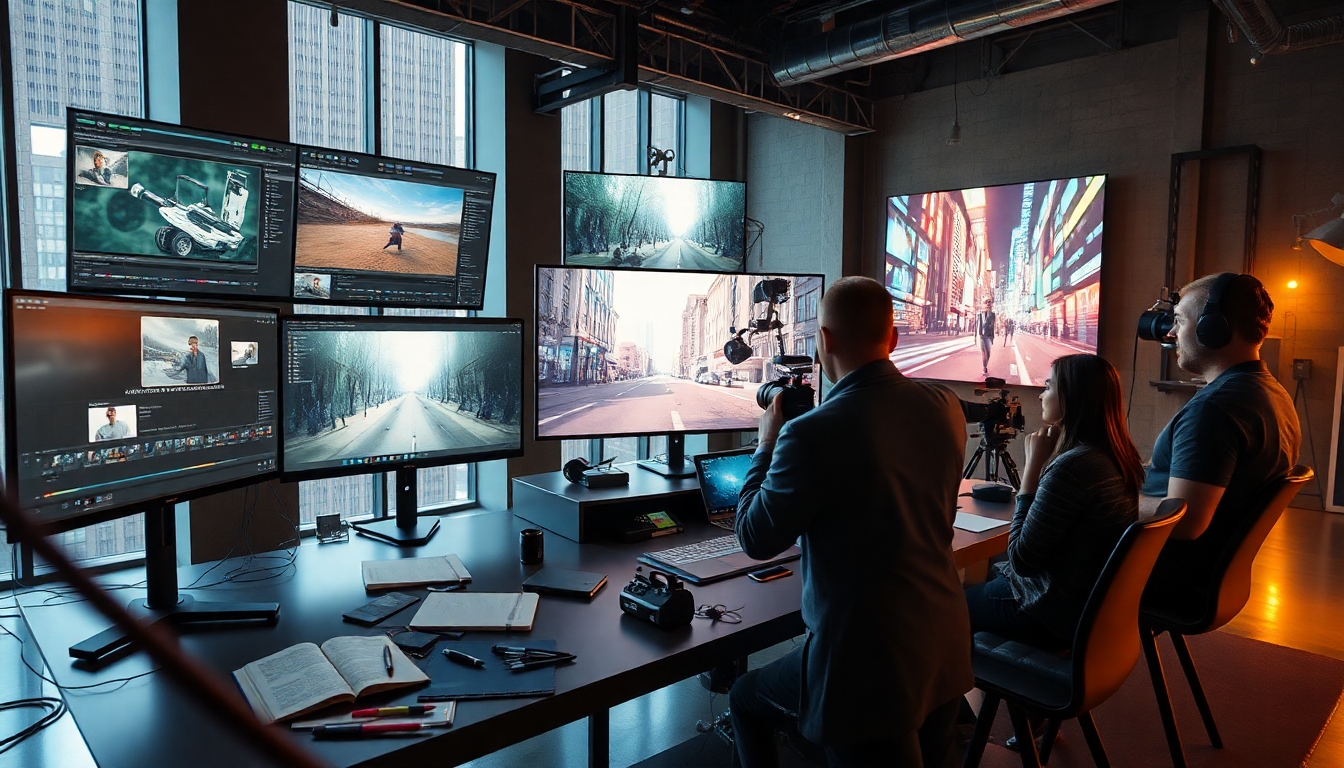
Pourquoi Kling 2.6 change la donne créative#
Kling 2.6 est une plateforme d'accélération créative qui combine le texte en vidéo, l'image en vidéo et la narration cohérente en termes de style dans un outil rationalisé. Pour les créateurs qui livrent du contenu dans des délais serrés, Kling 2.6 offre une fidélité visuelle, un contrôle et une rapidité sans exiger un pipeline de production complexe.
Kling 2.6 se distingue par son équilibre entre qualité cinématographique et flux de travail accessibles. Que vous fassiez du storyboard, que vous utilisiez des invites ou que vous itériez à partir de séquences, Kling 2.6 vous aide à explorer davantage de directions créatives tout en respectant votre calendrier.
Qu'est-ce que Kling 2.6 ?#
Kling 2.6 est un modèle d'IA et une interface de nouvelle génération conçus pour générer des vidéos et des éléments visuels à partir d'invites textuelles, d'images de référence et de clips. Conçu pour des résultats professionnels avec un minimum de friction, Kling 2.6 prend en charge les scènes multi-plans, les mouvements de caméra nuancés et les personnages cohérents.
Essentiellement, Kling 2.6 transforme l'intention créative en mouvement, éclairage, texture et mise en page. Des publicités sur les réseaux sociaux et des segments YouTube aux bandes-annonces de présentation et aux animatiques, Kling 2.6 est conçu pour vous aider à prévisualiser rapidement et à terminer avec soin.
Quoi de neuf dans Kling 2.6#
Kling 2.6 introduit des améliorations qui réduisent les approximations et augmentent le contrôle sur les plans. Si vous effectuez une mise à niveau à partir de versions antérieures, Kling 2.6 se concentre sur la stabilité, les fonctionnalités de l'éditeur et la préservation des détails.
- Itérations plus rapides : Kling 2.6 réduit le délai de première prévisualisation tout en préservant l'apparence et l'intégrité du mouvement.
- Physique et interaction améliorées : Kling 2.6 produit un contact d'objet, des collisions, des réponses de tissu et de cheveux plus réalistes.
- Cohérence des personnages : Kling 2.6 améliore le suivi de l'identité à travers les plans avec des images de référence et des ancres d'"apparence de héros".
- Chronologies multi-plans : Kling 2.6 vous permet d'assembler des plans, de réutiliser des invites et de maintenir une cohérence dans le langage de la caméra.
- Verrous de style et LUT : Kling 2.6 ajoute des préréglages de style, des profils de couleur et une correspondance basée sur la référence pour des séquences cohérentes.
- Commandes de caméra et d'objectif : Kling 2.6 offre une distance focale, une profondeur de champ, des arcs de travelling/grue et des courbes de vitesse pour un mouvement dynamique.
- Masquage et guidage de région : Kling 2.6 permet des modifications localisées (par exemple, échanger une garde-robe, ré-éclairer un visage) sans régénérer des plans complets.
- Exportations plus propres : Kling 2.6 vous offre une réduction des artefacts, un contrôle du grain et un raffinement du mouvement au moment de l'exportation.
Ces améliorations de la qualité de vie font de Kling 2.6 un outil fiable au quotidien pour les campagnes, les projets épisodiques et le contenu social à volume élevé.
À qui s'adresse Kling 2.6#
Kling 2.6 est créé pour les équipes et les créateurs solos qui apprécient à la fois la vitesse et le contrôle.
- Créateurs de vidéos : Kling 2.6 accélère la prévisualisation, les tests de plans, les bandes-annonces et les courts métrages narratifs avec un mouvement et un cadrage réalistes.
- Concepteurs : Kling 2.6 crée des maquettes animées, des révélations de logo et des plans de héros de produit qui s'alignent sur l'apparence de la marque.
- Écrivains : Kling 2.6 transforme les scripts en rythmes visuels, en animatiques et en mood boards, rendant les séances de présentation plus convaincantes.
- Acteurs vocaux : Kling 2.6 fournit des visuels soignés à associer à des démos, des bandes de narration et des échantillons de performance de personnage.
- Marketeurs et éducateurs : Kling 2.6 crée des segments explicatifs, des animations graphiques et des simulations de scénarios avec une messagerie claire.
Si votre rôle implique l'idéation, l'itération et la livraison, Kling 2.6 est un copilote créatif qui évolue avec votre ambition.
Démarrer avec Kling 2.6#
Kling 2.6 est conçu pour être facile dès le premier jour et puissant au bout de dix jours. Le flux d'intégration vous permet de passer rapidement de l'invite à la prévisualisation.
- Compte et espace de travail : Créez votre compte, puis configurez un espace de travail Kling 2.6 pour les projets solo ou en équipe.
- Modèles et préréglages : Commencez à partir d'un modèle Kling 2.6 (social, produit, cinématographique, explicatif) pour accélérer les premiers résultats.
- Structure du projet : Utilisez la chronologie Kling 2.6 pour ajouter des plans, définir des durées et gérer les références.
- Bibliothèque d'actifs : Téléchargez des images de référence, des logos et des maquettes que Kling 2.6 utilise pour maintenir l'apparence et l'identité.
- Charge du système : Bien que basé sur le cloud, Kling 2.6 offre également des proxys de prévisualisation locaux pour maintenir une itération fluide sur des machines modestes.
En quelques minutes, Kling 2.6 permet de traduire des idées en tests de mouvement que vous pouvez affiner ou présenter aux parties prenantes.
L'interface en un coup d'œil#
Kling 2.6 concentre les commandes essentielles là où vous en avez besoin et maintient une mise en page propre.
- Panneau d'invite : Rédigez votre brief créatif et vos instructions techniques directement dans Kling 2.6, avec des exemples et des conseils de syntaxe.
- Gestionnaire de plans : Organisez les scènes, les versions et les alternatives ; Kling 2.6 maintient les métadonnées synchronisées entre les variantes.
- Caméra et mouvement : Ajustez les courbes de mouvement, la distance focale et la parallaxe ; Kling 2.6 prévisualise ces éléments en temps réel.
- Style et étalonnage : Appliquez des LUT, du grain et une balance des couleurs ; Kling 2.6 prend en charge les préréglages et les profils personnalisés.
- Hub d'exportation : Choisissez la résolution, le codec et les niveaux de débruitage ; Kling 2.6 facilite l'envoi d'actifs à votre NLE.
En centralisant ces outils, Kling 2.6 réduit la surcharge mentale qui ralentit habituellement l'exploration créative.
Flux de travail principaux dans Kling 2.6#
La meilleure façon d'apprendre Kling 2.6 est d'exécuter des tâches de production courantes, puis de les affiner.
1) Texte en vidéo à partir de zéro#
Commencez par une invite détaillée, puis itérez.
- Concept : "Une forêt brumeuse à l'aube avec un voyageur solitaire ; lent travelling avant ; doux rayons de lumière." Kling 2.6 interprète l'ambiance, le rythme et le blocage.
- Spécifications du plan : Ajoutez "objectif 35 mm, faible profondeur de champ, micro-tremblements à main levée" pour que Kling 2.6 façonne le langage de la caméra.
- Apparence et mouvement : Référencez "palette verte brumeuse, reflets de rosée, brouillard lent et dérivant" pour aider Kling 2.6 à clouer l'esthétique.
- Itérer : Dupliquez le plan ; demandez à Kling 2.6 "plus de lumière volumétrique, moins de brouillard" et comparez côte à côte.
En resserrant le langage et les contraintes, Kling 2.6 converge rapidement vers votre cible.
2) Image en vidéo avec verrouillage de style#
Tirez parti d'une superbe image fixe.
- Téléchargez une image clé ; Kling 2.6 extrait la palette, l'éclairage et les indices de texture.
- Invite : "Révélation de la macro feuille au paysage large ; correspond au style téléchargé" pour que Kling 2.6 maintienne la cohérence.
- Arcs de caméra : Ajoutez "doux travelling ascendant" et laissez Kling 2.6 gérer les rampes de vitesse pour un mouvement naturel.
- Exporter des alternatives : Demandez à Kling 2.6 "deux versions plus rapides" pour tester le rythme social.
Ceci est idéal pour les visuels de marque où la cohérence est importante, et Kling 2.6 maintient cette continuité.
3) Amélioration ou montage vidéo en vidéo#
Transformez ou étendez des clips existants.
- Téléchargez une prise brute ; demandez à Kling 2.6 de stabiliser le mouvement à main levée sans perdre d'énergie.
- Unification du style : Demandez à Kling 2.6 de "correspondre à la LUT de la campagne" sur plusieurs clips.
- Ajustements d'objet : Masquez le produit et laissez Kling 2.6 améliorer les reflets, le micro-contraste et l'éclairage de contour.
- Extensions : Demandez à Kling 2.6 de "continuer le plan dans une révélation en retrait" pour des transitions fluides.
Lorsque le temps est compté, Kling 2.6 aide à combler les lacunes et à rehausser gracieusement la valeur de production.
4) Séquences multi-plans et continuité#
Racontez une histoire à travers les plans.
- Liste des plans : Rédigez un aperçu de la séquence ; Kling 2.6 crée des conteneurs de plans avec des durées.
- Ancrages de personnage : Téléchargez une référence de héros ; Kling 2.6 maintient la cohérence de la garde-robe, des cheveux et de la forme du visage.
- Style réutilisable : Stockez un préréglage d'apparence pour que Kling 2.6 applique l'étalonnage, le grain et les paramètres d'objectif sur la chronologie.
- Cadence de révision : Générez rapidement un passage basse résolution ; puis demandez à Kling 2.6 un "rendu de qualité finale" une fois verrouillé.
Ce flux de travail transforme Kling 2.6 en votre moteur d'histoire plutôt qu'en un générateur de plan unique.
Stratégies d'invite pour la précision#
Les invites fortes fonctionnent comme une direction claire pour une équipe chevronnée.
- Structurez votre invite : Scène + Sujet + Action + Caméra + Éclairage + Style. Kling 2.6 prospère grâce à une direction multicouche.
- Utilisez un langage de référence : "Dans le style d'un micro-cinéma de produit" aide Kling 2.6 à s'appuyer sur la texture et l'échelle.
- Définissez des guides négatifs : "Pas de gigue ; pas de scintillement ; évitez la sursaturation" aide Kling 2.6 à éviter les artefacts courants.
- Itérez avec des deltas : Demandez à Kling 2.6 "même plan avec 25 % de brume de profondeur en plus" pour maintenir les changements contrôlés.
- Nommez l'ambiance : Des mots comme "mélancolique", "urgent" ou "enjoué" aident Kling 2.6 à rythmer le mouvement et le rythme.
Au fur et à mesure que vous construisez un vocabulaire d'invite, Kling 2.6 reflète plus fidèlement vos goûts à chaque version.
Langage de la caméra et contrôle du mouvement#
La crédibilité cinématographique dépend des choix de caméra.
- Objectifs et PdC : Guidez "24 mm grand angle avec faible PdC" et Kling 2.6 gère la distorsion des bords et le bokeh.
- Arcs de mouvement : Choisissez un travelling avant, une grue ou une orbite ; Kling 2.6 lisse les courbes de trajectoire et d'accélération.
- Parallaxe et couches : Demandez un intérêt au premier plan ; Kling 2.6 place des occluseurs pour ajouter de la profondeur et du réalisme.
- Nuance à main levée : "Dérive d'épaule subtile" invite Kling 2.6 à simuler la sensation d'un opérateur humain sans nausée.
Ces micro-choix aident Kling 2.6 à livrer des plans qui semblent dirigés, et non simulés.
Style, couleur et fidélité à la marque#
La cohérence gagne les campagnes.
- LUT et apparences : Chargez une LUT de marque pour que Kling 2.6 applique une couleur prévisible sur les livrables.
- Intention de texture : "Grain de film doux, halo doux" pour que Kling 2.6 évite les bords numériques trop nets.
- Grammaire de l'éclairage : "Clé à gauche, bord doux à droite, remplissage ambiant" indique à Kling 2.6 où vivent les reflets et les ombres.
- Typographie et graphiques : Générez des plaques d'arrière-plan dans Kling 2.6, puis terminez les titres dans votre NLE pour plus de netteté.
En codifiant le style, Kling 2.6 devient un multiplicateur sûr pour la marque au lieu d'un joker.
Audio, voix et finition#
De superbes visuels méritent un son réfléchi.
- Montages VO d'abord : Enregistrez la narration ; bloquez les scènes dans Kling 2.6 pour atteindre les rythmes et les pauses.
- Rythme mené par la musique : Coupez une piste temporaire ; demandez à Kling 2.6 de créer des alternatives avec un élan correspondant.
- Foley et SFX : Exportez des visuels ; superposez l'audio dans votre DAW, puis utilisez Kling 2.6 pour générer des plans d'insertion pour couvrir les montages.
- Polissage final : Utilisez les commandes de débruitage et de grain de Kling 2.6 lors de l'exportation pour correspondre à la luminosité de votre mixage sonore.
Considérez Kling 2.6 comme un moteur visuel qui s'intègre bien à votre chaîne audio pour une diffusion prête à l'emploi.
Intégrer Kling 2.6 dans votre pipeline#
Les meilleurs outils disparaissent dans votre processus.
- Prévisualisation à la finale : Commencez en basse résolution, puis verrouillez l'image et rendez à nouveau dans Kling 2.6 à la qualité de livraison.
- Transfert éditorial : Exportez EDL ou lots de plans ; Kling 2.6 maintient les conventions de nommage propres pour les éditeurs.
- Allers-retours VFX : Utilisez Kling 2.6 pour les plaques, puis composez dans votre outil VFX ; itérez avec des mises à jour de région masquées.
- Contrôle de version : Stockez des prises alternatives ; Kling 2.6 facilite l'échange de séquences sans casser le timing.
En s'intégrant aux flux de travail du monde réel, Kling 2.6 réduit les frictions et augmente le débit créatif.
Meilleures pratiques pour des résultats fiables#
Les petites habitudes composent la qualité.
- Commencez spécifique : Kling 2.6 répond le mieux à une direction sans ambiguïté ; les invites vagues invitent à la dérive.
- Verrouillez les décisions tôt : Une fois que le ton et le travail de la caméra sont en place, demandez à Kling 2.6 des rendus finaux pour éviter le remue-ménage.
- Comparez les variantes : Générez des tests A/B ; Kling 2.6 rend les révisions côte à côte rapides et objectives.
- Gardez les références à portée de main : Fournissez des maquettes et des actifs de marque pour que Kling 2.6 ait des garde-fous, pas des conjectures.
En le traitant comme un collaborateur de confiance, Kling 2.6 s'améliore, et votre production aussi.
Dépannage des problèmes courants#
Si quelque chose ne va pas, c'est généralement réparable.
- Le mouvement semble "flottant" : Demandez à Kling 2.6 une physique de contact plus forte et une inertie plus lourde sur les objets.
- Les visages dérivent à travers les plans : Fournissez une référence de héros propre pour que Kling 2.6 verrouille l'identité et la forme des cheveux.
- Les couleurs ne correspondent pas : Appliquez une LUT et un point blanc partagés ; Kling 2.6 normalisera la variance scène par scène.
- Artefacts dans les bords : Augmentez l'échantillonnage lors de l'exportation ; Kling 2.6 peut débruiter et regrainer pour masquer les coutures.
- Le timing manque un battement : Définissez des durées exactes et des marqueurs de frappe ; Kling 2.6 respecte les contraintes temporelles.
Abordez chaque problème comme une note à l'équipe, et Kling 2.6 corrigera le cap avec un minimum d'itération.
Sécurité, éthique et licences#
Les créateurs professionnels ont besoin de clarté et de soin.
- Consentement et droits : Utilisez des actifs que vous êtes autorisé à utiliser ; Kling 2.6 est puissant et doit être utilisé de manière responsable.
- Invites de sécurité : Spécifiez "aucune ressemblance avec de vraies personnes" sauf si vous avez la permission ; Kling 2.6 suit vos garde-fous.
- Divulgation : Si les clients posent des questions sur le processus, partagez que Kling 2.6 a aidé à l'idéation et à la production, le cas échéant.
- Archivage : Conservez les invites et les références sources ; les projets Kling 2.6 sont plus faciles à auditer et à remasteriser ultérieurement.
Considérez l'éthique comme faisant partie de l'artisanat, et Kling 2.6 devient un avantage durable.
Exemples d'invites pour les créateurs#
Essayez-les comme points de départ, puis affinez.
- Révélation du produit : "Des écouteurs en aluminium anodisé tournent dans une douce lumière de studio ; macro 85 mm ; fond en velours noir ; rotation douce ; spéculaires propres ; packshot élégant." Kling 2.6 mettra l'accent sur le réalisme et la précision des matériaux.
- Mini-doc de voyage : "Toit de la ville à l'heure dorée ; lent travelling ; vent subtil ; le sujet sourit à la caméra ; objectif 35 mm ; LUT de film chaude ; grain léger ; ambiance pleine d'espoir." Kling 2.6 se concentre sur la chaleur humaine et la texture de la ligne d'horizon.
- Teaser de mode : "Ruelle au néon ; chaussée glissante sous la pluie ; le mannequin marche vers la caméra ; flaques réfléchissantes ; 24 mm ; coupes rapides ; ambiance synthé mélancolique." Kling 2.6 équilibre le grain et le glamour.
- Intro explicative : "Ensemble blanc minimal ; icônes 3D flottantes ; la caméra orbite en douceur ; couleurs plates propres ; ton amical ; 45 secondes segmentées." Kling 2.6 produit des visuels clairs qui s'associent à la VO.
Réutilisez-les pour former Kling 2.6 à vos propres goûts et rythmes.
FAQ sur Kling 2.6#
- Kling 2.6 est-il convivial pour les débutants ? Oui, les modèles et les préréglages rendent Kling 2.6 accessible, tandis que les commandes avancées évoluent avec vous.
- Puis-je maintenir la cohérence des personnages ? Avec les références et les ancres de héros, Kling 2.6 maintient l'identité à travers les plans et les scènes.
- Comment éviter les artefacts ? Utilisez une qualité d'exportation plus élevée et débruitez ; Kling 2.6 vous permet également de regrainer pour une finition cinématographique.
- Fonctionne-t-il avec les éditeurs existants ? Exportez des fichiers et des chronologies propres ; Kling 2.6 est conçu pour bien fonctionner avec les NLE et les DAW.
- Qu'en est-il de la vitesse ? Les premières prévisualisations sont rapides afin que Kling 2.6 puisse maintenir des cycles d'itération serrés sans sacrifier la qualité finale.
Ces réponses reflètent la façon dont Kling 2.6 s'intègre aux réalités de production quotidiennes, et pourquoi les équipes l'adoptent rapidement.
Liste de contrôle d'un créateur pour Kling 2.6#
Avant de rendre les finales, exécutez ceci :
- Rythmes de l'histoire verrouillés ? Si ce n'est pas le cas, demandez à Kling 2.6 un autre passage basse résolution avant de vous engager.
- Style aligné sur la marque ? Chargez vos LUT pour que Kling 2.6 maintienne une couleur cohérente.
- Choix de caméra intentionnels ? Passez en revue les courbes de mouvement ; Kling 2.6 simplifie les améliorations.
- Rythme audio ? Confirmez que votre VO et votre musique frappent ; Kling 2.6 peut générer des plans d'insertion pour corriger les lacunes.
- Paramètres d'exportation ? Choisissez le débruitage et le grain ; Kling 2.6 préserve la texture tout en nettoyant les artefacts.
Faites-en votre rituel et Kling 2.6 respectera vos délais sans surprises.
L'essentiel#
Kling 2.6 est conçu pour les créateurs qui exigent vitesse, contrôle et beauté dans le même outil. En combinant une invite expressive, un langage de caméra guidé et une finition réfléchie, Kling 2.6 vous aide à passer d'une idée brute à une livraison confiante en une fraction du temps habituel.
Si votre prochaine campagne, série ou présentation a besoin d'impact, Kling 2.6 vous donne une longueur d'avance. Lorsque la qualité et la vélocité comptent toutes les deux, Kling 2.6 est le partenaire que vous voulez dans la pièce.


