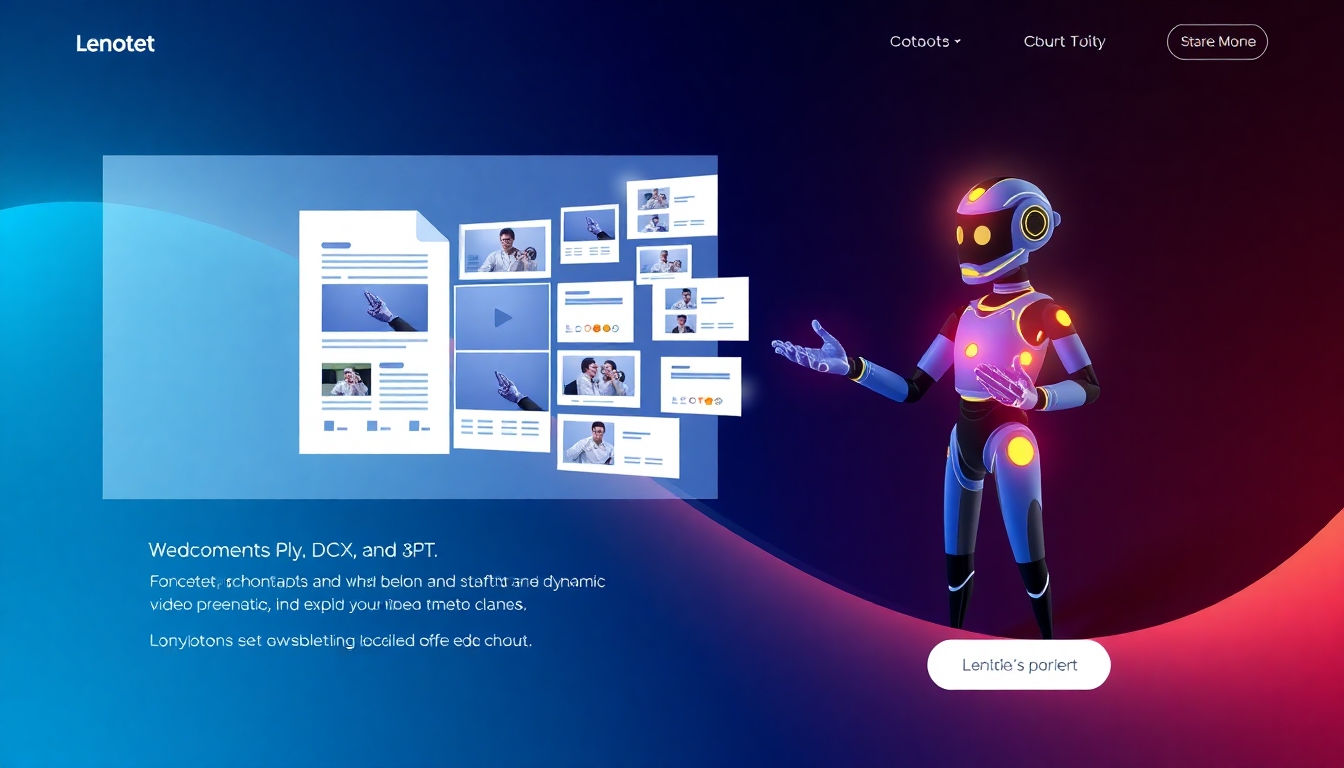
AI Document to Video — Best Free Tools, Demos, and Guides
Compare the best free document-to-video AI tools and start converting now.
Turn your DOCX, PDF, PPTX, or text into polished videos in minutes. This story321.com guide compares the best free and paid ai document to video tools, with demos, feature breakdowns, and quick-start steps. Skip complex editing and publish studio-quality results fast.
What Is AI Document to Video?
AI document to video transforms written content—like reports, slide decks, and PDFs—into engaging videos automatically. These tools analyze structure, extract key points, generate a script, and add visuals, voiceover, and subtitles. You get professional output with minimal effort, ideal for training, marketing, and internal updates. On story321.com, we surface the best free options plus advanced platforms to match your goals and budget.
Converts DOCX, PDF, PPTX, TXT, and Markdown into narrated videos with scenes
Auto-script, AI avatar presenters, realistic voiceovers, and multi-language subtitles
Templates for explainers, onboarding, and course lessons with brand kits
1080p MP4 exports, fast rendering, and easy sharing links
Privacy-first workflows with encryption, SSO, and GDPR-ready vendors
Features That Make Conversion Fast and Professional
All the essentials for turning documents into scroll-stopping videos
Automated Script & Scene Builder
Upload your document and let the AI summarize sections into a clear narrative. The best ai document to video tools detect headings, bullets, and tables, then map them to scenes with on-screen text and pacing. You control tone, length, and reading level.
AI Avatars and Ultra-Realistic Voiceovers
Choose from diverse AI avatars or use voice-only modes with premium voices in 40+ languages. The best free tiers let you preview multiple styles, while paid plans unlock custom avatars and brand voices. Lip-sync and pronunciation controls keep delivery natural.
Brand Kits, Templates, and Visuals
Apply your logo, colors, and fonts once and keep every video on-brand. Start with proven templates for training, product explainers, and updates. Libraries include stock footage, icons, background music, and motion graphics tailored to ai document to video workflows.
Auto Subtitles, Translations, and Accessibility
Generate captions automatically with high accuracy, then translate subtitles in a click. Burn-in or export SRT/VTT for LMS and social platforms. Accessibility features help your ai document to video outputs reach global audiences on any device.
Fast Rendering and 1080p MP4 Exports
Go from document to shareable video in minutes, not hours. Most tools export 1080p MP4 and social-ready ratios, with some supporting 4K on higher plans. Instant share links, embeds, and platform integrations speed delivery to your team and channels.
High-Impact Use Cases
Where AI document to video saves hours and boosts engagement
Employee Training and Onboarding
Turn SOPs and HR manuals into concise training videos with quizzes and captions. Consistent delivery across regions reduces ramp time. ai document to video helps L&D teams ship updates fast without motion design bottlenecks.
Product Explain ers and Feature Walkthroughs
Convert release notes and product docs into short feature videos. Pair UI screenshots with voiceover and callouts to announce changes. With ai document to video, marketing ships updates the same day a feature launches.
Sales Enablement and Pitch Refreshes
Transform proposals, case studies, and one-pagers into persuasive videos. Swap in client logos and languages for rapid personalization. Reps use ai document to video to keep decks fresh without designer wait times.
Internal Comms and Executive Updates
Summarize strategy memos and KPI reports into 90-second videos that get watched. Auto-subtitles and mobile-friendly formats increase reach. ai document to video turns dense docs into digestible stories.
Education and Course Creation
Convert lesson plans and lecture notes into modular, subtitled lessons. Translate in a click for multilingual cohorts. Educators rely on ai document to video to scale content with consistent quality.
How AI Document to Video Works
Four simple steps from file upload to final export
1) Upload and Analyze Your Document
Import DOCX, PDF, PPTX, TXT, or Markdown. The ai document to video engine scans structure, identifies key sections, and proposes a scene outline. You can include speaker notes or slide titles for richer narration.
2) Pick Style, Avatar, and Voice
Choose a template, color theme, and layout. Select an AI avatar or voice style, then set tone and pacing. This step ensures your ai document to video output matches brand guidelines and audience expectations.
3) Generate, Edit, and Enrich
The platform drafts a script, scenes, and timing. Tweak copy, swap visuals, add charts, and layer music. Use timeline edits and brand kits to finalize your ai document to video with precision—no pro editing skills required.
4) Export and Share Anywhere
Render to MP4 (1080p by default), download assets, or publish with a share link. Post to LMS, YouTube, and social, or embed in docs and sites. Many ai document to video tools integrate with Drive, Notion, Slack, and PowerPoint.
AI Document to Video: Frequently Asked Questions
Answers to the most common technical and purchasing questions
Is there a truly free ai document to video option?
Yes. Many platforms offer free tiers with watermarked exports or credit-based limits, enough to test workflows end to end. On story321.com we label plans by price, export caps, and features so you can start free, then upgrade only if needed.
Which document formats are supported?
Most ai document to video tools accept DOCX, PDF, and PPTX, with many also supporting TXT and Markdown. For slides, speaker notes and slide titles improve scene mapping. When PDFs are image-based, choose tools with OCR to extract text reliably.
What video quality and formats can I export?
Expect MP4 at 1080p on standard plans and optional 4K on higher tiers. You can also export square and vertical ratios for social, plus SRT/VTT captions. Some tools offer GIF snippets for email or chat previews.
Can I customize avatars, voices, and branding?
Yes. You can pick from dozens of AI avatars, adjust voice style and speed, and set brand kits with logos, fonts, and color palettes. Advanced plans may include custom avatar creation, pronunciation dictionaries, and SSML controls for voice fine-tuning.
How secure is my data when I upload documents?
Top vendors use TLS in transit and AES-256 at rest, offer GDPR compliance, role-based access, SSO/SCIM, and audit logs. Look for private or regional processing options if you handle sensitive data. We note security badges on each listing.
How long does conversion take?
Most ai document to video conversions finish in minutes for under 10 pages or short decks. Longer files and avatar-lip-sync renders take more time. Batch exports and cloud rendering keep your machine free while processing.
Does it integrate with the tools I already use?
Common integrations include Google Drive, OneDrive, PowerPoint, Notion, Slack, and LMS platforms via SCORM/xAPI or simple embed codes. Webhooks and Zapier/Make help automate uploads and exports across your stack.
What does pricing look like across tools?
You’ll find free plans, then tiers from roughly $10–$49 per user/month for higher limits, brand kits, and premium voices. Enterprise options add SSO, custom avatars, priority rendering, and governance.
Find the Best Free AI Document to Video Tool for You
Compare features, try live demos, and start converting your next DOCX, PDF, or PPTX today. Filter by avatars, languages, templates, and price to publish faster with ai document to video.