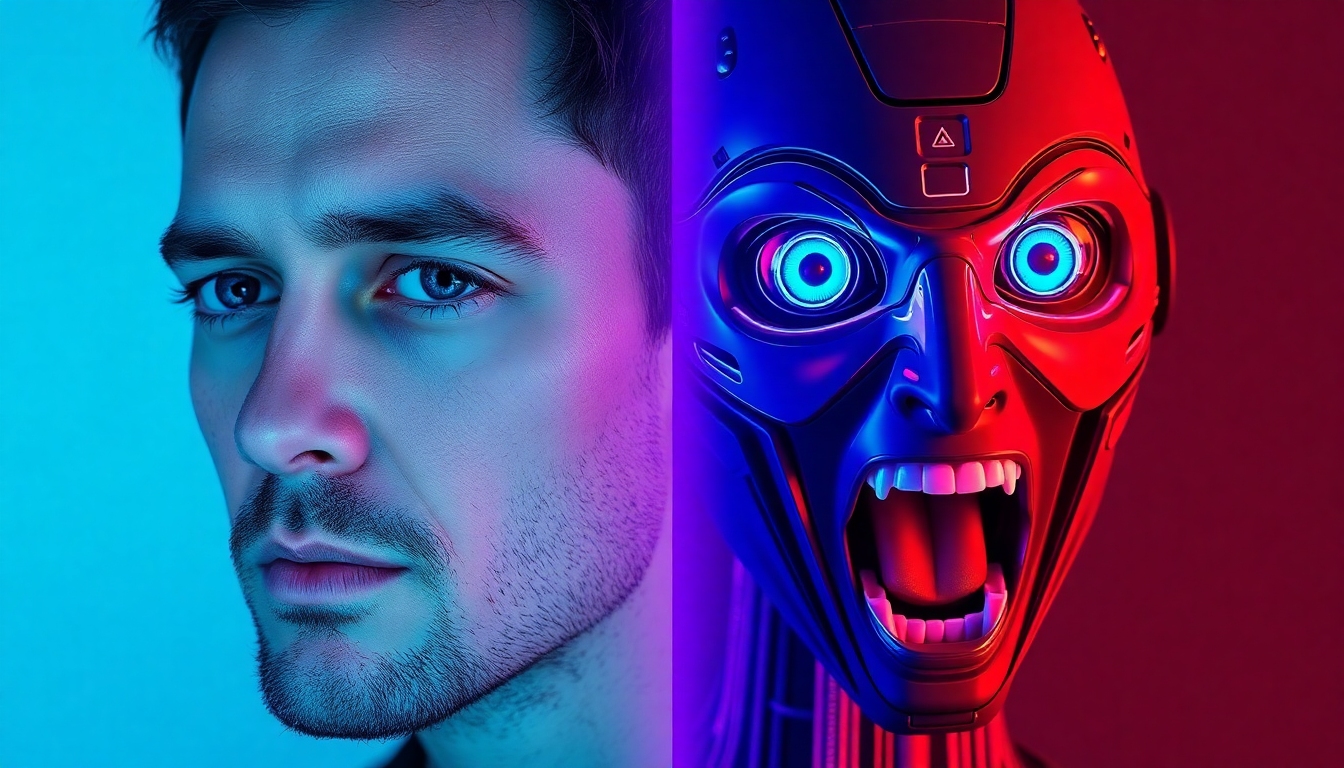
AI Scared Face Effect
Create convincing fear reactions with precision AI—fast, secure, and fun.
Bring instant fear to any face with studio-quality realism. The AI Scared Face Effect on story321.com turns photos and videos into believable startled reactions in seconds—no editing skills needed. Drag, drop, and get a share-ready, watermark-free result on eligible plans.
What is the AI Scared Face Effect?
The AI Scared Face Effect is a smart, one-click transformation that maps micro-expressions—raised brows, widened eyes, parted lips, and tension around the jaw—onto your subject to simulate a realistic, cinematic moment of fear. On story321.com, this effect uses advanced face-tracking and expression synthesis to preserve identity, lighting, and skin texture while dynamically generating a convincing reaction. Whether you’re crafting a horror trailer teaser, a Halloween post, or a playful meme, the AI Scared Face Effect maintains natural proportions, blends seamlessly into your footage, and respects your original composition. Built for speed and simplicity, it processes most images and short clips in seconds, supports common formats like JPG, PNG, MP4, and MOV, and exports in crisp quality for TikTok, Instagram Reels, YouTube Shorts, and beyond. Best of all, you can try the AI Scared Face Effect free, preview results without watermarks, and choose watermark-free downloads on eligible plans. Your uploads stay private, processing happens securely, and you retain full creative control over intensity and style. If you need a believable shock, jump scare, or reaction shot, the AI Scared Face Effect delivers production-ready results with zero learning curve.
Realistic facial micro-expressions generated by AI Scared Face Effect
Drag-and-drop simplicity with live preview
Fast processing and crisp output for social media
Watermark-free exports available on eligible plans
Works with photos and short videos
Mobile-friendly experience on modern browsers
Private by default—your content stays yours
Features that make fear look real
Everything in the AI Scared Face Effect is designed to be believable, fast, and effortless. From intelligent face tracking to instant previews, every click gets you closer to the perfect gasp, flinch, or jump-scare reaction—without over-editing or uncanny artifacts.
Photoreal Reaction Synthesis
Generate authentic fear with the AI Scared Face Effect—subtle brow lift, eye dilation, and lip shape changes that match your subject’s face geometry and lighting.
One-Click Simplicity
Drag and drop your photo or clip, hit Generate, and the AI Scared Face Effect delivers a polished result in seconds—no timelines or masks.
Speed, Without Sacrificing Quality
GPU-accelerated processing returns clean, sharp results fast, so you can iterate the AI Scared Face Effect and pick the perfect take.
Works with Photos and Video
Apply the AI Scared Face Effect to JPG, PNG, MP4, and MOV. Preserve motion, head turns, and camera shake with smart face tracking.
Adjustable Intensity
Dial the AI Scared Face Effect from subtle surprise to full-on scream—control is yours with slider-based expression strength.
Watermark-Free Exports
Preview free, and export without watermarks on eligible plans—publish the AI Scared Face Effect confidently on any platform.
Smart Skin & Texture Preserve
Keep pores, tones, and makeup intact. The AI Scared Face Effect respects your original detail for a natural, non-cartoon look.
Privacy-First by Design
Your uploads are processed securely, not used to train models, and you control deletion—so you can apply the AI Scared Face Effect with peace of mind.
Where the AI Scared Face Effect shines
Creators, marketers, and social storytellers use the AI Scared Face Effect to add humor, suspense, and personality to their content. Here are popular ways to put it to work.
Horror Trailers & Teasers
Drop the AI Scared Face Effect onto key shots to sell the jump scare and amplify tension in short teasers and indie trailers.
Memes & Viral Reactions
Turn everyday photos into the perfect gasp with the AI Scared Face Effect—ideal for captioned memes and trending audio.
Halloween Posts & Events
Announce haunted house nights or costume reveals with the AI Scared Face Effect for instant seasonal flair.
Gaming Clips & Streams
Cut reaction highlights and intensify them using the AI Scared Face Effect—great for horror games and jump-scare compilations.
Marketing & A/B Tests
Test thumbnails with the AI Scared Face Effect to boost CTR—startle, surprise, and stand out in crowded feeds.
Education & Storytelling
Demonstrate emotional beats in lessons, skits, and short films using the AI Scared Face Effect to cue audience empathy.
Event Invitations
Create eye-catching invites with a playful fright using the AI Scared Face Effect—download and share in minutes.
Product Announcements
Frame shocking deals or features with the AI Scared Face Effect to grab attention instantly.
How to use the AI Scared Face Effect
You don’t need editing experience. In a few guided steps, you can apply the AI Scared Face Effect to any face, preview the result, and publish—on desktop or mobile.
Upload your media
Drag in a JPG, PNG, MP4, or MOV. The AI Scared Face Effect detects faces automatically and analyzes lighting and pose.
Pick a style
Choose subtle surprise, startled gasp, or intense fear. Each style is optimized for the AI Scared Face Effect with balanced realism.
Adjust intensity
Use the slider to set expression strength. The AI Scared Face Effect adapts eye size, brows, and mouth while preserving identity.
Preview and refine
Play the preview. Toggle before/after to compare the AI Scared Face Effect. Re-run for alternate takes in seconds.
Export and share
Download in your preferred resolution. Export the AI Scared Face Effect watermark-free on eligible plans and share anywhere.
Pro tips for a flawless AI Scared Face Effect
- •Upload well-lit faces; side lighting creates dramatic AI Scared Face Effect results.
- •Choose mid-frame close-ups; the AI Scared Face Effect performs best with clear facial features.
- •For video, keep clips under 20 seconds to speed up the AI Scared Face Effect rendering.
- •Use subtle intensity for comedy; push higher for horror with the AI Scared Face Effect.
- •Maintain original aspect ratio to avoid cropping crucial details in the AI Scared Face Effect.
- •Try multiple styles and pick the most natural AI Scared Face Effect for your audience.
Note: Some complex occlusions (masks, hands over the face) may reduce accuracy. Reframe or choose a different frame for the best AI Scared Face Effect.
AI Scared Face Effect FAQs
Common questions about getting realistic, share-ready results with the AI Scared Face Effect.
How realistic is the AI Scared Face Effect?
Very. It models micro-expressions—raised brows, widened eyes, jaw tension—while preserving identity, skin texture, and lighting. Results look natural in both photos and short clips.
Is the AI Scared Face Effect really free?
You can try it free with previews. Watermark-free exports are available on eligible plans. Start free, then upgrade if you need unlimited, watermark-free downloads.
What formats does the AI Scared Face Effect support?
Photos: JPG, PNG. Video: MP4, MOV. Recommended: 1080p or higher, faces at least 256px tall for best accuracy.
How long does the AI Scared Face Effect take to process?
Most images finish in seconds; short clips typically render in under a minute depending on length, resolution, and server load.
Will there be a watermark on my AI Scared Face Effect result?
Free previews may include a watermark. You can export without watermarks on eligible plans. Choose the option that fits your project.
Is my data safe when using the AI Scared Face Effect?
Yes. Your uploads are processed securely, not used to train models, and you control deletion via your account. See our policy for details.
Does the AI Scared Face Effect work on multiple faces?
Yes, it can detect multiple faces. For best results, apply the effect to the primary subject or run separate passes for each face.
Can I use the AI Scared Face Effect on long videos?
It’s ideal for short clips. For longer edits, process key segments or use batch mode, then assemble in your editor.
Will the AI Scared Face Effect change my colors or grading?
No, color is preserved. You can apply the AI Scared Face Effect first, then color-grade in your preferred tool.
Can brands and agencies use the AI Scared Face Effect?
Absolutely. Use it for thumbnails, promos, and A/B tests to boost engagement. The AI Scared Face Effect helps thumbnails stand out and increase CTR.
Try the AI Scared Face Effect now—free
Upload a photo or clip and get a convincing fear reaction in seconds. Preview for free, export watermark-free on eligible plans, and share instantly to any platform.
Works in your browser—no install needed. Mobile friendly.