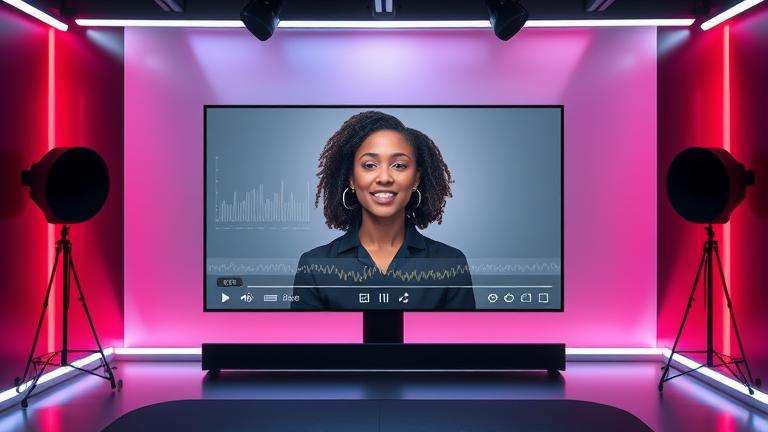
AI Spokesperson
The best free AI Spokesperson maker—realistic videos in minutes
Meet the fastest way to turn your ideas into persuasive video. Story321’s AI Spokesperson transforms plain text into polished, on-brand presentations with photoreal avatars, studio-grade voices, and click-simple editing. Spin up a free AI Spokesperson in minutes, swap outfits and backgrounds, translate to 40+ languages, and publish anywhere—without cameras, crews, or costly reshoots. Whether you’re making a product demo, training walkthrough, or a sales intro, our AI Spokesperson gives you reliable quality, instant revisions, and a consistent brand presence at scale.
What is an AI Spokesperson?
An AI Spokesperson is a digital presenter—an on-screen avatar with natural speech, expressions, and gestures—that delivers your message from a script. Powered by text-to-video, neural rendering, and advanced speech synthesis, an AI Spokesperson behaves like a real presenter without the cost, scheduling, or production overhead of a live shoot. In Story321, you write or paste a script, choose an avatar and voice, customize the scene, and export a studio-quality video in minutes. The AI Spokesperson keeps your brand consistent, scales to any volume, and makes updates as simple as editing a sentence.
Text-to-video engine converts your script into a realistic AI Spokesperson performance
Diverse, ethically sourced avatars and premium voices for any brand tone
Simple editor with scenes, captions, B-roll, brand kits, and instant translations
Everything you need in one AI Spokesperson studio
Story321 packs the essential tools to plan, produce, and publish AI Spokesperson videos at scale—without leaving your browser.
Avatar library
Choose from a diverse catalog of photoreal AI Spokesperson avatars spanning ages, ethnicities, and styles—business formal to casual creative.
Custom AI Spokesperson
Create a consented custom avatar of your team’s spokesperson for true brand continuity, with enterprise safeguards and controlled access.
Premium voices and cloning
Pick natural voices in multiple languages or clone an approved voice for your AI Spokesperson to maintain a consistent brand sound.
AI script assistant
Generate, shorten, or rewrite scripts with tone guidance. The assistant optimizes for clarity, pacing, and CTA—tailored to AI Spokesperson delivery.
Text-to-video editor
Drop in your script, then adjust timing, gestures, and camera framing. The AI Spokesperson syncs voice, lips, and expressions automatically.
Brand kits and scenes
Save lower-thirds, title cards, and scene templates so every AI Spokesperson clip ships on-brand in a click.
Captions and localization
Auto-caption in 100+ languages and translate your AI Spokesperson with accurate lip-sync and cultural formatting.
B‑roll and media
Add logos, product shots, screen recordings, and stock footage. The AI Spokesperson remains the anchor while visuals support the story.
Integrations
Publish your AI Spokesperson video to CMS, LMS, YouTube, and social. Connect via API or Zapier for automated workflows.
Analytics and A/B testing
Track watch time, click-through, and drop-off. Test scripts and thumbnails to optimize your AI Spokesperson performance.
Collaboration and approvals
Comment, version, and approve AI Spokesperson drafts with stakeholders. Roles and permissions keep teams aligned.
Enterprise privacy and rights
Consent-first capture, watermarking, audit logs, and license controls keep AI Spokesperson usage compliant and safe.
How to use the AI Spokesperson maker
Create your first AI Spokesperson video in a few guided steps—no prior editing experience required.
Start a new project
Select a template or blank canvas, then choose an AI Spokesperson avatar and voice aligned with your brand tone.
Draft or import your script
Paste your script or ask the AI assistant to generate one. It optimizes for clarity, pacing, and AI Spokesperson delivery.
Design the scene
Pick background, colors, and lower-thirds. Add logos and media so your AI Spokesperson appears in a branded environment.
Refine performance
Adjust speed, pauses, gestures, and camera framing. Your AI Spokesperson lip-syncs perfectly to the selected voice.
Localize and caption
Translate into new languages, swap accents, and auto-generate captions with your AI Spokesperson maintaining natural delivery.
Export and publish
Render in HD or 4K, then push your AI Spokesperson video to LMS, CMS, or social channels with a click.
Pro tips for a standout AI Spokesperson
- •Write in short, spoken sentences so the AI Spokesperson sounds natural.
- •Lead with the outcome and end with a clear call to action.
- •Use brand kits and scene templates to keep every AI Spokesperson consistent.
- •Add B‑roll and on-screen callouts to reinforce key points without crowding the frame.
- •Record or clone an approved voice for a unique AI Spokesperson signature.
Always obtain consent for any custom avatar or voice, disclose AI usage where required, and avoid deceptive impersonation. Story321’s safeguards help ensure ethical AI Spokesperson creation.
Popular AI Spokesperson use cases
From first-touch marketing to deep-dive training, an AI Spokesperson keeps your message clear, credible, and consistent across every stage of the customer journey.
Marketing explainers
Turn feature lists into benefits with a friendly AI Spokesperson guiding viewers through outcomes, proof, and next steps.
Product demos
Show the interface while the AI Spokesperson narrates key actions, highlights new releases, and clarifies value fast.
Sales outreach
Personalize pitches at scale. An AI Spokesperson introduces your offer by name, industry, or pain point to lift reply rates.
Training and onboarding
Replace hours of recording with a clear, consistent AI Spokesperson who explains policies, safety steps, and SOPs in every language.
Customer support
Embed an AI Spokesperson in your help center to guide walkthroughs, reducing tickets and time-to-resolution.
Internal communications
Company updates land better with a human face. An AI Spokesperson delivers CEO briefings and team announcements on schedule.
AI Spokesperson FAQs
Everything you need to know before you hit render.
How realistic is an AI Spokesperson?
Very. Advanced neural rendering drives lip-sync, micro‑expressions, and gestures so your AI Spokesperson looks and sounds natural. Choose from cinematic or conversational styles to match your message.
How long does it take to produce a video?
Most users ship an AI Spokesperson video in under 10 minutes. Templates, brand kits, and instant rendering keep production fast.
What does it cost?
You can start free to create and export AI Spokesperson videos with core features. Paid plans unlock higher resolution, longer runtimes, custom avatars, and collaboration.
Can I customize appearance and voice?
Yes. Pick clothes, backgrounds, and framing for the AI Spokesperson, then choose a voice or clone an approved voice to keep brand continuity.
Do I need video experience?
No. The editor is built for non‑experts. If you can write, you can produce a professional AI Spokesperson video.
What about language support?
Translate scripts, captions, and the AI Spokesperson’s voice across 40+ languages with accurate lip-sync for global audiences.
Can I integrate with my tools?
Yes. Export or push your AI Spokesperson video to YouTube, LMS/LXP, CMS, and automation platforms. Use our API or Zapier for custom flows.
Are there limitations or ethical rules?
We require consent for custom avatars and voices and prohibit deceptive impersonation. Your AI Spokesperson is watermarked and traceable to support compliance.
Is my data secure?
Enterprise-grade encryption, access controls, and audit logs protect projects. You retain rights to your AI Spokesperson outputs under our license.
What resolutions do you support?
Export your AI Spokesperson in 1080p or 4K, with aspect ratios for social, web, and LMS.
Can the AI help write scripts?
Yes. The script assistant drafts, trims, and adapts copy to sound great when delivered by an AI Spokesperson.
How do I boost conversions with video?
Open with the problem, show the outcome, and end with a strong CTA. Pair your AI Spokesperson with captions, overlays, and clear next steps.
Launch your first AI Spokesperson now
Start free, pick an avatar, paste your script, and publish a professional AI Spokesperson video before your coffee cools.
Free plan included. Upgrade anytime for longer videos, custom avatars, and team collaboration.