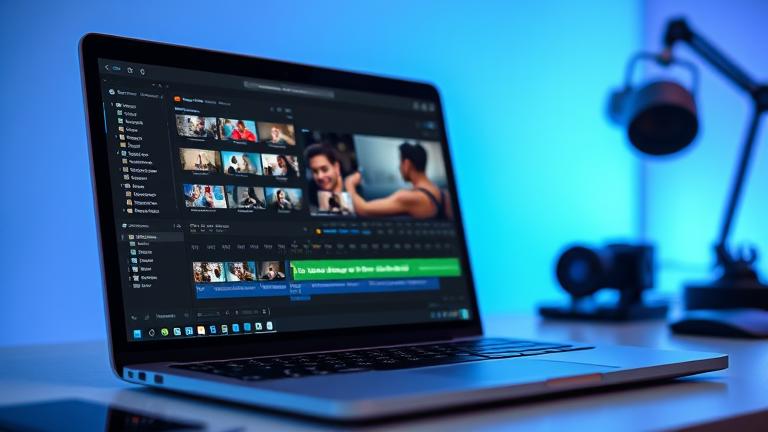
Video Presentation Maker
Meet the Story321 Video Presentation Maker—your all‑in‑one workspace to record your screen and webcam, turn slides into dynamic stories, add voiceovers, subtitles, and branding, then share or download in minutes. Built for speed, polish, and teamwork, our Video Presentation Maker helps you deliver training, sales, and classroom content that is clear, compelling, and on brand—without pro editing skills. Start free, create faster, and elevate every message.
What is a Video Presentation Maker?
A Video Presentation Maker is a simple, powerful tool that transforms static slides and talking points into engaging videos. On Story321, you can capture your screen and webcam, import PowerPoint or Google Slides, trim and arrange clips on a timeline, add animations, transitions, music, and subtitles, then export in crisp HD. Unlike complex editing suites, our Video Presentation Maker streamlines every step with AI—automatically removing background noise, generating on-brand text, translating captions, and even suggesting layouts—so you can focus on your story. Whether you’re pitching, teaching, onboarding, or updating stakeholders, the Video Presentation Maker turns attention into action.
Record screen and webcam together with picture‑in‑picture control
Import PowerPoint or Google Slides and preserve layouts and links
AI subtitles and translations for instant accessibility
Brand kit: logos, fonts, color presets, and reusable templates
One‑click background noise removal and audio leveling
Media library with stock footage, images, music, and icons
Share via secure link or download in multiple formats
Save and reuse custom templates to scale future videos
Everything you need to present with confidence
Combine intuitive editing with smart automation. The Story321 Video Presentation Maker brings pro‑level capability to your browser.
Screen + Webcam Recorder
Capture your screen and face together with adjustable picture‑in‑picture, custom framing, and presenter notes.
Slide Import (PPT & Google Slides)
Drag‑and‑drop decks directly into your timeline while preserving layouts, hyperlinks, and speaker notes.
AI Subtitle Generator
One‑click subtitles in 100+ languages, with auto‑punctuation, speaker detection, and translation.
Noise Removal & Audio Leveling
Clean background hiss, hum, and clicks automatically. Match volumes across clips for a smooth experience.
Templates & Themes
Choose from professionally designed templates for sales, training, onboarding, classrooms, and webinars.
Animations & Transitions
Use tasteful motion presets—fades, slides, zooms—and animate text, shapes, and callouts with timing controls.
Brand Kit
Upload logos, set fonts and color palettes, and lock brand elements so every export stays on message.
Media Library
Search royalty‑free stock footage, images, icons, and music inside the editor to enrich any scene.
AI Script & Title Assist
Generate strong hooks, talking points, and slide copy. Rewrite, shorten, or expand with tone controls.
Teleprompter & Presenter Notes
Read smoothly with adjustable speed and size. Keep private notes off the recording while you present.
Export & Share
Download MP4 in multiple resolutions up to 4K or share a secure link with custom thumbnail and playback settings.
Version History & Reuse
Track changes, roll back, and save any project as a reusable template for future videos.
Green Screen & Background Remover
Remove clutter or swap backgrounds with AI for a clean, distraction‑free presenter view.
Collaboration & Comments
Invite teammates, collect time‑stamped feedback, and resolve threads right on the timeline.
How to use the Video Presentation Maker
Follow these steps to turn slides and screen demos into crisp videos on Story321.
Start a new project
Open the Video Presentation Maker, choose a template or a blank canvas, and set your aspect ratio (16:9, 9:16, or square).
Import slides or record
Drag in a PowerPoint/Google Slides file or start the screen + webcam recorder to capture your demo and narration.
Arrange on the timeline
Trim, split, and reorder clips. Add transitions, motion titles, and annotations to guide attention.
Polish with AI
Generate subtitles and titles, remove background noise, translate captions, and auto‑level audio.
Brand and finish
Apply your logo, fonts, and colors. Add music from the library, then preview in the Video Presentation Maker.
Export or share
Download MP4 or share a secure link. Save the project as a template for your next video presentation.
Pro tips for standout video presentations
- •Open with a 5–10 second hook that states the value or outcome.
- •Use picture‑in‑picture during key points to build trust and clarity.
- •Keep scenes short (6–12 seconds) and vary visuals to sustain attention.
- •Add subtitles even if your audience speaks the language—many watch muted.
- •Use your brand kit consistently to reinforce recognition.
- •End with a clear call to action and a clickable link in your share page.
No downloads needed. The Story321 Video Presentation Maker runs in your browser and autosaves your progress.
What you can make with the Video Presentation Maker
From pitch decks to product walkthroughs, the Video Presentation Maker adapts to your message and audience.
Sales pitch videos
Turn your deck into a concise pitch with animated highlights, subtitles, and a personal face‑cam intro.
Product demos
Record your screen, layer callouts, and explain features clearly using the Video Presentation Maker timeline.
Training & onboarding
Create step‑by‑step tutorials with chapters, quizzes (via links), and branded templates for repeatable training.
Webinars & events recaps
Condense long sessions into digestible highlight reels with captions and chapter markers.
Investor updates
Blend metrics slides, voiceover, and webcam commentary into confident monthly updates.
Internal communications
Share clear, accessible announcements with consistent branding using the Video Presentation Maker.
Educational lessons
Turn lecture slides into engaging micro‑lessons with annotations, music, and translations.
Customer support guides
Replace text-heavy articles with short visual explainers that reduce tickets and time to resolution.
Portfolio & case studies
Show process and outcomes with side‑by‑side slides, screen capture, and narrative voiceover.
Recruiting & employer brand
Welcome candidates with team intros, culture highlights, and role expectations—on brand and easy to share.
Video Presentation Maker: frequently asked questions
Quick answers about using the Story321 Video Presentation Maker to plan, produce, and share video presentations.
Is the Video Presentation Maker free?
Yes. Start free with core recording, editing, subtitles, and exports. When you need higher resolutions, brand kits, or advanced collaboration, upgrade anytime.
Can I import PowerPoint or Google Slides?
Absolutely. Drag in your deck and the Video Presentation Maker preserves layouts, speaker notes, and links so you can focus on timing and voiceover.
Can I record my webcam while presenting slides?
Yes. Use screen + webcam recording for picture‑in‑picture or full‑frame face‑cam segments inside the Video Presentation Maker.
How do I make my video accessible?
Enable AI subtitles and translations. The Video Presentation Maker creates accurate captions, supports multiple languages, and offers contrast‑safe styles.
Does it remove background noise?
One click cleans hiss, hum, and light echo. The Video Presentation Maker also levels volumes and can auto‑duck music under speech.
Can I add my logo and colors?
Upload your brand kit—logo, fonts, and palettes—then apply it across scenes. Save as a template for consistent use of the Video Presentation Maker.
What export formats are available?
Export MP4 in multiple resolutions up to 4K, or share a secure link. The Video Presentation Maker also supports square and vertical aspect ratios.
Can I collaborate with my team?
Invite teammates to comment and review with time‑stamped notes. Track versions inside the Video Presentation Maker and keep changes organized.
Is there a learning curve?
If you can drag and drop, you can use it. The Video Presentation Maker includes guided templates and tooltips so you become productive on day one.
Can I save a project as a reusable template?
Yes. Turn any project into a template so your team can quickly produce new videos using the same structure in the Video Presentation Maker.
Create your first video presentation in minutes
Start free with Story321’s Video Presentation Maker. Record, import slides, add AI subtitles, and export in HD—no experience required.
No installs, no watermarks on shared links, and you can upgrade anytime for brand kits, higher resolution, and team controls.