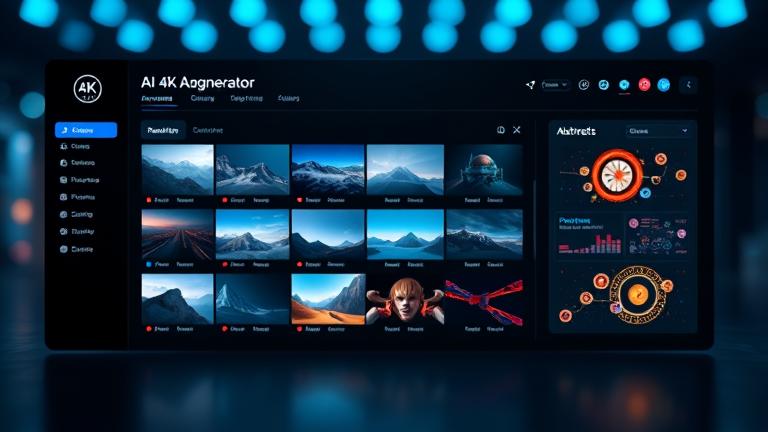
AI 4k Image Generator
Create studio-grade visuals with the ai 4k image generator built for designers, marketers, and creators on Story321. Generate images from text or uploads, upscale to true 4K, and export print-ready files in seconds. Enjoy a free start, pro controls, and commercial use.
What is an AI 4K Image Generator?
An ai 4k image generator is a creative engine that transforms text prompts or reference images into ultra-detailed visuals at 3840×2160 resolution. On Story321, you get intuitive text-to-image, image-to-image, and one-click upscaling that preserves sharp edges, lifelike textures, and accurate color. Whether you need photorealistic renders, anime scenes, product mockups, or abstract concept art, our ai 4k image generator balances speed with fidelity so you can go from idea to finished artwork fast. It is designed for print, large displays, campaigns, and social media where clarity and impact matter.
True 4K generation and upscaling with crisp detail and natural textures.
Text-to-image, image-to-image, and style presets for any creative goal.
Free plan to explore the ai 4k image generator before you upgrade.
Powerful features for pro-grade results
Every control is crafted to make the ai 4k image generator fast and predictable, from prompt design to export.
Text-to-image with style presets
Start from plain language and select realistic, anime, painterly, or abstract looks. The ai 4k image generator interprets context for accurate subjects and scenes.
Image-to-image refinement
Upload a sketch, render, or photo to guide composition, then iterate in 4K. The ai 4k image generator keeps structure while elevating detail and lighting.
4K upscaler with detail recovery
Boost legacy assets to true 4K. Edge-aware, texture-preserving models ensure the ai 4k image generator avoids over-sharpening or watercolor artifacts.
Advanced prompt controls
Negative prompts, aspect ratios, lens choices, seed locking, and variations give repeatable outcomes with the ai 4k image generator for professional workflows.
Batch generation
Explore multiple compositions and styles at once. The ai 4k image generator runs parallel jobs so you can compare options and select the best result quickly.
One-click export
Download PNG or JPG in 4K with metadata and color profile options. The ai 4k image generator makes final export dead simple.
How to use the AI 4K image generator
Go from idea to 4K art in four quick steps. The ai 4k image generator keeps the workflow simple for beginners and efficient for pros.
Describe your vision
Enter a clear prompt with subject, setting, lighting, and style. Add negatives to exclude unwanted elements for the ai 4k image generator.
Choose source and style
Pick text-to-image or upload a reference. Select presets like photoreal, anime, or abstract, then tweak strength so the ai 4k image generator follows your direction.
Generate and refine
Preview fast, pick favorites, then upscale. Use variations, seeds, and color tweaks to lock the final look in the ai 4k image generator.
Export and use
Download 4K PNG or JPG with proper color profiles. Your ai 4k image generator outputs are ready for print, web, or large displays.
Pro tips for sharper 4K results
- •Write prompts with concrete nouns, strong verbs, and lighting terms.
- •Use reference uploads to anchor composition and pose.
- •Leverage negative prompts to remove glare, noise, or artifacts.
- •Lock a seed to reproduce the same layout across variations.
- •Preview at lower res, then upscale to 4K to save time.
- •Keep color palettes tight for brand consistency in the ai 4k image generator.
Respect copyrights when using reference images. The ai 4k image generator provides tools for original creations and licensed commercial use; always confirm rights for third-party materials.
Where the AI 4K image generator excels
From social content to large-format print, the ai 4k image generator adapts to your workflow and audience.
Social media campaigns
Create scroll-stopping posts, stories, and banners in crisp 4K. The ai 4k image generator keeps brand colors, lighting, and tone consistent across batches.
Ecommerce product visuals
Generate clean hero shots, lifestyle scenes, and 4K detail crops. The ai 4k image generator supports uniform backgrounds and shadow realism.
Professional print
Posters, flyers, packaging, and event backdrops need sharpness at scale. The ai 4k image generator delivers print-ready files with reliable color.
Concept art and storyboards
Explore worlds, characters, and lighting studies rapidly. The ai 4k image generator helps teams align on direction before high-cost production.
Brand and marketing design
Build on briefed palettes and styles to produce on-brand visuals. The ai 4k image generator makes testing options fast and structured.
Upgrading legacy assets
Upscale old images to 4K while restoring texture and edge definition. The ai 4k image generator modernizes archives for today’s screens.
AI 4K image generator FAQs
Answers to common questions about quality, speed, pricing, and usage.
Does it generate true 4K or just upscale?
Both. You can generate directly at 4K or create fast previews and upscale with detail recovery. The ai 4k image generator uses edge-aware models to maintain natural textures and avoid plastic smoothing.
Is there a free plan?
Yes. You can try the ai 4k image generator for free with a fair usage limit. Upgrade for higher daily credits, batch jobs, priority queues, and team features.
Can I use outputs commercially?
Yes. The ai 4k image generator includes a clear commercial license for images you create. You are responsible for ensuring prompts and references do not violate third-party rights.
How fast is 4K generation?
Most 4K renders complete in seconds to a couple of minutes depending on complexity and queue. The ai 4k image generator prioritizes responsive previews and consistent final quality.
Can I guide results with my own images?
Absolutely. Use image-to-image to set composition, pose, or palette. The ai 4k image generator blends your reference with the prompt while respecting your chosen strength.
What styles are supported?
Photoreal, studio, cinematic, macro, anime, toon, painterly, minimalist, and abstract. With the ai 4k image generator you can combine presets and custom parameters for unique looks.
What about copyright and safety?
The ai 4k image generator supports responsible use, offers negative prompts to avoid sensitive content, and logs actions for transparency. Always use references you own or are licensed to use.
Start creating with the best free AI 4K image generator
Design stunning visuals in minutes. Generate, refine, and export in true 4K with commercial-ready licensing and a free plan to get you moving fast.
No credit card required. The ai 4k image generator is free to start and ready for pro work when you are.