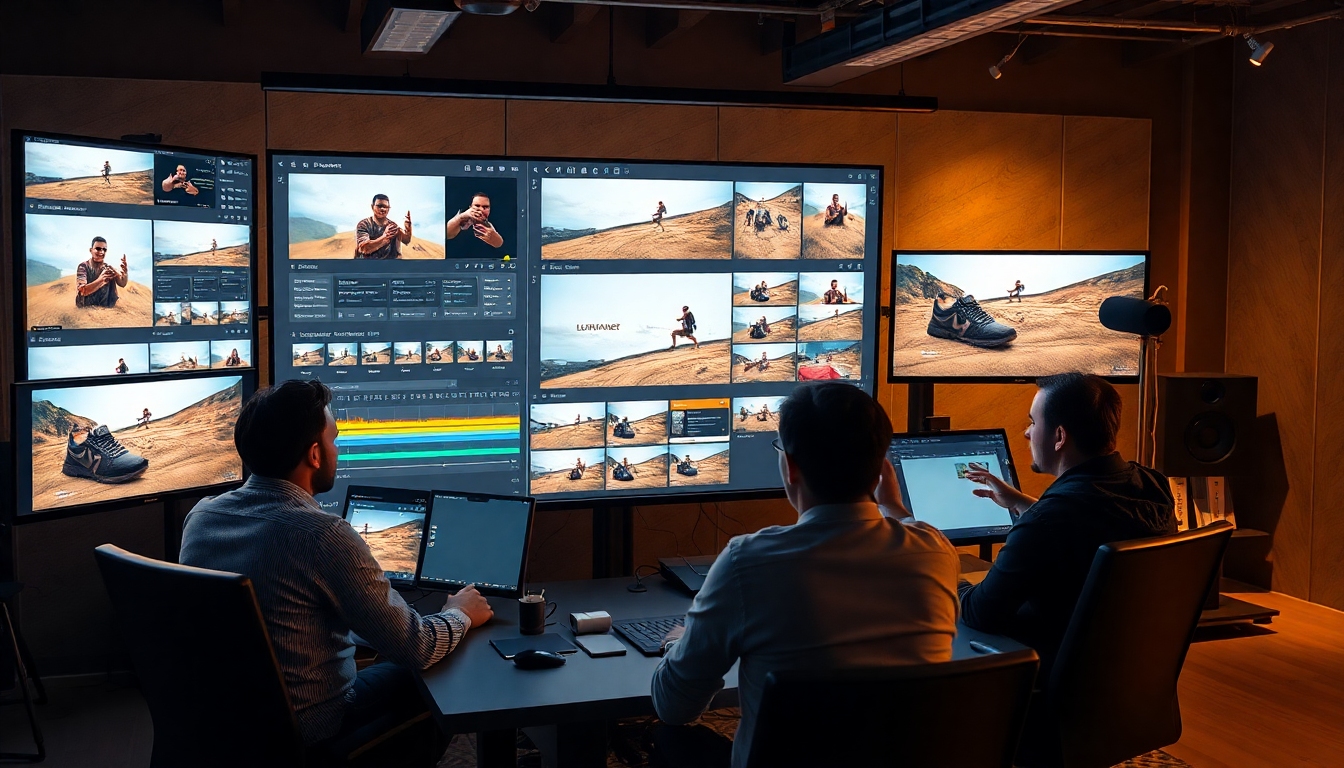
Meet GPT Image 1.5: A New Era of Visual Creation for Content Creators#
If you create videos, design campaigns, write stories, or build brand visuals, you’ve likely wished for a tool that keeps up with your ideas. GPT Image 1.5 is that tool. As the latest image generation model powering ChatGPT Images, GPT Image 1.5 combines precision editing, expressive transformations, stronger instruction following, and faster rendering—up to 4x faster—and it’s now rolling out in ChatGPT and the API. For content creators who need consistent, high-quality outputs without long iteration cycles, GPT Image 1.5 behaves like a creative studio in your pocket.
From moodboards and thumbnails to product catalogs and album artwork, GPT Image 1.5 helps you move from prompt to polished result with fewer drafts and better fidelity. It preserves fine details when you edit, renders text more accurately in dense or small layouts, and enables complex compositions that follow your directions closely.
<iframe src="https://player.vimeo.com/video/1147060742?h=a62de7b5b2&amp%3Bbadge=0&amp%3Bautopause=0&amp%3Bplayer_id=0&amp%3Bapp_id=58479&controls=0&autopause=0" width="100%" height="100%" title="Image Gen_Dog Comp_16x9_US from OpenAI on Vimeo" allow="autoplay; fullscreen; picture-in-picture; clipboard-write" class="aspect-16/9 md:aspect-16/9 min-h-full min-w-full absolute left-1/2 top-1/2 -translate-x-1/2 -translate-y-1/2" data-ready="true"></iframe>What Is GPT Image 1.5?#
GPT Image 1.5 is an advanced image generation and editing model designed to handle both practical edits and imaginative reimaginings. Within ChatGPT, you’ll find a dedicated “Images” space that makes it easy to create, iterate, and remix visuals using presets and trending prompts. In the API, GPT Image 1.5 exposes the same capabilities for developers and teams who want to integrate visual generation into apps and pipelines.
At its core, GPT Image 1.5 is built for:
- Precise edits that preserve original details.
- Creative transformations like style shifts, blending, and conceptual remixes.
- Stronger instruction following for intricate, multi-step compositions.
- Improved text rendering, including denser and smaller text.
- Faster performance (up to 4x faster) with API image inputs and outputs 20% cheaper than GPT Image 1.
For content creators, GPT Image 1.5 means more control, fewer do-overs, and consistent visual identity across assets.
What’s New in GPT Image 1.5 vs. Previous Versions#
If you used earlier models, you’ll feel the difference immediately. Here’s what GPT Image 1.5 improves:
- Precision editing without collateral changes: Touch up lighting, swap backgrounds, replace objects, or retouch wardrobe while preserving textures, lighting cues, and material reflections. GPT Image 1.5 keeps faces, fabrics, and surfaces intact while making targeted edits.
- Stronger instruction following: Multi-part prompts work better. Ask for “a product hero shot with soft rim light, matte background, small caption bottom-right, and two color variants,” and GPT Image 1.5 follows through with fewer deviations.
- Improved text rendering: Labels, banners, thumbnails, and cover art benefit from crisper typography. GPT Image 1.5 handles shorter phrases, denser text, and smaller sizes more reliably.
- Creative transformations and blends: Combine reference images, transpose styles across scenes, and experiment with conceptual remixes. GPT Image 1.5 understands how to blend or transpose elements without smearing identity.
- Speed and cost: Image generation is up to 4x faster, and the API is 20% cheaper on image input/output compared to GPT Image 1.
- New “Images” experience in ChatGPT: Presets, trending prompts, and a dedicated creation space streamline experimentation and production.
In short, GPT Image 1.5 offers more power with better control, allowing you to ship ideas faster.
The New “Images” Tab: A Creative Control Room#
The ChatGPT “Images” tab is a focused workspace for GPT Image 1.5. Instead of juggling multiple chats, you work within a dedicated environment built for image creation:
- Start from a preset: Select cinematography, illustration, product, portrait, or editorial presets to set a consistent mood from the first render.
- Use trending prompts as inspiration: Tap into what other creators are exploring to spark new directions with GPT Image 1.5.
- Upload for targeted edits: Bring a photo or graphic, describe precise changes, and apply masks or region-specific instructions. GPT Image 1.5 preserves context while modifying local areas.
- Iterate with versioning: Branch variations per request (e.g., typography options, colorways, or layout tweaks) without losing previous versions.
- Organize sets: Keep related renders (thumbnails, vertical crops, A/B versions) together to simplify approvals.
The Images experience is intentionally streamlined so content creators can explore, iterate, and finalize assets with minimal friction.
How to Use GPT Image 1.5 in ChatGPT#
Follow these steps to get the most from GPT Image 1.5 inside ChatGPT:
-
Open the Images tab:
- Create a new project and pick a preset aligned to your goal (e.g., “Product hero” or “Cinematic portrait”). Starting with a preset helps GPT Image 1.5 lock onto the right mood.
-
Write a structured prompt:
- Use clear objectives, constraints, and references. For example:
- Objective: “YouTube thumbnail of a tech reviewer holding a foldable phone.”
- Constraints: “Neutral gray background, bold cyan accent, 3:2 aspect ratio, space for title top-left.”
- Quality cues: “Softbox lighting, crisp edges, minimal grain.”
- GPT Image 1.5 follows structured prompts more reliably and preserves the details you specify.
- Use clear objectives, constraints, and references. For example:
-
Upload reference images when needed:
- Add your logo, brand color swatches, or product shots. Ask GPT Image 1.5 to keep brand elements clean, align to color values, and match lighting to your original asset.
-
Iterate with surgical edits:
- Use region-specific instructions: “Replace the background only,” “Brighten the subject’s face,” or “Remove the reflection on the watch.” GPT Image 1.5 excels at these targeted adjustments.
-
Add text with care:
- Keep phrases short, specify placement (“bottom-right”), and provide style cues (“condensed sans-serif, high contrast”). GPT Image 1.5 is better at dense and small text, but it performs best with concise wording.
-
Create versions for A/B testing:
- Ask GPT Image 1.5 for three layout variants, two colorways, and one alternative focal point. Save favorites and request refinements on top of the best version.
-
Export and finalize:
- Download the highest-quality version. If you need an alternate crop, ask GPT Image 1.5 to reframe while preserving the main subject’s composition.
How to Use GPT Image 1.5 via API (For Teams and Developers)#
You can bring GPT Image 1.5 into creative pipelines or internal tools through the API:
- Choose your workflow: generation from prompt, image-to-image edit, masked edit, or blend of multiple sources.
- Provide structured metadata: pass brand colors, fonts (as descriptors), safe area rules, and composition targets so GPT Image 1.5 stays consistent across outputs.
- Batch jobs: generate multiple product shots, thumbnails, or ad variants at once. GPT Image 1.5’s 4x speed boost and 20% cheaper image I/O help teams scale experimentation.
- Store versions: archive render settings and top-performing outputs for rapid re-use. Rerun the same request to maintain consistency across campaigns.
- Guardrails: implement prompt templates and brand policies to keep outputs aligned to compliance and tone.
This approach turns GPT Image 1.5 into a reliable production engine for marketing teams, e-commerce catalogs, and creative studios.
Role-Based Workflows: How Creators Can Apply GPT Image 1.5 Today#
For Video Creators and YouTubers#
- Thumbnails that pop: Use GPT Image 1.5 to generate 3–5 thumbnail options per video with coherent framing, bold color blocking, and short, legible title text.
- Storyboards and scenes: Turn a script outline into a visual storyboard. Ask GPT Image 1.5 to keep character styling consistent across frames and angles.
- Prop and set exploration: Mock up set designs, lighting, and prop placements. Iterate quickly on mood without physical builds.
- Series continuity: Lock a style guide and ask GPT Image 1.5 to adhere to it across episodes.
For Designers and Art Directors#
- Concept boards in minutes: Create moodboards and hero frames that match brand palettes and texture references.
- Product hero shots: Blend renders with photos, change backgrounds, and maintain accurate reflections and materials. GPT Image 1.5 keeps realism intact while you swap contexts.
- Packaging and retail mockups: Generate shelf views, endcaps, and POS displays, then iterate with placement and lighting tweaks.
- Brand consistency: Define rules (negative space, safe areas, accent color use), and have GPT Image 1.5 apply them across variations.
For Writers and Authors#
- Cover art and chapter illustrations: Provide themes, motifs, and tone. GPT Image 1.5 can deliver consistent visual identity across a series.
- World-building references: Create guides for locations, artifacts, and characters to anchor your narrative.
- Social and newsletter visuals: Generate banner art with short text overlays that stay readable in small formats.
For Voice Actors and Podcasters#
- Episode cover series: Maintain a cohesive art direction across seasons by reusing prompts. GPT Image 1.5 supports recurring motifs and colors.
- Promo art for clips: Request templates with variable titles and guest photos, then swap elements for each release.
- Live show branding: Create stage visuals and banners, including short text callouts rendered crisply.
For E‑commerce and Marketing Teams#
- Catalog generation: Produce multi-angle product images, colorways, and seasonal backgrounds at scale. GPT Image 1.5 preserves product detail while changing surroundings.
- Lifestyle swaps: Place products into diverse lifestyle contexts without reshoots.
- Banner ads and social variations: Generate multiple aspect ratios and slogans with improved small-text legibility.
Prompt Patterns That Work Well in GPT Image 1.5#
GPT Image 1.5 responds best to structured intent. Use these patterns:
-
Objective + Subject + Style + Constraints
- “Create an e-commerce hero of a ceramic pour-over coffee set, natural light, minimal slate background, 4:5, space for price tag top-right.”
-
Multi-part instructions (ordered steps)
- “1) Keep the model and outfit unchanged. 2) Replace background with warm studio gradient. 3) Add subtle rim light. 4) Insert small caption bottom-right: ‘New Drop’. 5) Output two color variants.”
-
Region-targeted edits
- “Only adjust the hair to chestnut brown. Keep skin tone, makeup, and jacket texture unchanged.”
-
Blends and transpositions
- “Blend a vintage botanical illustration style with a modern skincare flat-lay. Matte textures, natural shadows, realistic labels.”
-
Negative directives
- “Avoid heavy grain, avoid Dutch angles, no watermark, no lens flare.”
Add reference images when possible, and phrase constraints explicitly. GPT Image 1.5 is very good at preserving what you lock down.
Example Prompts to Copy#
- “Product hero of a matte black wireless headset, softbox lighting, neutral gray background, 3:2, crisp edges, add small text bottom-right: ‘Pro Edition’.”
- “Upload portrait; remove background; replace with dusk city skyline; keep skin and hair untouched; add soft rim light; no color cast on face.”
- “Storyboard sequence: 6 frames of a cozy café date, consistent characters, warm cinematic lighting, depth of field, subtle grain.”
- “Album cover art, neo-soul mood, deep greens and gold accents, abstract geometry, short title centered.”
- “Fashion try-on: same model, three outfits, same pose, studio white background, even lighting, identical framing.”
All of these leverage how GPT Image 1.5 preserves detail, follows instructions, and renders short text reliably.
Speed, Cost, and Scale#
Two practical upgrades make GPT Image 1.5 stand out for production:
- Speed: Image generation is up to 4x faster. For creators working against release schedules, this compresses the sketch-to-final timeline dramatically.
- Cost: In the API, image inputs and outputs are 20% cheaper compared to GPT Image 1, making experimentation—like A/B variants and batch catalogs—more affordable.
Tips for cost-effective scaling with GPT Image 1.5:
- Batch your prompts: Request multiple variations in a single session to amortize setup time.
- Lock brand guidelines: Fewer revisions mean fewer renders; provide color values and layout rules upfront.
- Reuse prompt templates: Establish templates for thumbnails, ads, and product heroes that you can tweak per asset.
Maintaining Consistency with GPT Image 1.5#
Consistency is crucial for professional workflows. To keep outputs steady, use these GPT Image 1.5 tactics:
- Reference sets: Upload a small library of brand assets (logo, textures, color chips). Ask GPT Image 1.5 to use them as grounding references.
- Repeatable structures: Use the same prompt framing per campaign, changing only the variables (product, headline, background).
- Iterative edits rather than re-prompts: Ask GPT Image 1.5 to “keep everything except X” to avoid drift between versions.
- Version control: Title and save each version; when you find a strong direction, request variations on that version rather than starting over.
Text Rendering: Getting the Most from GPT Image 1.5#
While GPT Image 1.5 improves text rendering significantly, you’ll get the best results with:
- Short phrases: 1–5 words.
- Clear placement: “Top-left,” “centered,” or “bottom-right.”
- Style descriptors: “Condensed sans-serif,” “bold, high-contrast,” “outline stroke,” or “drop shadow minimal.”
- Contrast planning: Specify background tone or blur to improve readability.
- Iterative refinement: If letterforms are slightly off, ask GPT Image 1.5 for a rerender with tighter spacing or higher contrast.
For long paragraphs, consider adding text in post. GPT Image 1.5 is optimized for short, design-forward labels, banners, and thumbnails.
Practical Limitations and Responsible Use#
No model is perfect. Keep these realities in mind when using GPT Image 1.5:
- Complex long-form text: Short phrases and labels work best; longer paragraphs may require manual typesetting afterward.
- Hyper-specific logos or proprietary marks: Provide compliant brand assets and ensure you have rights for any protected content.
- Fine-grained photorealism under extreme constraints: When every micro-detail matters (e.g., scientific visuals), validate outputs carefully.
- Iteration still helps: GPT Image 1.5 is fast and precise, but refinement rounds remain valuable for high-stakes assets.
Use GPT Image 1.5 responsibly—respect usage rights, portray people ethically, and avoid misleading composites in sensitive contexts.
Quick Start Checklist#
Before your next project, run this checklist with GPT Image 1.5:
- Define the goal and audience.
- Choose a preset in the Images tab aligned to your style.
- Write a structured prompt with objectives, constraints, and quality cues.
- Upload reference images, logos, or style chips.
- Request 3–5 variations and pick the best direction.
- Iterate with surgical edits rather than regenerating from scratch.
- Save final settings as a reusable template for your next project.
FAQs About GPT Image 1.5#
-
Is GPT Image 1.5 available to all users?
- Yes, GPT Image 1.5 is rolling out to all ChatGPT users and is available via the API for developers and businesses.
-
How fast is GPT Image 1.5?
- GPT Image 1.5 generates images up to 4x faster than before, accelerating exploration and production.
-
Is GPT Image 1.5 cheaper to use in the API?
- Yes. Image inputs and outputs are 20% cheaper in the API compared to GPT Image 1, helping teams scale experimentation.
-
Can GPT Image 1.5 handle detailed edits without degrading the rest of the image?
- That’s a core strength. GPT Image 1.5 is built for precise, localized edits while preserving surrounding details.
-
How well does GPT Image 1.5 render text?
- It handles denser and smaller text better than previous versions, especially for labels, banners, and thumbnails. Keep wording concise for best results.
The Bottom Line#
For creators who need speed, fidelity, and control, GPT Image 1.5 is a leap forward. It pairs precise editing with rich creative transformation, follows complex instructions reliably, renders short text crisply, and delivers results up to 4x faster with lower API costs. Whether you work in ChatGPT’s Images tab or integrate the API into your pipeline, GPT Image 1.5 turns idea-to-image into a streamlined, repeatable workflow.
If you produce thumbnails weekly, ship product launches monthly, or manage a brand across channels, start building prompt templates, define your style rules, and let GPT Image 1.5 handle the heavy lifting. The sooner you incorporate GPT Image 1.5 into your toolkit, the faster you’ll move from concept to creative that ships.


