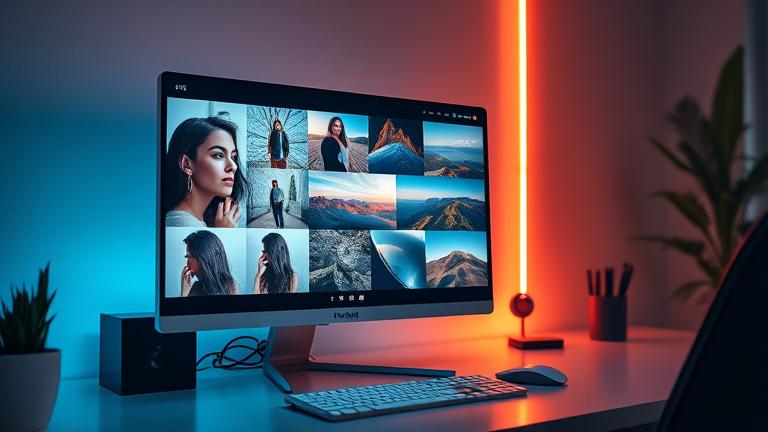
AI High Resolution Image Generator
Story321 is the ai high resolution image generator built for creators who demand print-ready quality, speed, and control. Generate crisp 4K images in seconds, upscale to 8K, edit with precision, and export in industry formats. Start free, scale with Pro, and own your results with commercial-safe rights.
What is the Story321 ai high resolution image generator?
It’s a professional-grade platform that turns your prompts and references into ultra-detailed images at real production sizes. Choose native outputs up to 4096×4096, upscale to 8192 on demand, and refine with inpainting, outpainting, and background removal. Whether you’re building hero banners, packaging art, posters, or product imagery, our ai high resolution image generator delivers consistent, sharp, and color-true results. Designed for speed, control, and commercial use, it combines intuitive workflows with advanced knobs—so you create high-resolution visuals without heavy hardware or time-consuming post.
Native 4K output with 2x and 4x upscalers to 8K
Fast generation: typical 4K drafts in 8–15 seconds
Commercial-safe licensing and usage rights
Reference image, style lock, and seed control
Built-in editor: crop, extend canvas, retouch
Features that make high resolution effortless
Everything you need to move from idea to polished, high-resolution output—fast, flexible, and future-proof.
Resolution Presets & Custom Pixels
Pick from 1080, 2K, 4K, or set exact dimensions up to 4096×4096 native. Then upscale to 8192 using 2x/4x super-resolution tuned for text, edges, and micro-texture.
Model Choice & Comparison
Select models optimized for portraits, products, landscapes, or stylized art. Compare side by side with our Model Compare tool to validate the best ai high resolution image generator settings.
Reference Image & Style Lock
Upload a reference to match composition, color, or brand style. Lock style strength to maintain consistency across series and campaigns.
Advanced Prompting Aids
Use prompt builder, negative prompt hints, and real-time previews. Explore examples tuned for the ai high resolution image generator to achieve predictable results.
Inpainting, Outpainting, Backgrounds
Edit in place: remove or add objects, extend canvas for taller posters or wider banners, and one-click background removal for clean cutouts.
Color & Print Fidelity
Choose sRGB or Adobe RGB, soft-proof, and export TIFF/PNG/JPEG with optional ICC profiles. Get repeatable color from screen to print.
Batch Generation & Queues
Generate multiple variations at once, prioritize queues, and apply presets across batches. Perfect for ad sets, catalogs, and A/B tests.
API, Webhooks, and Presets
Integrate the ai high resolution image generator into your stack. Trigger jobs, fetch results, and standardize settings with team-shared presets.
Ethics, Safety & Provenance
Content filters, opt-out artist lists, and watermark/provenance options help ensure ethical usage and safer publishing at scale.
Performance Without Heavy Hardware
All compute runs in the cloud to minimize local costs. The ai high resolution image generator is optimized for speed and cost-efficiency.
How to use the ai high resolution image generator
From your first prompt to an 8K export, follow this simple path to quality.
Start a Project and Pick a Model
Create a new canvas, choose a model suited to your subject—product, portrait, or environment—and set your aspect ratio and base resolution.
Write a Focused Prompt
Describe subject, style, lighting, and camera perspective. Add negatives to avoid artifacts. Use built-in guidance tailored to the ai high resolution image generator.
Set Resolution and Controls
Select 4K native or generate at 2K for speed, then upscale. Adjust CFG, seed, and style strength. Lock brand colors or upload a reference for consistency.
Generate, Refine, and Edit
Create multiple variations, pick the best, then touch up with inpainting, background removal, or color tweaks. Compare models side by side if needed.
Export with Confidence
Upscale to 8K if required and export PNG, JPEG, or TIFF. Apply ICC profiles and metadata. Your license covers commercial use from day one.
Pro tips for sharper, cleaner results
- •Generate at 2K for speed, then 2x upscale to 4K or 8K for final.
- •Use a consistent seed for series; vary seed for exploration.
- •Upload a reference to nail composition and brand tone.
- •Keep prompts concise; use negative prompts to reduce clutter.
- •Enable detail-preserving upscaler for text and fine texture.
The ai high resolution image generator is optimized for fast iteration—draft quickly, upscale when you’re confident, and finish edits in the built-in studio.
Where the ai high resolution image generator excels
Whatever you’re building, Story321 delivers the clarity and scale professional outcomes demand.
Print Posters & Packaging
Produce 4K–8K visuals with clean edges and rich gradients for posters, book covers, and packaging comps—all from one ai high resolution image generator.
E‑commerce Product Hero Shots
Generate crisp product scenes, reflectance-correct materials, and background cutouts ready for PDP and marketplace standards.
Web & App Hero Banners
Build responsive hero art in precise aspect ratios, with scalable assets that look flawless across retina and 4K displays.
Concept Art & Storyboards
Explore styles rapidly, lock visual language, and upscale final frames—ideal for pitches, previz, and art direction.
Marketing & Social Campaigns
Batch-generate variations, test concepts, and ship brand-consistent creatives faster with the ai high resolution image generator.
Architecture & Interiors
Create photoreal scenes with accurate lighting and materials, then upscale for client boards and large screens.
Frequently asked questions
Answers to common questions about quality, cost, speed, rights, and control.
What resolutions can I generate?
Native outputs up to 4096×4096 with aspect controls. Use the built-in 2x/4x upscaler for up to 8192 on the long edge. This ai high resolution image generator preserves edge fidelity, micro-texture, and readable small details.
How fast is generation at high resolution?
Typical 2048 drafts appear in 4–7 seconds; 4K in 8–15 seconds depending on complexity and queues. Upscaling to 8K usually adds 4–10 seconds. Batch jobs run in parallel to keep teams productive.
Is there a free plan?
Yes. Start free with generous credits, watermark-free exports up to 2048, and access to editing tools. Upgrade for native 4K, priority queues, 8K upscaling, batch limits, and API throughput when you need more.
Can I use images commercially and who owns them?
You own the assets you create and receive a commercial-safe license for business use. The ai high resolution image generator includes clear terms, provenance tools, and content filters to help you publish with confidence.
How much control do I have over style and content?
Fine-tune prompts, negative prompts, seeds, style strength, reference image influence, and guidance scales. Use inpainting/outpainting to direct composition at high resolution without starting over.
What about ethics, safety, and training data?
We apply safety filters, respect opt-out lists, and provide reporting tools. The ai high resolution image generator offers watermarking/provenance options for transparency and safer distribution.
Will this replace expensive hardware for high-res work?
Yes—compute runs in the cloud. You can create 4K–8K outputs without owning heavy GPUs. This keeps computational costs predictable while the platform optimizes performance for you.
Is there an API for developers?
Yes. The API lets you submit prompts, set resolution, run batches, and receive webhooks when images are ready. Standardize presets and integrate the ai high resolution image generator into apps, DAMs, or pipelines.
Create your first 8K image—free
Join Story321 and turn prompts into production-ready art in minutes. Start on the free plan, explore pro controls, and scale to 4K–8K with confidence using our ai high resolution image generator.
No credit card required. Upgrade anytime for native 4K, priority speed, 8K upscaling, batch generation, and API access.