Introduction#
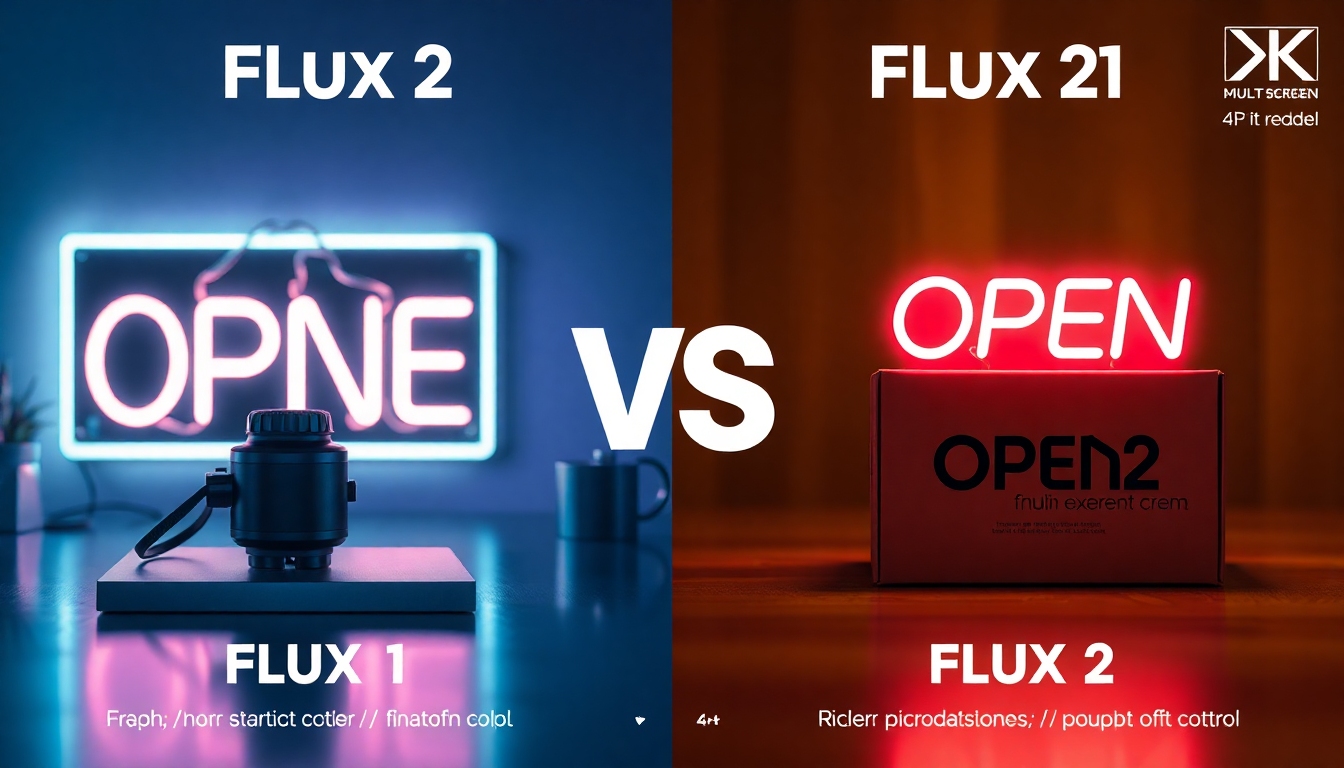
Flux 2 vs Flux 1 is the upgrade question many creative professionals are asking right now. If you storyboard videos, design thumbnails, craft brand visuals, pitch concepts, or prototype product shots, the leap in control and realism can make or break your workflow. Flux 2 vs Flux 1 isn’t just about “newer is better.” It’s about tangible improvements in fidelity, text accuracy, and multi-image control that change how you ideate and deliver.
In this guide, we break down Flux 2 vs Flux 1 across the dimensions that matter to content creators: image quality, text handling, prompt following, speed, features, workflow, openness, and pricing. We’ll map the Flux 2 lineup (Pro, Flex, Dev, Klein) to use cases, flag where Flux 1 still holds value, and give a clear recommendation for different creator profiles.
By the end, you’ll know whether Flux 2 vs Flux 1 is a must-upgrade for your work, which Flux 2 variant fits your needs, and how to transition with minimal friction.
Quick Comparison Table#
Before we dive into details, here’s a snap view of Flux 2 vs Flux 1 for creators.
| Feature | Flux 2 (Pro / Flex / Dev / Klein) | Flux 1 (Kontext / Dev) |
|---|---|---|
| Image quality & realism | Significantly improved; better photorealism, lighting, skin, fabric, micro-detail | Good, but softer detail and more artifacts under stress |
| Text rendering in images | Major upgrade; legible, consistent, on-brand typography | Unreliable; frequent misspellings and warped text |
| Prompt following & control | More precise composition, styles, and multi-part prompts | Less precise; struggles with complex constraints |
| Multi-reference images | Yes; strong consistency across references (style, subject, logos) | No native multi-reference |
| Max output resolution | Up to ~4MP (higher clarity and crop resilience) | Lower native resolution |
| Editing & inpainting | Robust (Pro/Dev); flexible for localized edits and refinements | Introduced in Kontext; capable but less refined |
| Speed & efficiency | Flex/Klein optimized for speed; Pro for highest quality | Generally slower at similar quality; fewer speed-optimized options |
| Versions & fit | Pro (flagship quality), Flex (balanced), Dev (local/control), Klein (fast/light) | Kontext (editing), Dev (local research/experiments) |
| Workflow integration | Strong platform/API support, multi-image workflows | Stable, but fewer advanced controls |
| Openness & customization | Dev version for local use; customizable pipelines | Dev available; fewer modern controls |
| Pricing & accessibility | Higher cost per image (varies by version/platform) | Often more affordable; good for budget workloads |
Flux 2 vs Flux 1 clearly tilts toward better quality, text correctness, and control, alongside a wider range of versions so creators can choose speed, quality, or local customization.
In-depth Comparison Dimensions#
Image Quality & Realism#
Flux 2 vs Flux 1 shows a pronounced jump in photorealism. Flux 2 tightens lighting behavior, skin textures, hair detail, fabric folds, depth of field, and complex material rendering (metal, glass, translucent surfaces). It’s particularly strong at high-frequency detail without falling into the over-sharpening or “AI plastic” look.
For product designers and brand teams, Flux 2 vs Flux 1 means fewer iterative passes to fix reflection issues or fabric realism. For video creators needing frame-accurate pitch boards, Flux 2 images read more believably when cut into animatics.
Where Flux 1 can still shine: stylized, illustrative looks where absolute photorealism isn’t essential. If you’re working in retro posters, graphic novels, or stylized concept art, Flux 1 is a dependable baseline—especially when budget dictates volume over detail.
Practical tip for creators:
- When your deliverable hinges on “is this real?” flux 2 vs flux 1 favors Flux 2 by a wide margin.
- When you need volume drafts and stylized moods, Flux 1 may suffice—save Flux 2 for final polish.
Text Handling#
Flux 2 vs Flux 1 is a landslide in the realm of embedded text. Flux 2 can render legible, consistent text on posters, title cards, packaging, and UI comps with markedly fewer misspellings. It’s also more reliable at obeying text placement and style cues in prompts (e.g., “uppercase sans-serif headline on the top-left” or “curved neon sign with the word ‘OPEN’”).
This single improvement can save hours for:
- YouTube thumbnail designers who need accurate, brand-safe typography on first pass.
- Social teams producing story slides with on-image copy.
- Product marketers mocking up packaging or in-app screens.
Flux 1 often struggles with letterforms and alignment, so Flux 2 vs Flux 1 for text-heavy compositions strongly favors Flux 2. If you do a lot of text-in-image work, this is likely your tipping point.
Prompt Following & Control#
Flux 2 vs Flux 1 also brings stronger compositional obedience. Flux 2 better respects multi-part prompts: subject A doing action B, in environment C, wearing D, with lighting E, and camera angle F—without misplacing or swapping attributes. It’s less prone to blending concepts unintentionally and more likely to honor relationships between elements.
For storyboard artists and art directors, Flux 2 vs Flux 1 means cleaner iterations: when you specify “two characters, one seated and one standing, window light from the right, rain streaks, shallow depth of field,” Flux 2 is more faithful. It’s also notably better with brand assets and character consistency when paired with multi-reference support.
Flux 1 remains useful for quick ideation where exact composition is less critical. But for precision-driven campaigns or shot lists, Flux 2’s control is a meaningful upgrade.
Speed & Efficiency#
Flux 2 vs Flux 1 offers a broader performance spectrum because Flux 2 arrives in multiple variants:
- Pro: Highest fidelity; best for finals, hero shots, and photorealism. Heavier compute.
- Flex: Balance of speed and quality; ideal for daily production, thumbnails, and iterative ideation.
- Dev: Local or self-hosted control; depends on your hardware, ideal for pipelines and experimentation.
- Klein: Lightweight and fast; great for rapid previews, low-latency use, and interactive UX.
In practical terms:
- Thumbnail factories and social teams can adopt Flex/Klein for drafts and switch to Pro only for the final selects.
- Agencies can run Dev locally for privacy or cost control, then escalate to Pro for hero outputs.
Flux 1’s speed is predictable but lacks the version diversity of Flux 2. If your workflow depends on “right tool for the stage” (preview → refine → final), Flux 2 vs Flux 1 grants a more efficient pipeline.
Features & Functionality#
A few headline features define Flux 2 vs Flux 1 for creators:
- Multi-reference image support (Flux 2): Bring multiple references—brand marks, character faces, environment looks—and maintain consistency across outputs. Crucial for keeping logos accurate or matching character likeness over many images.
- Higher resolution (Flux 2 up to ~4MP): Better crops and print viability without immediate upscaling. Useful for posters, covers, and high-density UI mocks.
- Editing and inpainting: Flux 2 has robust editing tools (especially in Pro/Dev). Flux 1 Kontext introduced inpainting, and it’s dependable, but Flux 2 refines edge accuracy and local realism in complex edits.
- Better style transfer: Flux 2 is more faithful to target aesthetics when you provide a style image or detailed style cues. This comes through in fashion, product design, and cinematic look-dev.
Flux 1 retains solid core functionality and is reliable for lightweight edits, but Flux 2 vs Flux 1 adds the kind of precision and consistency that brand-focused creators notice.
Workflow & Usability#
Flux 2 vs Flux 1 is also about friction. Flux 2’s ecosystem favors a modern production pipeline:
- Versions tailored to different stages (Klein/Flex for exploration, Pro for finals).
- Stronger text handling and prompt adherence, which reduces the “retry loop.”
- Better compatibility with multi-image workflows (mood boards, character sheets, logo packs).
Flux 1 remains a stable, familiar option. If your team has templates, prompts, and presets tuned for Flux 1, you can continue to work efficiently—just note that in text- and brand-heavy projects you’ll likely do more manual cleanup than with Flux 2.
For creative ops managers, Flux 2 vs Flux 1 might come down to throughput. If you can halve the number of retries and corrections, Flux 2’s higher per-image cost can still lower total project cost.
Openness & Customization#
Flux 2 vs Flux 1 for developers and technical artists revolves around “Dev” editions and local control. Both generations have developer-friendly paths, but Flux 2 Dev is designed for current workflows: improved prompt control, better edit tools, and integration patterns that play well with multi-reference setups.
- If you need to run locally for privacy, compliance, or cost predictability, Flux 2 Dev is the most future-proof pick.
- If you’re experimenting or teaching, Flux 1 Dev remains accessible and lightweight, with a large body of community knowledge.
As always, check the licensing terms of your chosen model. For commercial deployments, confirm allowed use cases and any attribution obligations.
Pricing & Accessibility#
Flux 2 vs Flux 1 generally means a higher per-image cost for Flux 2, especially in Pro mode. But pricing should be evaluated against rework and time saved. The calculus for creators:
- If a Flux 2 image prevents two or three retries, your effective cost per approved image can be lower than with Flux 1.
- If your workload is high-volume drafts and low stakes on realism, Flux 1 may be the more economical baseline.
Flux 2’s variety (Pro/Flex/Klein/Dev) helps align cost with intent:
- Use Klein/Flex for broad exploration.
- Save Pro for shortlisted finals.
- Employ Dev locally when you need privacy or predictable cost.
Flux 1 still offers a budget-friendly path for experimentation, education, and stylistic work that doesn’t demand Flux 2’s realism and text accuracy.
Pros & Cons Analysis#
Flux 2#
Pros
- Significantly improved photorealism and fine detail.
- Best-in-class text rendering for posters, UIs, and packaging.
- Stronger prompt following and compositional control.
- Multi-reference image support for consistent characters and brand assets.
- Higher resolution outputs (up to ~4MP) for crop and print flexibility.
- Multiple versions (Pro, Flex, Dev, Klein) align with quality, speed, and local needs.
Cons
- Higher per-image cost (varies by platform/version).
- Dev/local setup requires technical comfort and GPU resources.
Flux 1#
Pros
- Mature, stable, and well-understood by the community.
- Kontext introduced inpainting; solid for basic edits.
- More affordable for high-volume, low-stakes ideation.
Cons
- Lower image quality and realism compared to Flux 2.
- Weaker, less reliable text rendering.
- Less precise prompt adherence, especially with multi-part constraints.
- No native multi-reference image support.
- Lower native resolution.
Flux 2 vs Flux 1 clearly favors Flux 2 for professional outputs and brand-sensitive work, while Flux 1 remains a cost-effective option for exploration and stylized drafts.
Recommendation#
Flux 2 vs Flux 1 decisions vary by creator role and deliverables. Here’s how to choose:
-
Video creators and editors:
- Choose Flux 2 Flex for rapid storyboard iterations, then Pro for keyframes and hero stills.
- If you rely on on-image labels (scene markers, captioned frames), Flux 2’s text reliability is a game-changer.
- Flux 1 is fine for mood boards when realism isn’t critical.
-
Designers and brand teams:
- Choose Flux 2 Pro/Flex for product visuals, packaging comps, ad concepts, and anything with logos or on-image copy. Multi-reference ensures brand consistency across a campaign.
- Flux 1 can supplement early mood exploration but expect more manual text cleanup.
-
Writers, publishers, and marketers:
- Choose Flux 2 for cover art, social tiles, and content visuals where clean typography matters.
- Flux 1 is acceptable for concept frames; upgrade to Flux 2 for finals.
-
Voice actors, podcasters, and social creators:
- Choose Flux 2 Flex/Klein for quick, on-brand episode art with accurate titles.
- Flux 1 is fine for early iterations, but Flux 2 vs Flux 1 becomes clear if you want publish-ready art with precise text.
-
Technical artists and teams with privacy needs:
- Choose Flux 2 Dev for local control and pipeline integration.
- If you’re budget-constrained or teaching, Flux 1 Dev remains a useful starting point.
In short, when quality, text fidelity, and compositional control impact your bottom line, Flux 2 vs Flux 1 resolves in favor of Flux 2. When you need sheer volume at low cost, Flux 1 can still play a role.
Final Verdict#
Flux 2 vs Flux 1 comes down to this: Flux 2 delivers higher realism, dramatically better text handling, tighter prompt adherence, and multi-reference control—features that translate into fewer retries and more predictable results. If your work is client-facing, brand-sensitive, or reliant on accurate typography, upgrade to Flux 2 and choose the variant that fits your stage:
- Klein/Flex for speed and exploration,
- Pro for hero-quality finals,
- Dev for local, customizable workflows.
Keep Flux 1 in your toolkit for cost-efficient ideation or stylized projects where its limitations are less consequential. For most professional creators, though, Flux 2 vs Flux 1 is a decisive upgrade.
FAQ#
What’s the single biggest reason Flux 2 vs Flux 1 favors upgrading?#
Text accuracy and realism. Flux 2 vs Flux 1 is most obvious when you add on-image text or need true-to-life product shots and faces. You’ll save time and rounds of revision.
Does Flux 2 vs Flux 1 matter if I mostly create stylized art?#
If you’re leaning into stylization, Flux 1 may still serve you well for drafts. Flux 2 vs Flux 1 still benefits you through better prompt control and higher resolution, but the upgrade is less critical if photorealism and text aren’t priorities.
Which Flux 2 version should I pick in Flux 2 vs Flux 1?#
Flux 2 Pro for hero quality, Flux 2 Flex for daily production, Flux 2 Dev for local control, and Flux 2 Klein for speed and previews. In Flux 2 vs Flux 1, these versions let you fine-tune cost and performance across your pipeline.
How does multi-reference change Flux 2 vs Flux 1 in real workflows?#
Multi-reference in Flux 2 vs Flux 1 means you can lock brand logos, character faces, and style guides across multiple outputs. It’s the difference between “close enough” and “consistent across the campaign.”
Is Flux 2 vs Flux 1 a must for YouTube thumbnails?#
Yes, if you put text on thumbnails. Flux 2 vs Flux 1 yields fewer misspellings and cleaner letterforms, cutting your revision time.
What about editing and inpainting—how does Flux 2 vs Flux 1 compare?#
Flux 1 Kontext added inpainting, but Flux 2 vs Flux 1 improves edge fidelity, local realism, and complex lighting continuity. You’ll notice cleaner edits on hair, fabric, and glass.
Does Flux 2 vs Flux 1 save money overall?#
Often, yes. While Flux 2 can cost more per image, Flux 2 vs Flux 1 can lower total project cost by reducing retries, manual retouching, and art direction back-and-forth.
For teams with strict data policies, how does Flux 2 vs Flux 1 stack up?#
Flux 2 Dev vs Flux 1 Dev both enable local runs; Flux 2 vs Flux 1 favors Flux 2 for modern controls and multi-reference workflows. Always confirm licensing for your use case.
How does resolution factor into Flux 2 vs Flux 1 decisions?#
Flux 2’s higher resolution (up to ~4MP) improves print viability and crop resilience. In Flux 2 vs Flux 1, this matters for posters, covers, and detailed UI scenes.
If I’m on a tight budget, where does Flux 2 vs Flux 1 land?#
Start with Flux 1 for bulk ideation. For finals, reserve Flux 2 Flex or Pro. This staggered approach turns Flux 2 vs Flux 1 into a smart, hybrid pipeline.
Do independent tests back up Flux 2 vs Flux 1 claims?#
Public demos and third-party comparisons consistently highlight Flux 2’s advances in photorealism, prompt following, and especially text rendering. Flux 2 vs Flux 1 gains aren’t subtle when you push complex prompts.
Will Flux 2 vs Flux 1 change how I write prompts?#
You can be more specific with Flux 2. Flux 2 vs Flux 1 lets you rely on compositional constraints and detailed text placement without resorting to elaborate workarounds.
Is there any reason to stay with Flux 1 in Flux 2 vs Flux 1?#
Yes—cost-sensitive, high-volume drafts; stylized explorations where realism isn’t needed; educational contexts; and legacy workflows where Flux 1 is already tuned. But for client-facing deliverables, Flux 2 vs Flux 1 usually favors Flux 2.