From an appearance brief to a visual reference

Character Appearance Generator for AI Images & Profiles

Turn a look you imagine into a character image and editable profile. Story321's character appearance generator works from your description of facial features, hair, build, skin tone, clothing, posture, and signature accessories. Start with a few visual anchors, choose an art style, and review the result.

Generate Your CharacterSee How It Works

Sign in to generate · 9 credits per character · 12 credits per visual variation. Filling in a prompt example uses no credits.

Character Studio

Turn a story idea into a reusable visual character and an editable character bible.

0/2000
Try an appearance brief

An example replaces your current brief, role, and art style. Review it before generating.

Cost9 credits

Log in to generate and save your character.

Visual identity

Your character portrait will appear here.

Character DNA

Generate a character to edit their narrative DNA.

Three Character Appearance Generator Prompts to Try

Choose a character appearance generator example to fill the brief, role, and art style above. Adjust the details before generating; selecting an example creates no image and spends no credits.

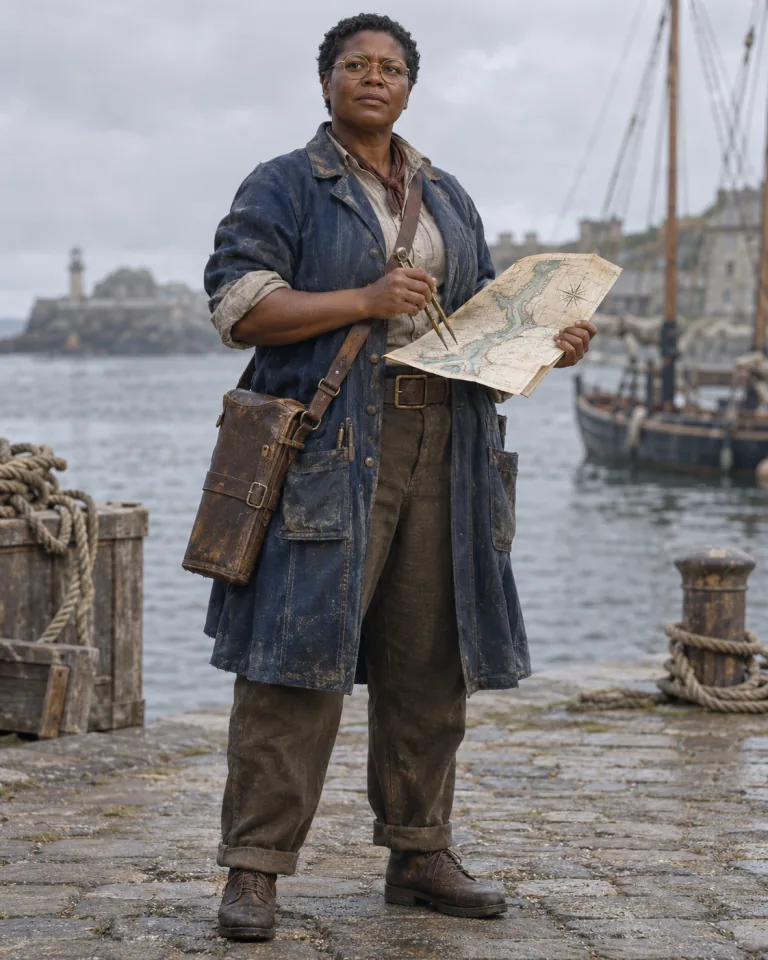
Full-body realistic harbor cartographer with deep brown skin, short black curls, round brass glasses, an indigo coat, and a weathered leather map case.

Realistic harbor cartographer

An adult harbor cartographer in her forties, with a broad face, deep brown skin, close-cropped black curls, and round brass glasses. Stocky build, faded indigo work coat, rolled sleeves, weathered map case, upright posture, thoughtful expression. Full-body realistic portrait, simple harbor backdrop, soft overcast light. She is mapping a channel her crew fears to cross.
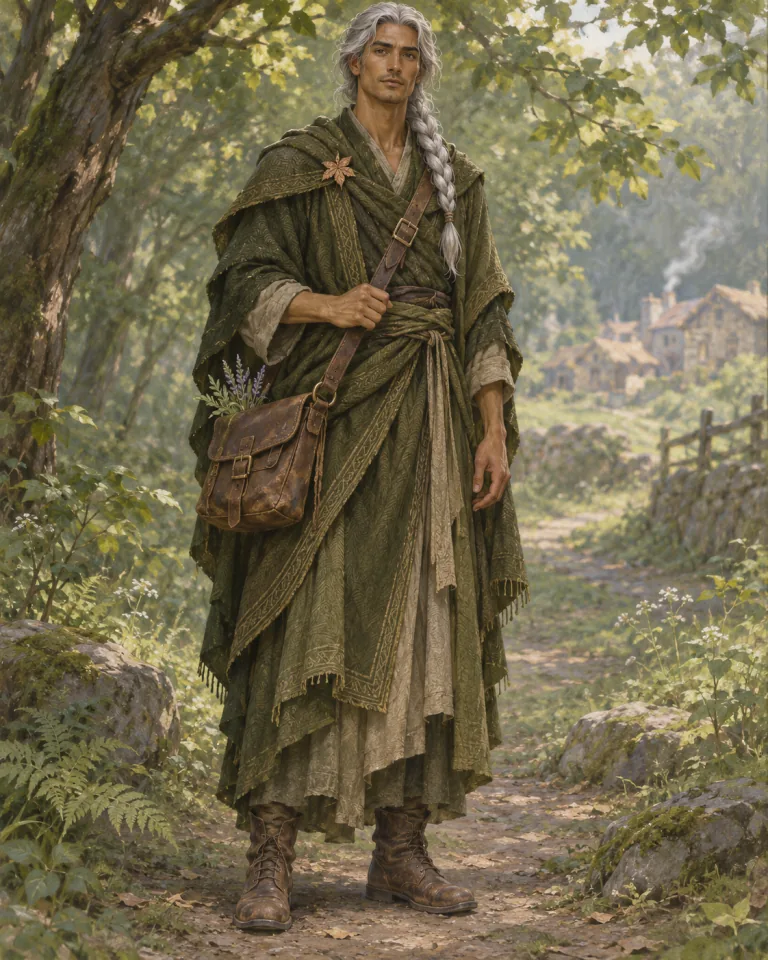
Full-body fantasy healer with a long silver braid, moss-green layered robes, a copper leaf brooch, a leather satchel, and worn boots on a woodland path.

Fantasy traveling healer

An adult traveling healer with an angular face, olive skin, silver hair in one long braid, and a small scar through the left eyebrow. Tall, lean build, moss-green layered robes, copper leaf brooch, worn leather satchel, relaxed shoulders, attentive expression. Full-body fantasy illustration, simple woodland backdrop. A patient mentor returning to a village that once rejected him.

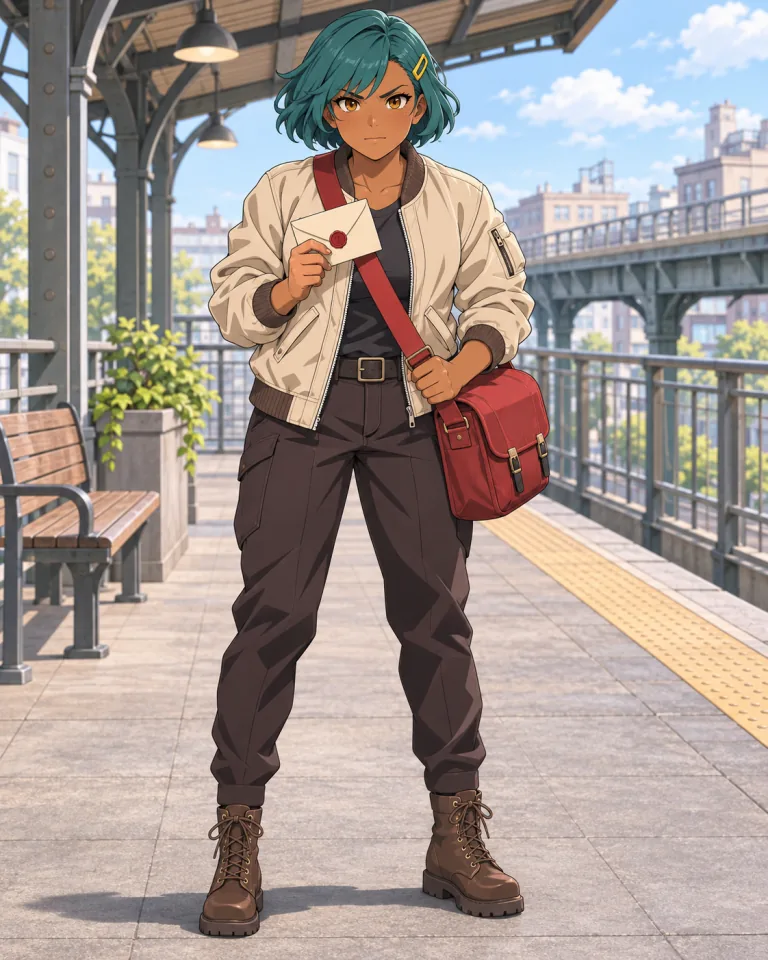
Full-body anime messenger with brown skin, a teal bob, a yellow hair clip, a cream jacket, a red delivery bag, and practical boots at an elevated station.

Anime city messenger

An adult city messenger with a round face, warm brown skin, amber eyes, and a short teal bob with a yellow hair clip. Compact athletic build, cream bomber jacket, red crossbody delivery bag, dark trousers, practical boots, forward-leaning stance, determined expression. Full-body anime illustration, simple elevated-station backdrop. A dependable friend carrying a letter they are afraid to deliver.

What Is a Character Appearance Generator?

A character appearance generator helps turn physical details into a visual concept. Story321 generates a character image alongside editable Character DNA, including appearance, wardrobe, and visual anchors. You can keep the useful details, rewrite the profile, and choose an image as reference for later variations.

Describe a recognizable look

Give the character appearance generator a face shape, hairstyle, silhouette, and signature accessory to work from.

Keep image and notes together

Review the character appearance generator portrait beside its written appearance and wardrobe, then save the details you want to retain.

Make deliberate revisions

Use a character appearance generator reference and one focused instruction when an outfit, expression, or setting needs changing.

How to Use the Character Appearance Generator

Build the look first, then check whether the image and written profile express the same person.

1

Describe the visible details

Give the character appearance generator an age range, face and hair, build, clothing, distinctive feature, and pose. Add the role and setting.

2

Choose a style and generate

Sign in and select an art style. A character appearance generator request uses 9 credits to create the image and profile.

3

Review, select, and save

Check the character appearance generator result against your brief. Edit and save the written details, or select a reference image before requesting a visual variation.

Describe a Look Someone Could Draw

A character appearance generator brief is easier to review when it names visible features. Replace vague praise with shapes, colors, materials, and a few details you want to preserve.

Character appearance generator prompt formula

Age range + face and hair + build + clothing + distinctive feature + posture + art style

Too vague

A cool-looking mapmaker.

Specific enough to review

A harbor cartographer in her forties, broad face, close-cropped black curls, deep brown skin, round brass glasses, stocky build, faded indigo work coat, and weathered map case. Upright posture, thoughtful expression, full-body realistic portrait, simple harbor backdrop.

Separate identity from decoration
Keep face shape, hairstyle, and build stable in the character appearance generator brief. Treat a new coat or bag as a separate design choice.
Describe clothes as visible objects
Tell the character appearance generator about cut, material, color, and wear: a faded indigo work coat gives more direction than stylish clothing.
Check what the character appearance generator shows
Small eye details or a subtle scar may be hard to judge in a full-body image. Review the result before saving those features as settled design decisions.

Change One Part of the Look at a Time

Select a generated image as reference in the character appearance generator. Adapt one instruction below to that image. Reference guidance can help retain the design, but identical details are not guaranteed.

Explore a different outfit

Keep the same face, deep brown skin, close-cropped black curls, stocky build, round brass glasses, and weathered map case. Change only the indigo work coat to an indigo raincoat. Preserve the expression, pose, and harbor background.

Keep the face, hair, build, glasses, and map case as recognizable anchors.

Check the character appearance generator variation for changed proportions or missing glasses before keeping the new coat.

Adjust the expression

Keep the same character, face shape, skin tone, black curls, brass glasses, indigo work coat, map case, pose, and background. Change only the expression from thoughtful to quietly amused, with a slight closed-mouth smile.

Keep the outfit and composition fixed so you can compare the expression.

Review the character appearance generator result for changes to the face shape as well as the smile.

Place the character elsewhere

Keep the same face, skin tone, black curls, brass glasses, body proportions, indigo coat, map case, expression, and pose. Change only the background to a quiet map room with shelves and soft window light. Keep the whole figure visible.

Keep the character's visible features and pose fixed while exploring the setting.

Check that the character appearance generator retained the outfit and full-body framing rather than redesigning the person.

Develop Appearance Beyond a Single Portrait

Use the character appearance generator to connect a visible design with an editable creative reference.

Appearance notes

Edit age range and physical appearance in the character appearance generator profile, including the facial and body details you want to keep.

Wardrobe and visual anchors

Record clothing and signature features separately in the character appearance generator, so the next brief names what matters to the design.

Six art styles

Choose Story Illustration, Anime, Realistic, Fantasy, Comic, or Cinematic in the character appearance generator. This page starts with Story Illustration.

Reference-guided variations

Select a generated image to guide the next character appearance generator variation, then inspect the new result before continuing.

What You Get and What Each Action Changes

Keep text edits, reference selection, and new image requests distinct as you refine the character appearance generator result.

  1. A character image

    The character appearance generator requests one full-body portrait at 1024 × 1280, in a 4:5 layout. Inspect the framing and details, then download the selected image.

  2. An editable character profile

    Save appearance, wardrobe, visual anchors, personality, and story details. Editing the character appearance generator profile changes text; it does not redraw the existing image.

  3. A reference for the next variation

    Select a generated thumbnail in the character appearance generator to mark it as reference. Selection creates no new image. A visual variation is a separate request costing 12 credits.

Appearance Description or Image and Profile?

Choose a format for your next task. Story321's character appearance generator combines an image with editable notes, so you can review the visible design beside the details you want to preserve.

Creative task
Written description
Image and profile
Explore a look
List features and leave room for interpretation
Review a visible interpretation beside its notes
Revise a detail
Rewrite the description
Edit notes or request a separate visual variation
Prepare a creative reference
Describe what an artist or writer should consider
Keep an approved image and written anchors together

Give Your Next Character a Recognizable Look

Use the character appearance generator where visual decisions support your creative work.

Novelists

Use the character appearance generator to settle a few recurring details before describing the character in scenes.

OC creators

Use the character appearance generator to explore a silhouette, palette, and signature accessory, then decide which features belong in your character's design.

RPG and worldbuilding creators

Give a companion, rival, or mentor a portrait and appearance notes with the character appearance generator. Check that costume and props fit the setting.

Character Appearance Generator FAQ

Answers about the character appearance generator output, controls, revisions, and cost.

Does the character appearance generator make images or text?

Both. The character appearance generator creates a character image and an editable profile with appearance, wardrobe, and visual anchors alongside personality and story details. Review the image and notes together before deciding what to keep.

Which physical features can I describe?

Give the character appearance generator an age range, face shape, hair, skin tone, build, clothing, posture, and distinctive accessories. These are prompt instructions, not precise controls; check which details the generated image actually includes.

Can I create anime, fantasy, or realistic looks?

Yes. The character appearance generator offers Anime, Fantasy, and Realistic, plus Story Illustration, Comic, and Cinematic. Choose the style above or start with one of the examples. You can change the brief before generating.

Can I change clothes after generating?

Yes. Select a reference image and request a clothing variation in the character appearance generator. Repeat the face, hair, and other anchors you want preserved. Editing and saving the wardrobe text alone does not change the image.

Will every variation keep exactly the same appearance?

No. A reference guides the character appearance generator but does not guarantee identical features. Request one change at a time and compare the face, hair, proportions, clothing, and accessories against the reference before accepting a variation.

Do I need an account, and how many credits does it use?

Sign in to generate and save. The character appearance generator uses 9 credits per character and 12 credits per visual variation. Browsing and filling in examples spends no credits; check your balance before generating.

Try the Character Appearance Generator

Choose the features that make your character recognizable. Use the character appearance generator to create an image and editable profile, review the result, and refine one visual detail at a time.