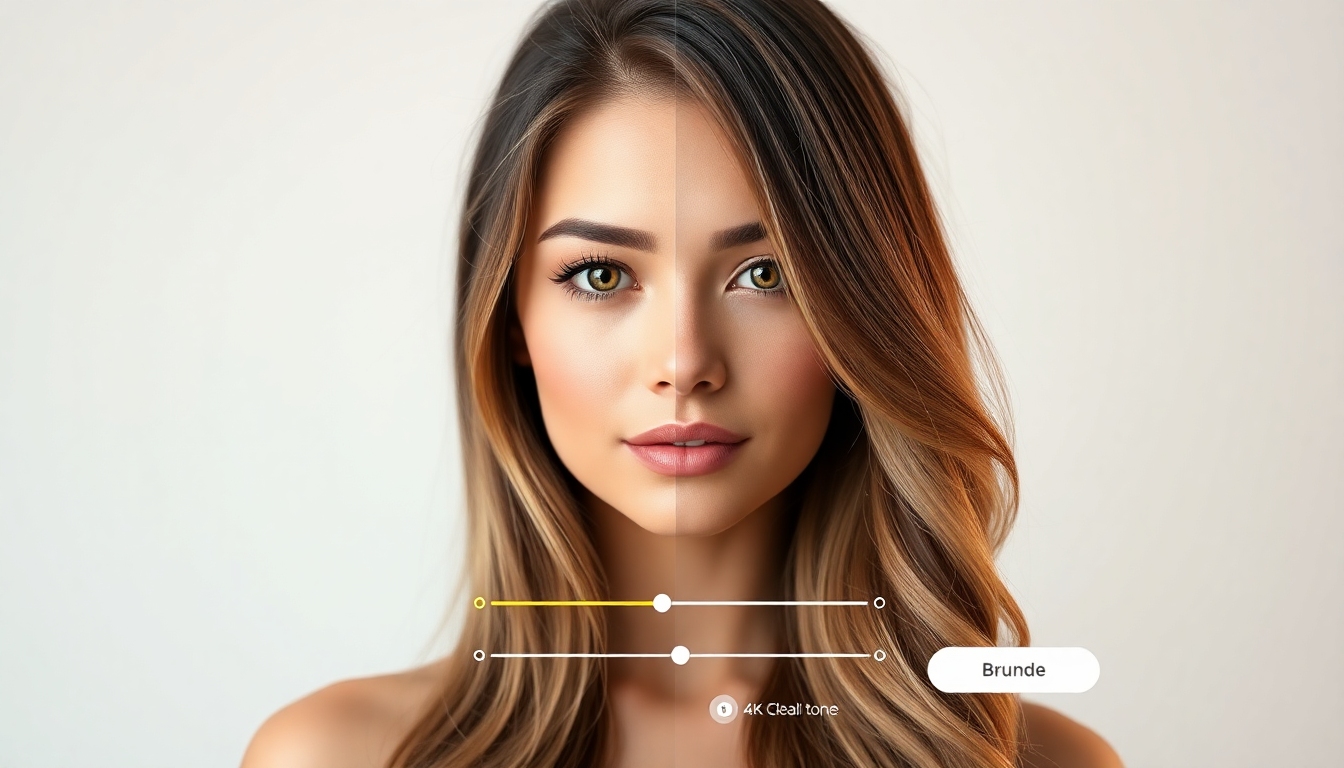
Blonde Hair Filter
Try the best free AI to preview every blonde shade in seconds
See your perfect blonde in seconds. The Blonde Hair Filter uses advanced AI to map, recolor, and light-match your hair for ultra-realistic results across ash, honey, platinum, and strawberry tones. Upload a photo, choose a shade, and preview a new you—instantly.
What Is the Blonde Hair Filter?
The Blonde Hair Filter is a professional-grade, AI-powered virtual try-on that lets you visualize how you’d look with blonde hair—before you book a salon visit or pick up dye. It analyzes your hair shape, lighting, skin tone, and contrast to deliver true-to-life blonde shades that blend naturally with your features. Designed for speed and realism, the Blonde Hair Filter works on straight, wavy, curly, short, and long hair in a single tap, right in your browser. Whether you want a subtle honey refresh or bold platinum transformation, the Blonde Hair Filter gives you the confidence to experiment, compare, and share your favorite looks for feedback.
Photorealistic blonde try-ons powered by advanced AI hair segmentation and tone mapping
Full shade library—platinum, ash, champagne, honey, caramel, beige, strawberry, and more
One-tap results: upload, select a shade, adjust intensity, and save
Works with different hair lengths, textures, and lighting conditions
Privacy-first: your photos are processed securely and can be deleted anytime
Features That Make Blonde Look Real
From shade accuracy to effortless controls, every detail in the Blonde Hair Filter is tuned for believable, salon-ready previews. Explore the key features that help you find your best blonde faster.
Ultra-Realistic Shade Rendering
The Blonde Hair Filter simulates depth, shine, and undertone to avoid flat, yellow overlays. It respects highlights, lowlights, and individual strands for a natural finish.
Rich Blonde Shade Library
Try platinum, ash, silver-blonde, champagne, honey, caramel, beige, sandy, golden, and strawberry options—each calibrated for believable skin tone harmony.
Tone & Intensity Controls
Use sliders to fine-tune warmth, brightness, and saturation so the Blonde Hair Filter matches your lighting and style goals.
Face-Aware Blending
AI detects face edges and hairline to keep eyebrows, eyes, and skin clean—no haloing or spillover when the Blonde Hair Filter updates your color.
Texture-Safe Mapping
Curls, waves, and coils remain defined. The Blonde Hair Filter preserves natural hair texture, bounce, and frizz details for authenticity.
Before/After & Multi-Shade Compare
Toggle before/after or split view and compare multiple blonde swatches side-by-side to pick your favorite with confidence.
Mobile-Ready, Instant Results
Upload from phone or desktop and get results in seconds. The Blonde Hair Filter is optimized for responsive speed and clarity.
Privacy Controls
Your images are processed securely. Delete files anytime. The Blonde Hair Filter puts privacy, consent, and control first.
Popular Ways to Use the Blonde Hair Filter
Whether planning a salon visit or playing with possibilities, the Blonde Hair Filter helps you make faster, smarter style decisions.
Pre-Salon Planning
Preview platinum vs. honey with the Blonde Hair Filter, then show your stylist exactly what you love for a confident color consult.
Social Media Glow-Up
Create natural-looking blonde try-ons for posts or stories. Use the Blonde Hair Filter for quick before/after reveals that spark engagement.
Brand or Influencer Content
Produce realistic hair color visuals for campaigns. The Blonde Hair Filter standardizes tones and lighting for consistent results.
Personal Style Exploration
Unsure which undertone flatters your skin? Test ash, beige, and strawberry in minutes with the Blonde Hair Filter.
Headshots & Profile Refresh
Swap to a polished blonde look for your profile without committing. The Blonde Hair Filter keeps strands crisp and natural.
Makeup & Wardrobe Coordination
Match lipstick and outfits to new hair tones by cycling shades in the Blonde Hair Filter and saving your best combos.
How to Use the Blonde Hair Filter
Get salon-level previews in a few quick steps. The Blonde Hair Filter is built for clarity and speed, so you can try, tweak, and save in under a minute.
Upload a Clear Photo
Choose a front-facing image with good lighting and your hair visible. The Blonde Hair Filter performs best when your face and hairline are unobstructed.
Select a Blonde Shade
Pick from platinum, ash, champagne, honey, and more. The Blonde Hair Filter instantly applies your choice while preserving texture.
Fine-Tune Intensity
Adjust warmth, brightness, and saturation to fit your lighting. The Blonde Hair Filter’s sliders let you create ultra-natural or editorial looks.
Compare & Save
Use before/after or multi-shade compare to evaluate options. Save favorites from the Blonde Hair Filter to revisit or share.
Download or Share
Export a high-quality image or share a link. Bring your Blonde Hair Filter result to your stylist for a precise color brief.
Pro Tips for the Best Blonde
- •Shoot in soft natural light or bright indoor light to help the Blonde Hair Filter read tones accurately.
- •Keep hair out of your face and avoid heavy shadows for clean hairline detection.
- •Use a neutral background so the Blonde Hair Filter focuses on your hair texture and edges.
- •Try two or three nearby shades to see undertone differences: ash vs. beige vs. honey.
- •Lower intensity slightly for daylight photos; increase warmth under cool LEDs.
- •If your hair is very dark, test gradual steps: caramel, then honey, then champagne.
- •Use the compare view in the Blonde Hair Filter to choose shades that flatter your skin.
- •Save multiple results and get feedback before committing to a salon appointment.
The Blonde Hair Filter is free to try. Some premium shades or batch exports may require an upgrade.
Blonde Hair Filter FAQs
Everything you need to know about accuracy, compatibility, privacy, and access when using the Blonde Hair Filter.
How realistic are the results?
Very. The Blonde Hair Filter models strand detail, shine, and undertone, preserving highlights and texture for lifelike color previews.
Which blonde shades can I try?
Platinum, ash, champagne, silver-blonde, beige, honey, caramel, golden, sandy, and strawberry—each tuned for realistic skin harmony in the Blonde Hair Filter.
Does it work on curly or coily hair?
Yes. The Blonde Hair Filter maintains curl pattern and definition while recoloring, so your texture still looks like you.
Is the Blonde Hair Filter free?
You can try core features free. Optional premium features—like advanced shade packs or HD exports—may be available with an upgrade.
What kind of photo works best?
Front-facing, well-lit photos with hair visible perform best. The Blonde Hair Filter reads edges and textures more accurately with clear images.
Will it change my hairstyle?
This tool focuses on color. The Blonde Hair Filter keeps your current style intact, though you can pair it with separate hairstyle try-ons if available.
Can I use it on mobile?
Absolutely. The Blonde Hair Filter is optimized for mobile browsers and delivers quick, responsive previews on phones and tablets.
How is my privacy protected?
Your photos are processed securely. You control deletion at any time. The Blonde Hair Filter prioritizes consent, encryption, and minimal retention.
Can I share results with my stylist?
Yes. Save or download your Blonde Hair Filter preview and share it to guide color selection, undertone, and maintenance plans.
Will the shade match salon results?
Results are simulations. The Blonde Hair Filter gives a close visual guide; final outcomes depend on starting color, condition, and professional technique.
Try the Blonde Hair Filter Now
Upload your photo, explore pro-crafted blonde shades, and fine-tune the intensity until it’s you—only brighter. It’s the fastest, best free way to preview your new look.
No sign-up required. Secure processing. Instant previews with the Blonde Hair Filter.