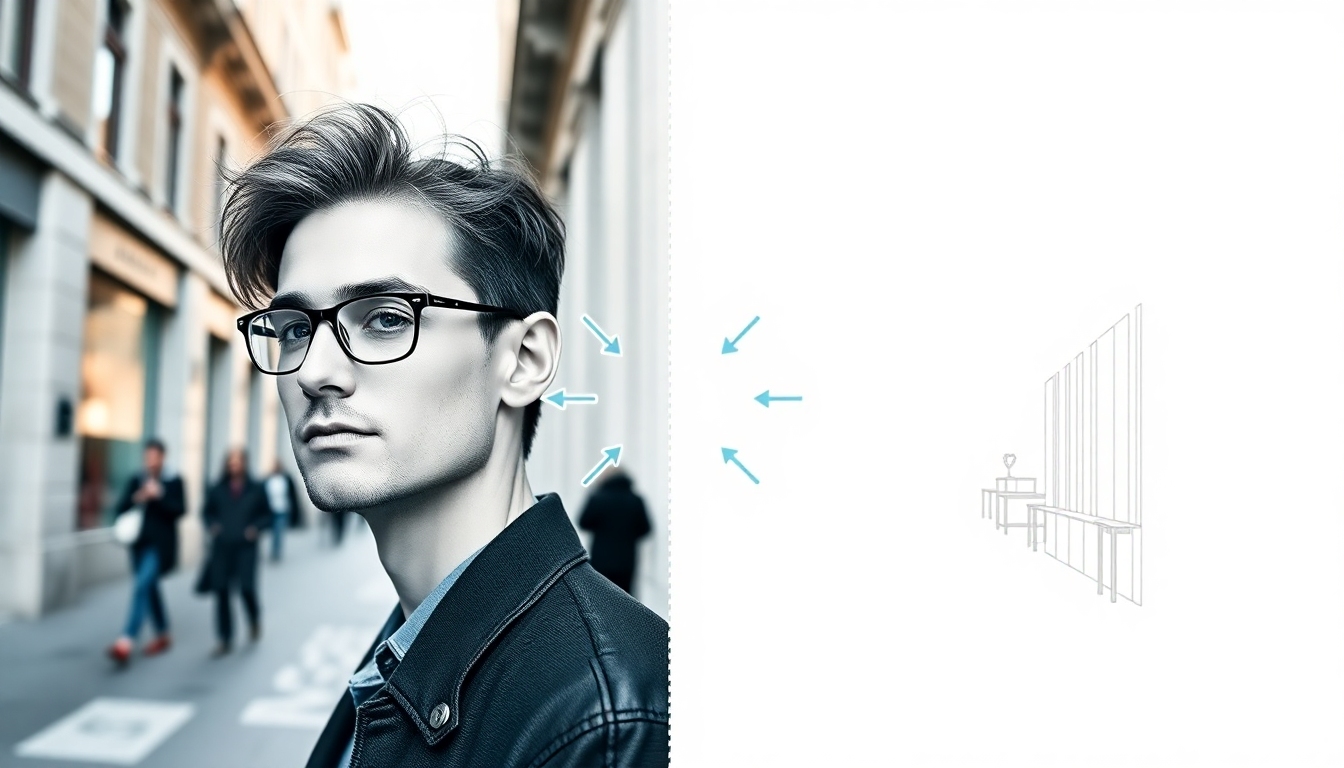
image to outline sketch
The best free tool to turn photos into crisp, customizable line art
Turn any image into a precise outline sketch in seconds. story321’s AI delivers studio-grade line art with adjustable detail, stroke styles, and instant SVG/PNG export. Upload, tweak, and download—no signup, no learning curve. Perfect for designers, educators, and creators who need fast, accurate image to outline sketch results.
What is an Image to Outline Sketch Converter?
An image to outline sketch converter transforms your photos or graphics into clean, minimal line drawings that highlight edges, contours, and essential shapes. With story321, advanced vision models analyze your image to outline sketch in real time, separating key edges from noise while preserving character and context. You can dial the detail from sparse technical lines to expressive hand-drawn strokes, choose stroke thickness and style, and export print-ready PNG or infinitely scalable SVG. Whether you’re preparing UI icons, technical diagrams, coloring pages, brand illustrations, or creative assets, our image to outline sketch workflow makes quality results accessible to everyone.
AI-powered edge detection that keeps important structure and removes clutter
Customizable line weight, style (solid, dashed, sketchy), and detail level
Instant preview to fine-tune before you export
Downloads in PNG for quick share and SVG for scalable, editable artwork
Batch processing for folders and multi-image projects
Private by default—uploads are encrypted and auto-purged
Features that Make Sketching Simple
Everything in story321 is designed to make image to outline sketch conversion fast, flexible, and consistent. From instant previews to vector export and mobile-friendly controls, you get professional results without complexity.
One-Click AI Conversion
Upload any JPG, PNG, or WebP and get an instant image to outline sketch preview. Our models adapt to portraits, products, architecture, and artwork.
Detail & Sensitivity Controls
Fine-tune threshold, smoothness, and edge sensitivity to get the exact image to outline sketch look—from ultra-clean tech lines to expressive sketch.
Line Style & Weight
Choose solid, dashed, or hand-drawn styles and set variable stroke weights for a signature image to outline sketch aesthetic.
SVG & PNG Export
Download crisp PNGs or scalable, editable SVGs. Your image to outline sketch stays sharp on any screen or print size.
Batch Processing
Convert entire folders at once. Maintain consistent image to outline sketch settings across a project with presets.
Smart Noise Cleanup
Automatic denoise removes artifacts while preserving key edges so your image to outline sketch is clear and print-ready.
Edge-Aware Shading Hints
Optionally add subtle hatching or contour hints for more expressive image to outline sketch results.
Before/After Preview
See original vs. output side by side to perfect your image to outline sketch before exporting.
Privacy & Security
Encrypted uploads, short-lived processing, and private links ensure your image to outline sketch stays yours.
Mobile-Friendly Interface
Make an image to outline sketch anywhere. Our responsive UI works perfectly on phones, tablets, and desktops.
Where Outline Sketches Shine
From branding to education, an image to outline sketch helps you communicate structure clearly and beautifully.
Logos & Icons
Convert references into a simplified image to outline sketch to craft clean icons and logo marks.
Technical Diagrams
Turn photos of machinery or layouts into an image to outline sketch for manuals and instruction sheets.
Product & Packaging
Create specification-ready views with an image to outline sketch that stays crisp at any size.
Education & Worksheets
Make coloring pages, lab sheets, and study aids from any image to outline sketch with adjustable complexity.
Comics & Storyboards
Rapidly build panels using image to outline sketch frames as a base for inking and composition.
Architecture & Interiors
Extract lines from site photos into an image to outline sketch to plan renovations and presentations.
How to Use story321 for Outline Sketches
Get from image to outline sketch in under a minute with these simple steps.
Upload Your Image
Drag and drop a JPG, PNG, or WebP. Large files are fine—our pipeline optimizes for fast image to outline sketch processing.
Choose a Style
Pick solid, dashed, or sketchy. Your selection guides the image to outline sketch engine to shape line character.
Adjust Detail
Use sensitivity, smoothness, and minimum line length to tune your image to outline sketch from minimal to highly detailed.
Preview Side by Side
Compare original vs. output in real time to confirm your image to outline sketch captures the right edges.
Export PNG or SVG
Download a transparent PNG for quick use or an SVG for infinitely scalable image to outline sketch artwork.
Batch When Needed
Upload multiple images or a folder and apply saved presets for consistent image to outline sketch output.
Pro Tips for Cleaner Lines
- •Increase smoothing to remove jitter in hand-held photos for a cleaner image to outline sketch.
- •Lower edge sensitivity on noisy images; then add subtle hatching for a richer image to outline sketch.
- •Use SVG export when you need to edit points or recolor your image to outline sketch in vector tools.
- •For portraits, reduce detail to emphasize contours so your image to outline sketch feels elegant, not cluttered.
- •Save presets for brand or project standards to keep image to outline sketch results consistent across teams.
- •Combine with background removal to isolate subjects before creating your image to outline sketch.
Supported formats: JPG, PNG, WebP input; PNG and SVG output. Max export 8K PNG and precision SVG ensure your image to outline sketch is presentation-ready.
Frequently Asked Questions
Everything you need to know about turning an image to outline sketch with story321.
How accurate is the image to outline sketch conversion?
Very. Our edge-aware models prioritize meaningful contours and ignore noise. You can adjust sensitivity to capture more or fewer details, ensuring your image to outline sketch matches your intent.
Is it really free?
Yes. You can run an image to outline sketch and download standard PNGs for free. Higher resolutions, SVG exports, and batch jobs are available on a generous free tier, with pro upgrades for power users.
What image formats can I upload?
JPG, PNG, and WebP are supported. For best results, upload clear source images so the image to outline sketch engine can detect edges accurately.
Can I customize line style and thickness?
Absolutely. Choose solid, dashed, sketchy, and set stroke weight. These controls shape the character of your image to outline sketch.
Does it support SVG export?
Yes. SVG export gives you editable paths so you can recolor and refine your image to outline sketch in vector editors.
How does batch processing work?
Upload multiple images or a folder, choose a preset, and run. The same image to outline sketch settings apply to every file for consistent results.
Will my uploads be private?
Yes. All image to outline sketch processing is encrypted. Files auto-expire, and we never use your content to train models without consent.
Can I use it on mobile?
Definitely. The responsive UI makes it easy to create an image to outline sketch on phones and tablets, with the same preview and export controls.
What resolution can I export?
PNG up to 8K and precision SVG. Your image to outline sketch remains sharp for print and high-density displays.
What if my result looks too simplified?
Increase edge sensitivity and reduce smoothing, then re-preview. Your image to outline sketch will capture finer detail without excessive noise.
Create Your Outline Sketch Now
Upload a photo, pick a style, and get a clean image to outline sketch in seconds. Free to start—no signup required.
No watermark on exports. Keep full control over your image to outline sketch with secure processing and instant downloads.