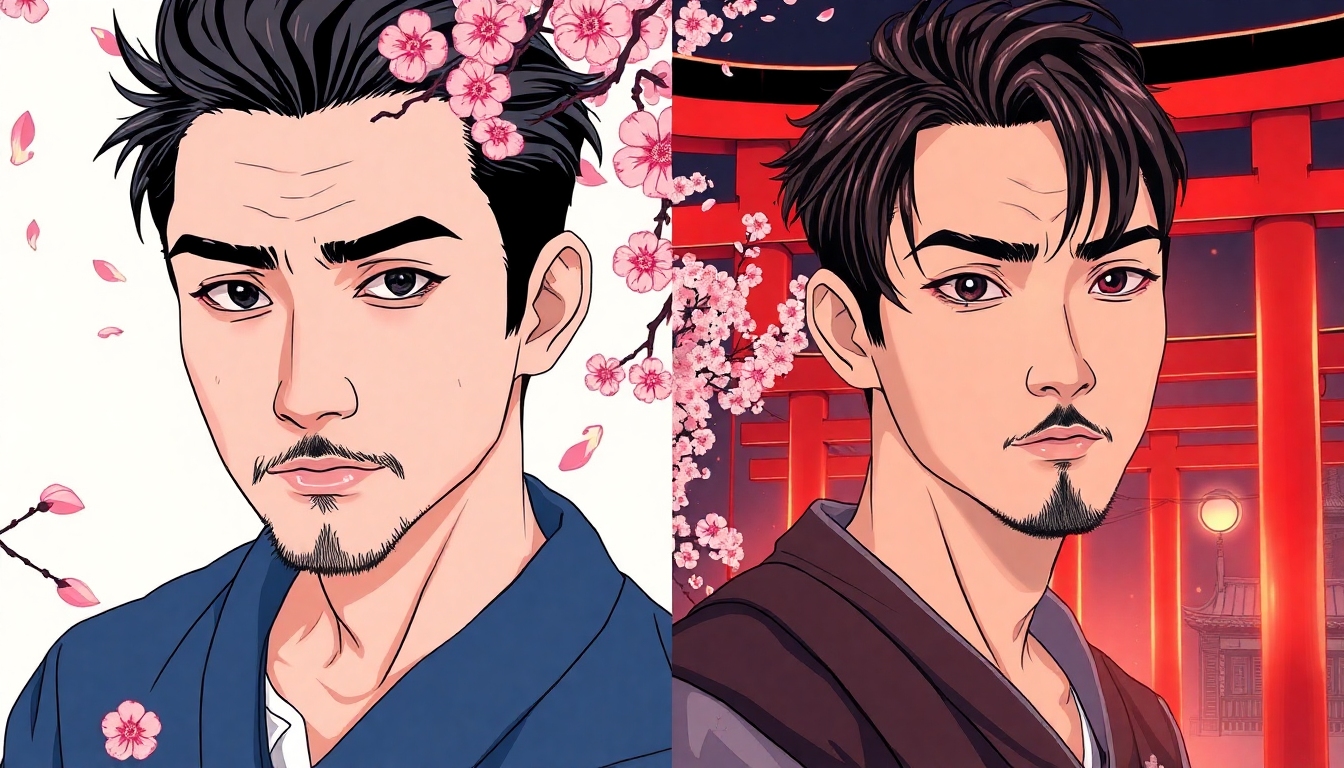
Japanese Filter
The best free AI to transform photos with anime, manga, and ukiyo-e style
Bring authentic Japanese aesthetics to any image in seconds with the Japanese Filter on story321. Convert portraits, products, or scenes into anime, manga, ukiyo-e, or sumi-e styles—right in your browser. The Japanese Filter is fast, private, and precise, with real-time previews, adjustable intensity, and HD export. No downloads, no fuss—just upload, style, and share.


What is the Japanese Filter?
The Japanese Filter is an AI-powered visual transformer designed by story321 to instantly restyle your images into iconic Japanese art looks. From bold anime cel-shading and high-contrast manga linework to textured ukiyo-e woodblock tones and minimal sumi-e brushwork, the Japanese Filter captures the spirit of Japan’s most beloved styles. You control the intensity, creativity, and color palette to match your vision. Whether you’re a creator, marketer, or casual user, the Japanese Filter streamlines artistic exploration and delivers studio-quality results in moments.
Apply anime, manga, ukiyo-e, and sumi-e looks with the Japanese Filter in seconds.
Real-time before/after preview so you tune the Japanese Filter without guesswork.
HD export preserves detail while the Japanese Filter enhances style and texture.
Privacy-first: the Japanese Filter runs securely, and your images stay yours.
Free tier lets you explore the Japanese Filter before upgrading for power features.
Features that make the Japanese Filter shine
Every part of the Japanese Filter is crafted to produce faithful, expressive results while keeping your workflow simple. Explore multiple Japanese styles, adjust creative depth, and export crisp images ready for the web, social, or print.
One-click Japanese styles
Swap between anime, manga, ukiyo-e, and sumi-e presets with a single tap. The Japanese Filter sets smart defaults while staying fully customizable.
Intensity and detailing sliders
Dial in line weight, texture grain, color saturation, and edge crispness. The Japanese Filter puts fine-grained control at your fingertips.
Real-time before/after preview
See immediate changes as you move sliders. The Japanese Filter keeps you in flow and eliminates trial-and-error.
HD export up to 4K
Preserve resolution for print, posters, and social media. The Japanese Filter keeps details sharp and artifacts minimal.
Style blending
Mix anime cel shading with ukiyo-e textures or add sumi-e brush lines to manga toning. The Japanese Filter supports creative hybrids.
Face-aware enhancement
Maintain facial proportions and expressions. The Japanese Filter respects identity while applying stylization.
Batch processing
Apply the Japanese Filter to multiple images at once for consistent series, campaigns, or comic pages.
Privacy-first by design
Your uploads stay secure. The Japanese Filter honors data protection, with clear controls for deletion and retention.
Create more with the Japanese Filter
From personal portraits to brand campaigns, the Japanese Filter helps you express ideas in instantly recognizable Japanese styles.
Anime profile portraits
Turn selfies into stylized anime avatars with clean cel shading using the Japanese Filter.
Manga storyboards
Generate high-contrast, panel-ready frames with halftone textures via the Japanese Filter.
Ukiyo-e posters
Produce woodblock-inspired prints with muted palettes and paper grain using the Japanese Filter.
Sumi-e product shots
Create minimal, brushy product visuals for elegant campaigns using the Japanese Filter.
Social media content
Stand out on feeds with quick anime and kawaii looks applied by the Japanese Filter.
Concept art and mood boards
Blend styles to explore directions fast—then refine with the Japanese Filter’s sliders.
How to use the Japanese Filter
You’ll be transforming images in minutes. Follow these steps to get the most from the Japanese Filter on story321.
Upload your image
Drag and drop a photo or paste a link. The Japanese Filter supports JPG, PNG, and WEBP up to 25MB.
Pick a Japanese style
Choose anime, manga, ukiyo-e, or sumi-e. Each preset tunes the Japanese Filter for authentic results.
Adjust intensity and detail
Use sliders for line weight, shading, texture, and palette. Watch the Japanese Filter update in real time.
Blend looks
Combine anime cel shading with ukiyo-e paper grain, or add sumi-e brushwork. The Japanese Filter handles complex mixes.
Export and share
Download HD results or copy for social. The Japanese Filter preserves resolution and clean edges.
Pro tips for standout Japanese styles
- •Use bright, evenly lit photos for the cleanest Japanese Filter cel shading.
- •For manga looks, raise contrast and enable halftone in the Japanese Filter.
- •Add a subtle ukiyo-e paper grain for tactile warmth using the Japanese Filter.
- •Lower saturation for classic sumi-e with the Japanese Filter’s palette slider.
- •Portraits with clear backgrounds help the Japanese Filter define edges crisply.
- •Blend small amounts of styles; the Japanese Filter rewards restraint.
- •Try the creativity toggle to let the Japanese Filter reinterpret details.
- •Use batch mode to give a series a consistent Japanese Filter identity.
If your result feels too strong, reduce intensity or switch to a softer preset. The Japanese Filter makes fine-tuning quick and reversible.
Japanese Filter FAQs
Everything you need to know about using the Japanese Filter on story321.
What is the Japanese Filter?
It’s an AI style tool that converts your images into anime, manga, ukiyo-e, or sumi-e looks with adjustable controls and HD export.
Is the Japanese Filter free to use?
Yes. There’s a free tier to try all core features of the Japanese Filter. Upgrade for higher limits, batch speed, and premium styles.
Will my images be private when using the Japanese Filter?
Yes. Your uploads are processed securely, and you control deletion. The Japanese Filter follows privacy-first principles.
How fast is the Japanese Filter?
Most images process in a few seconds, with real-time previews. Larger files and complex blends may take slightly longer.
Does the Japanese Filter work on mobile?
Absolutely. The Japanese Filter is web-based and optimized for phones, tablets, and desktops—no downloads required.
What images work best with the Japanese Filter?
Sharp, well-lit photos produce the cleanest lines. Portraits, products, and scenery all benefit from the Japanese Filter’s edge detection.
Can I adjust how strong the Japanese Filter looks?
Yes. Use intensity, line weight, texture grain, and palette sliders to tailor the Japanese Filter to your taste.
Can I blend multiple styles with the Japanese Filter?
Yes. Mix anime with ukiyo-e textures, add sumi-e brushwork, or include manga halftones for unique results.
Will the Japanese Filter change faces too much?
The Japanese Filter is face-aware, keeping proportions and expressions intact while applying stylization.
Can I train a custom model for the Japanese Filter?
Advanced users can fine-tune style behavior with custom training options to personalize the Japanese Filter for a unique look.
Transform your image with the Japanese Filter now
Upload a photo and watch the Japanese Filter turn it into anime, manga, ukiyo-e, or sumi-e art—fast, private, and free on story321.
No signup needed. The Japanese Filter runs in your browser with instant previews and HD downloads.