Introduction#
AI-native design has moved beyond single-image generation. Lovart AI bills itself as the “World’s First Design Agent,” promising to turn simple text prompts into complete visual systems—images, videos, audio logos, and even 3D-ready assets—inside a browser. In this Lovart AI review, I dig into how this AI design platform attempts to replace fragmented toolchains with an integrated, multimodal workflow, and whether that claim holds up for content creators, designers, and marketing teams who value speed without sacrificing brand control.
This review examines Lovart AI’s core features, real-world usability, performance, and pricing considerations versus competitors like Canva AI, Adobe’s Firefly suite, Midjourney, and DALL·E. I’ll cover who will get the most out of Lovart AI, where it still has rough edges, and practical recommendations for integrating it into a content pipeline built for speed and consistency.
First Impressions#
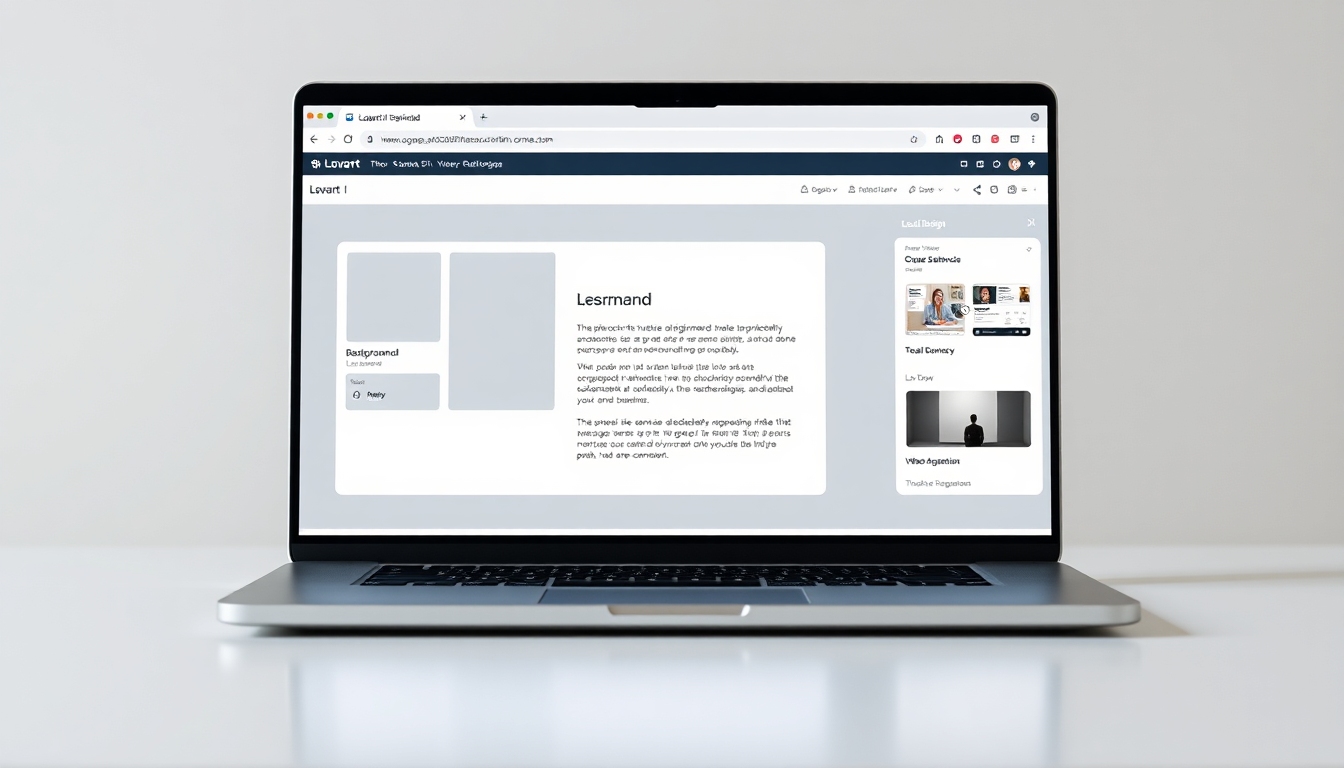
Lovart AI is a browser-based platform, so the “setup” is essentially signing up and jumping into a web app. There’s no installation or hardware dependency beyond a decent internet connection, which will appeal to creators working across devices or collaborating with distributed teams. From first load, Lovart AI presents itself as more than a prompt box; the interface revolves around a free-form canvas with layers, object selection, and AI tools on tap. That’s a good sign for anyone who has felt hemmed in by single-shot generators.
The immediate impression is that Lovart AI aims to bridge concept and production: you can prompt a mood board, evolve it into a hero image, extend the canvas, swap backgrounds, refine local areas, and then move to motion or audio elements. The design language feels closer to modern web-based editors (think Figma-lite meets AI lab) than to a traditional content scheduler or a pure image model playground. For new users, the density of options can feel like “power user mode.” Documentation links and in-product hints are available, but Lovart AI will reward users who prefer to explore and iterate.
Onboarding is straightforward; however, pricing transparency is less immediate. Lovart AI promotes “Flexible plans for every need” and mentions an enterprise plan, but specific rates aren’t obvious without digging into the site and current promotions. That won’t stop you from evaluating the product, but budget planning might require contacting sales or watching for deals like the flash sales Lovart AI periodically advertises.
Key Features Deep Dive#
Text-to-Design#
The heart of Lovart AI is text-to-design: enter a natural language prompt and get a professional composition, not just an image. In Lovart AI, prompts can generate social banners, product mockups, concept art, or initial brand pack variants. The platform positions itself as understanding design intent—layout, hierarchy, negative space, and style—as opposed to merely drawing pixels. When it nails the prompt, Lovart AI can deliver a strong “first draft” that speeds you toward a final.
The catch with Lovart AI, as with any AI platform, is prompt craft. You’ll get better outcomes by describing context (audience, tone, platform, color palette, brand attributes) and constraints (aspect ratio, margins, text copy). Lovart AI supports revisions via the canvas, so even a near-miss can be salvaged by editing, locally redrawing, or swapping background elements without re-rolling everything.
Multi-Modal Integration (Images, Video, Audio)#
Most creators juggle multiple tools across mediums. Lovart AI brings image generation, video motion, and audio design under one roof. That’s a differentiator if you need motion graphics, short-form video, or audio UI cues aligned with a campaign’s visuals. With Lovart AI, the promise is a cohesive pipeline: turn a hero image into a motion asset, generate a short soundtrack or audio logo, and keep everything consistent stylistically.
If you’ve ever stitched together Midjourney images, After Effects animations, and stock music while trying to maintain a brand vibe, Lovart AI’s integration is compelling. The trade-off is that specialist tools still offer deeper control in each modality. Lovart AI’s bet is that you don’t always need that depth—and when you do, you can export and finish elsewhere.
Interactive Canvas and Professional Editing#
Many AI design tools hand you a result and shrug. Lovart AI invests heavily in a canvas that feels like a pro editor: layers, masks, object selection, text-background separation, and local redrawing. The ability to redraw only a section (a face, a product surface, a background area) or to extend the canvas while preserving composition gives Lovart AI a key advantage for production work.
The canvas tools in Lovart AI shine in practical scenarios:
- Remove a stray object from a product photo without re-rendering the entire scene.
- Change the background texture while preserving typography and lighting.
- Extend a square image into a widescreen banner without obvious seams.
- Adjust a subject’s pose or expression just enough to match the brand mood.
While Lovart AI won’t replace every Photoshop or Illustrator technique, its editing layer keeps you in one workflow longer, which matters for speed. For creators who dread bouncing across apps, this is where Lovart AI can pay off fast.
Video Generation and Motion Graphics#
Lovart AI lets you animate static designs, generate motion graphics from prompts, and create short video assets for social or ads. If you’ve built a still layout you like, you can push it into short motion—particles, transitions, parallax, text animation—without leaving the platform. For social-first teams or solo creators focused on Instagram Reels, TikTok, YouTube Shorts, and ads, this keeps the pipeline tight.
Expectations matter: Lovart AI isn’t a full replacement for After Effects or motion design suites. It’s a fast, AI-assisted motion layer ideal for quick turnarounds or prototyping. Export and finishing in specialist tools can still be necessary for broadcast-level polish, advanced typography animation, or complex compositing.
AI-Powered Utilities (Background Remover, Extender, Style Transfer, etc.)#
Lovart AI bundles practical AI utilities you’d normally purchase as point solutions:
- Background remover for quick cutouts
- Image extender for outpainting and repurposing assets into new sizes
- Cartoonizer or stylizer to unify a campaign’s aesthetic
- Object remover for cleaning scenes or social posts
- Local redrawing to fix faces, props, or textures
- Style transfer to match a brand’s reference look
In Lovart AI, these tools are integrated with the canvas, which saves time versus exporting to one-off web tools. For day-to-day content work, these utilities are the difference between an AI experiment and a usable workflow. Lovart AI deserves credit for making them accessible and fast to apply.
Brand Identity Creation and Consistency#
Lovart AI markets itself as a brand system generator: logos, color palettes, typography suggestions, and visual motifs. This is a huge aspiration. For freelancers or startups, getting a serviceable brand kit from a few prompts can be transformative. Lovart AI can produce concept logos, palette explorations, and style guides that feel coherent. As always with AI identity generation, human judgment is essential for legal, strategic, and longevity reasons.
For established brands, Lovart AI’s more relevant benefit is consistency: define your brand traits in the prompt, upload examples, and use the same template or style across images, videos, and even audio. Lovart AI claims character consistency improvements—a common pain point for AI imagery. Expect progress, not perfection: consistent characters across multiple scenes remain a hard problem, but Lovart AI’s canvas and local controls help you fix continuity issues faster when they arise.
Marketing Materials for Multiple Platforms#
Lovart AI’s “design agent” approach fits marketing: auto-generate platform-optimized variants from one master. Turn a 1:1 hero into a 9:16 story, 16:9 landscape, and 4:5 feed post, maintaining type safety and composition. If Lovart AI detects copy is getting clipped or legibility is compromised, you can adjust text layers and reflow. This alone can turn a 2-hour resizer grind into a 15-minute polish session.
Video Storyboards from Scripts#
For video creators, Lovart AI’s storyboard generation converts a script or outline into visual frames. This is especially handy for pitching, prototyping, and aligning a team before heavy production. Output quality will vary with prompt clarity, reference images, and the complexity of your scenes. As a previsualization step, Lovart AI earns its keep—even if you later reshoot or animate in a different suite.
Audio Design Capabilities#
Few design tools consider sound. Lovart AI includes audio logo generation, background music, and simple UI sound effects. While it won’t rival a dedicated composer, this is an underrated capability for cohesive branding. Matching visual mood with audio in one workspace helps creators deliver packages that feel intentional. For podcasts, video bumpers, or app sound palettes, Lovart AI’s audio tools are a good starting point.
Browser-Based and Multilingual#
Lovart AI runs in the browser and supports multiple languages, including English, Japanese, Spanish, Portuguese, Russian, Chinese (Traditional and Simplified), Korean, French, and German. For global teams or creators working in multilingual markets, this matters. The web-first approach also removes installation friction and keeps your environment consistent across machines.
Performance & User Experience#
Performance is the hinge between “cool demo” and “daily driver.” Lovart AI’s value depends on generation speed, output quality, prompt fidelity, and platform stability.
- Speed: Web-based AI can be bottlenecked by server load and your internet connection. Lovart AI appears optimized for fast image iterations, with more time required for video and audio rendering. Queue times may vary with peak usage.
- Output Quality: When the prompt is well-structured, Lovart AI can produce high-quality images suitable for social campaigns and marketing collateral. Edge cases—fine typography in generated images, hand details, or highly specific brand motifs—may require manual cleanup on the canvas. That’s normal for AI tools in 2026.
- Prompt Accuracy: Lovart AI often interprets brand mood and composition better than pure image generators because the platform is tuned for design structure. Complex requests still benefit from stepwise prompting: generate a base, refine sections, then animate or stylize.
- Stability: As a web app, Lovart AI’s stability is tied to server performance. During intensive renders (video, audio), keep your browser tab active and save versions frequently. The platform benefits from its integrated canvas—if a generation hiccups, you aren’t bounced out of your editing space.
- Learning Curve: Lovart AI aims for accessibility, but users new to AI design will spend time learning prompt techniques and canvas tools. Power users will appreciate the depth; newcomers should expect a few sessions before it “clicks.”
From a creator’s standpoint, Lovart AI stands out by letting you iterate in place. Instead of downloading, switching tools, or restarting a render for minor fixes, you adjust locally. That’s the core UX edge Lovart AI brings to the table.
Pricing & Value#
Lovart AI advertises flexible plans (including enterprise), but concrete pricing details aren’t always front-and-center without contacting sales or visiting the pricing page during promotions. Periodic deals—like flash sales—show up, but they may be time-limited. If your team needs predictable budgeting, factor in the time to confirm rates, usage limits, and enterprise features such as SSO, brand libraries, or seat management.
How does Lovart AI compare on value?
- Versus Canva AI: Canva shines for templates, brand kits, and team workflows. Lovart AI competes by offering deeper AI generation, localized redrawing, and multimodal motion/audio inside the same tool. If you rely heavily on templated design and collaboration features, Canva remains strong. If you want generative-first creation with pro editing, Lovart AI is differentiated.
- Versus Adobe Firefly/Creative Cloud: Adobe leads in depth, polish, and industry-standard export. Firefly is improving fast. Lovart AI’s angle is speed and integration across image/video/audio, with a lighter learning curve and lower switching friction. If your work demands granular control or advanced motion graphics, Adobe remains essential. If you’re optimizing for ideation-to-delivery speed, Lovart AI can reduce friction.
- Versus Midjourney and DALL·E: These are superb for raw image generation. Lovart AI’s advantage is production workflow: edit locally, animate, style-transfer, and repurpose—without jumping into multiple apps. If you often take AI images and spend hours adapting them, Lovart AI provides value by keeping everything in one place.
Whether Lovart AI is “worth it” depends on how much you value an integrated canvas and multimodal pipeline. For solo creators and small teams, time saved on revisions, resizes, and cross-media consistency can easily justify a subscription. For enterprise teams, the calculus includes governance, brand control, and support—areas where you’ll want details directly from Lovart AI.
Pros and Cons#
Pros:
- Integrated multimodal workflow for images, video, and audio in the browser
- Interactive canvas with layers, local redrawing, background removal, and style tools
- Text-to-design geared toward layout and composition, not just single images
- Brand identity exploration plus tools for consistent cross-platform assets
- Storyboard generation from scripts; useful for previsualization
- Multilingual support for global teams and creators
- Faster iteration cycles by keeping edits and generations in one workspace
Cons:
- Pricing details aren’t always transparent without deeper site exploration or sales contact
- Learning curve for both prompt engineering and the canvas toolset
- Complex or specialized outputs may still require Adobe/other pro suites
- AI limitations persist: character consistency, fine text rendering, and specific brand motifs can need manual fixes
- Browser-based reliance means your experience depends on internet stability and server load
Who Should Buy This?#
Lovart AI is best suited for:
- Content creators who need to turn ideas into cross-platform visuals quickly and want to grow beyond one-click image generation.
- Social video makers who benefit from fast motion conversions and storyboard-to-video pipelines.
- Freelancers and startups seeking rapid brand identity exploration and consistent campaign execution without assembling a complex tool stack.
- Marketing teams that iterate on seasonal campaigns across images, short-form video, and audio assets, and who appreciate keeping revisions inside a single web app.
- Designers who want an AI assistant to automate repetitive tasks (backgrounds, resizes, object removal) while retaining control via a pro-style canvas.
Lovart AI is less ideal for:
- Motion designers needing deep compositing, advanced typography animation, or broadcast-level effects.
- Brand agencies requiring rigorous trademark-safe identity work without human-led legal and strategic oversight.
- Teams locked into existing enterprise platforms with heavy plugin dependencies and strict governance unless Lovart AI can meet your compliance needs.
Final Verdict#
Lovart AI is one of the more convincing attempts at a true “design agent”—not just a generator but a production environment. Its strongest value is speed-to-output with editorial control. The canvas, local editing, and multimodal pipeline make Lovart AI feel like a practical daily tool instead of a novelty. If you’re a content creator or marketing generalist, Lovart AI can collapse hours of bouncing between apps into a single, iterative session.
Caveats remain: prompt technique matters, complex productions still require specialist software, and pricing clarity could be better. That said, Lovart AI delivers a modern, efficient workflow that rewards users who embrace AI as a partner and not a shortcut. If your target is faster concept-to-campaign execution with enough control to stay on brand, Lovart AI is worth serious consideration.
Overall rating: 4.2/5
FAQ#
Is Lovart AI free to use?#
Lovart AI offers flexible plans and mentions an enterprise tier. Specifics can change with promotions, so check the pricing page for current details. If you’re on a tight budget, look for trials or seasonal discounts before committing.
Does Lovart AI replace Photoshop, Illustrator, or After Effects?#
Not entirely. Lovart AI covers a lot of ground—from generation to editing, motion, and audio—but specialized suites still offer deeper control. Think of Lovart AI as an AI-first production hub that can minimize—but not always eliminate—the need for heavy-duty tools.
Can Lovart AI maintain character and brand consistency across assets?#
Lovart AI claims improvements in character consistency and brand cohesion. In practice, consistency is better than in many single-image tools, but it’s not perfect. The canvas and local redrawing help you correct continuity issues without restarting from scratch.
What languages does Lovart AI support?#
Lovart AI lists multiple languages, including English, Japanese, Spanish, Portuguese, Russian, Chinese (Traditional and Simplified), Korean, French, and German. That’s helpful for global teams and localized campaigns.
How good is Lovart AI for video and motion graphics?#
Lovart AI is strong for quickly animating stills, creating short motion assets, and prototyping. For complex motion design or broadcast work, you may still want to export and finish in dedicated software.
Can Lovart AI generate audio?#
Yes. Lovart AI includes audio logo creation, background music, and UI sound effects generation. It’s built for cohesive branding rather than replacing a DAW or a composer.
How steep is the learning curve?#
There’s a moderate learning curve: you’ll need to improve prompts and get comfortable with the canvas tools. Most users will find a groove after a few projects, especially by using reference prompts and iterative editing.
How does Lovart AI compare to Canva AI?#
Canva excels at templates, brand kits, and team features. Lovart AI’s edge is deeper generative control, local edits, and multimodal output in one place. If you prioritize one-click templates and collaboration, Canva may be better. If you want AI-native creation and refinement, Lovart AI stands out.
What about data privacy and ownership?#
Review Lovart AI’s terms for specifics on content ownership, training usage, and privacy. Policies vary across AI platforms. If you’re handling sensitive or client-proprietary assets, confirm enterprise-grade controls with the Lovart AI team.
Do I need a powerful computer to run Lovart AI?#
No installation is required; Lovart AI runs in the browser. A stable internet connection and a modern browser are the main requirements. Heavier tasks like video renders will benefit from a reliable connection and leaving the tab active.
Does Lovart AI integrate with other tools?#
Lovart AI is designed to be a self-contained workflow for generation and editing. If you rely on external suites, confirm export formats and any available integrations on the product site. You can typically export assets and finish them in your preferred tools.


