Introduction#
Venice AI is a generative AI platform built around a promise that’s increasingly rare in the AI landscape: privacy by design. Accessible via web and mobile, Venice AI lets you generate text, code, and images, analyze PDFs (on Pro), and even build on its private inference API. Unlike many household-name AI tools, Venice AI claims it does not store your conversation data and encrypts inference requests end to end. For content creators—video editors, designers, writers, voice actors—Venice AI pitches itself as a fast, flexible creative copilot that won’t mine your ideas.
In this Venice AI review, we evaluate how those claims hold up, what the daily experience feels like for creative work and coding, and whether Venice AI belongs in your professional toolkit. We’ll dig into the model lineup (DeepSeek R1 671B, Llama 3.1 405B, Qwen 2.5 VL 72B, Dolphin 72B, FLUX Custom, Stable Diffusion 3.5 Large, Fluently XL Final), the privacy architecture, the image and code assistants, and the pricing. We’ll also compare Venice AI to ChatGPT, Claude, Grok, and Perplexity, so you can understand when Venice AI is a better fit—particularly if privacy and fewer content restrictions are your top priorities.
If you’re a creator trying to balance speed, quality, and control over your data, Venice AI aims to give you a dependable, private workspace. Let’s see if Venice AI delivers.
First Impressions#
The first experience with Venice AI is refreshingly frictionless. Venice AI is accessible in the browser with an immediate “just start typing” feel. You can try Venice AI without creating an account, though limits apply. That permissionless entry underscores the ethos: Venice AI wants to be the easiest private AI to test.
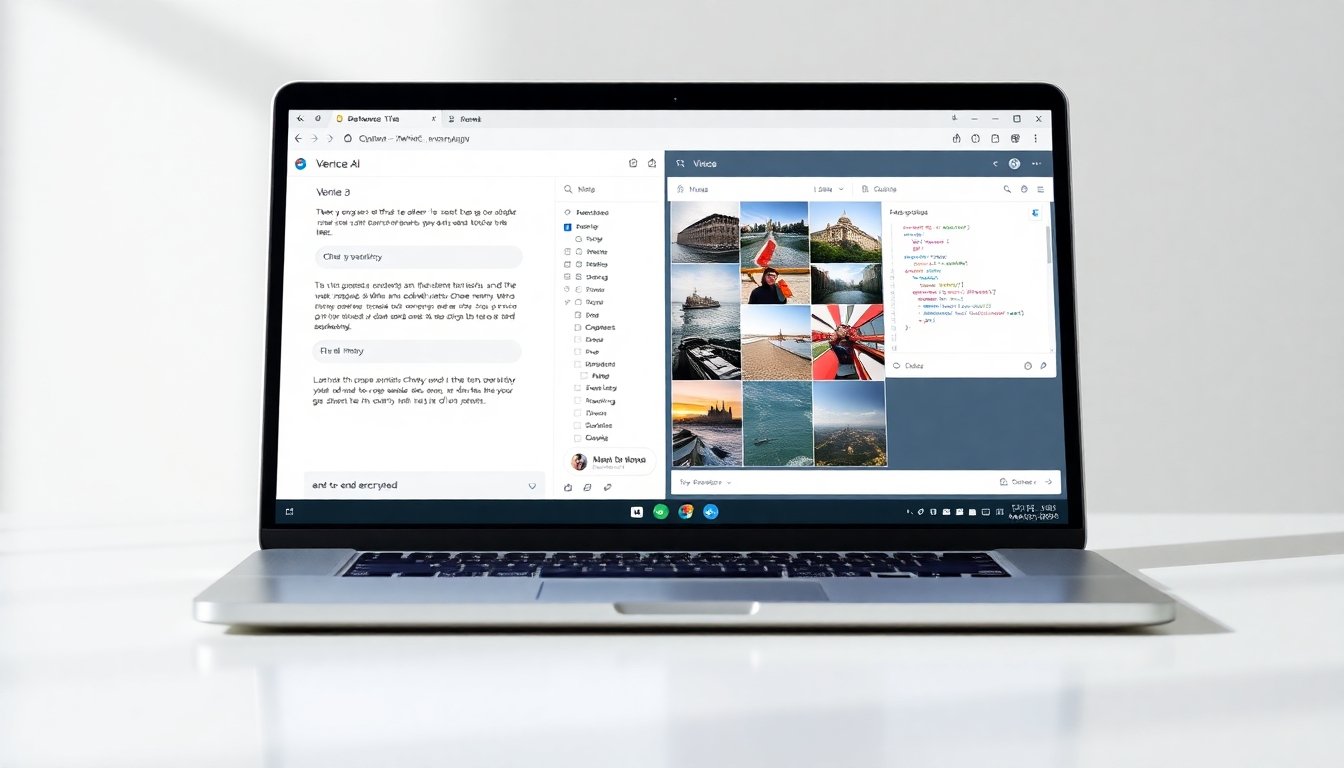
The interface design of Venice AI is minimalist and deliberately familiar. Think of a clean chat canvas with a model selector, quick toggles, and a left sidebar for sessions if you’ve signed in. Venice AI organizes its core tools—text, code, images—so you can switch tasks without losing context. The lack of clutter benefits creators who bounce between brainstorming taglines, outlining storyboards, and generating mood board images. Venice AI strikes a balance between accessibility and control; it’s friendlier than many developer-oriented tools while offering enough knobs for power users.
Setup is near zero. Venice AI doesn’t bury you in onboarding. Even the Pro features, like PDF upload, are surfaced simply. And because Venice AI stores your conversation history locally (browser-side), you don’t get the typical “cloud-based thread” view when you change devices unless you sign in and sync. Venice AI is consciously prioritizing privacy over convenience here, and it’s important that new users understand this trade-off.
The only awkward first-impression element is brand trust. Venice AI’s website references a “Venice Team” but doesn’t prominently highlight founders or a company profile. For a service asking you to trust its privacy posture, Venice AI would benefit from more transparent company info and any independent audits. Still, the combination of end-to-end encryption and local storage makes Venice AI immediately feel different from mainstream AI chatbots.
Key Features Deep Dive#
Privacy and Security Architecture#
Venice AI’s biggest differentiator is its approach to privacy. Venice AI claims:
- End-to-end encryption of inference requests
- Conversation history stored only in your browser
- Decentralized compute resources to process prompts
- A private inference API for developers
In practice, Venice AI’s model suggests your prompts are encrypted in transit and not retained on central servers, and your chat history stays client-side unless you opt into account syncing. Venice AI’s private-by-default setup is a meaningful departure from the norm. For creators pitching unreleased campaigns, brainstorming scripts, or drafting code for clients, Venice AI reduces the risk of long-term retention by a third-party platform.
There are caveats. Venice AI’s “decentralized compute” implies your requests may be routed to distributed nodes, which could introduce performance variability (we’ll cover this below). Also, Venice AI’s privacy claims would be stronger with third-party audits and detailed whitepapers explaining cryptographic implementations. Even so, for many creators, Venice AI is a step up from tools that log and learn from your prompts by default.
Model Roster and On-the-Fly Switching#
Venice AI exposes a roster of leading open-source models across text, code, and vision. Venice AI lists DeepSeek R1 671B for advanced reasoning, Llama 3.1 405B for general chat and creation, Qwen 2.5 VL 72B for multimodal understanding, and Dolphin 72B and Fluently XL Final for instruction-following and fluent writing. For images, Venice AI offers FLUX Custom and Stable Diffusion 3.5 Large.
In a typical Venice AI session, you can switch models based on task. If you’re drafting a technical spec, Venice AI might prefer Llama 3.1 405B. For chain-of-thought and reasoning-heavy work, Venice AI can tap DeepSeek R1. If you need image-to-text analysis or multimodal prompts, Venice AI’s Qwen 2.5 VL helps. This fluid model switching makes Venice AI feel like a control room, not a black box.
Compared to closed platforms, Venice AI’s open-source orientation means you can better infer the strengths and limitations of each model. Venice AI may not always match the top-tier proprietary models in raw performance, but it gives you transparency and choice—qualities creators who care about control often value more.
Text Generation for Creators#
On the writing front, Venice AI supports brainstorming, outlining, rewriting, summarizing, and style transfer. Venice AI is comfortable with genre-aware prompts (“write a high-energy 30-second ad script”), structural tasks (“turn this blog into a video outline”), and editorial tasks (“tighten this paragraph without changing tone”). Venice AI can be guided with system prompts on Pro, which is invaluable for brand voice consistency.
Writers and content strategists will appreciate that Venice AI’s open-source models tend to be less hedgy and more direct. While the occasional hallucination can surface with any LLM, Venice AI’s large models like Llama 3.1 405B typically keep citations and summaries on track when you feed them PDFs via Pro. For research-heavy articles, Venice AI works best when you provide your own source material (PDFs, notes) instead of expecting Venice AI to conduct deep, authoritative research without references.
Code Generation and Debugging#
Venice AI’s code generation spans Python, JavaScript, TypeScript, C++, SQL, and more. Venice AI can scaffold small apps, write test suites, explain stack traces, and propose fixes. Venice AI’s utility shines with “rubber-ducking”—you paste errors or describe components, and the assistant iterates toward a solution.
The benefit of Venice AI’s approach is privacy: pasting proprietary code into Venice AI reduces risks associated with vendor data retention. For teams under NDA, that’s a tangible advantage. Venice AI’s open models handle typical CRUD, scripting, and data manipulation tasks reliably; for bleeding-edge frameworks or nuanced architecture decisions, you’ll still want to validate outputs thoroughly. Venice AI is a strong pair-programmer in the “prototype to production” path, provided you keep humans in the loop for code review and security.
Image Generation and Creative Assets#
With FLUX Custom and Stable Diffusion 3.5 Large, Venice AI’s image generation covers mood boards, product comps, background plates, thumbnails, and concept art. Venice AI is especially good at:
- Iterative prompt refinement: You nudge style, lens, mood, and pose
- Consistent outputs across aspect ratios
- Generating diverse style presets (e.g., cinematic, editorial, watercolor, comic)
Venice AI’s image generator doesn’t require external plugins, and you can move from text prompts to visual drafts quickly. Venice AI can help you pre-visualize scenes for video, generate alternate poster layouts, or build storyboard frames. While hyper-realistic faces and hands have improved with SD 3.5 Large, Venice AI still benefits from prompt specificity and a few retries. Venice AI Pro’s 1,000 images/day ceiling is generous for daily creative work and iteration.
Document Analysis (PDF Upload on Pro)#
Venice AI Pro unlocks PDF upload and analysis. For long-form research, script breakdowns, legal agreements, or pitch decks, Venice AI can summarize, extract key points, and answer questions grounded in your file. Venice AI often performs best here if you set a clear system prompt (e.g., “You are a meticulous story editor. Answer using bullets and direct quotes.”). That gives Venice AI a style and a guardrail, especially important when you need clean citations.
Venice AI’s local-history approach still holds: while files are uploaded to process, the platform asserts it does not store your conversations. For sensitive documents, Venice AI is a compelling option—though transparency about file retention windows, storage locations, and any ephemeral caching would make this feature more enterprise-ready.
Safe Mode and “Unbiased AI” Controls#
Venice AI markets an “unbiased” experience with fewer content restrictions than mainstream platforms and includes a Safe Mode control on Pro. Venice AI’s positioning is that open-source models can be calibrated to minimize overzealous refusals while still honoring lawful, ethical boundaries. In practical use, Venice AI tends to be less preachy on borderline topics and more willing to discuss complex themes in a factual, balanced way.
The flip side is responsibility. Venice AI’s flexibility means users must use common sense and comply with laws, platform guidelines, and client requirements. Creators working with sensitive topics should set clear system prompts and consider Safe Mode settings. Venice AI’s goal is to avoid paternalistic filters without enabling misuse; creators should treat that latitude carefully.
Cross-Platform UI and Workflow#
Venice AI’s interface promotes quick context switching. Venice AI lets you:
- Pin or switch models per thread
- Upload PDFs (Pro) and keep responses grounded
- Generate multiple image variants and upscale selectively
- Use system prompts (Pro) for brand tone and response format
- Export or copy results for your editing suite
For content creators juggling assets, Venice AI feels like a hub. You can create a storyboard with image prompts, draft a script, then iterate on code for your landing page, all in one Venice AI workspace. Venice AI’s mobile access is handy for reviewing prompts on the go, though complex image work is still best on desktop.
Private Inference API for Developers#
Venice AI offers a private inference API for building apps and custom workflows. Venice AI positions this as a permissionless, privacy-first alternative to major AI APIs. For product teams, this could be a way to embed Venice AI’s capabilities into internal tools without sending data to a vendor that retains interactions.
Documentation is an area where Venice AI could mature. While Venice AI provides the basics, developers will want comprehensive examples, rate limit details, model-specific parameters, and security guidance. Still, the prospect of a private, end-to-end encrypted inference layer is compelling—especially if Venice AI continues to expand model coverage and usage analytics for teams.
Performance & User Experience#
Performance on Venice AI is a blend of model speed, prompt complexity, and decentralized compute conditions. In general, Venice AI is snappy for text and code, returning drafts fast enough for real-time ideation. Venice AI’s larger models can slow down under heavy load, especially during peak hours or when complex reasoning is requested. Venice AI’s decentralized approach is a double-edged sword: the system scales beyond a single vendor’s cluster, but you might feel occasional hiccups.
For writing tasks, Venice AI’s outputs are coherent, on brief, and easy to steer with system prompts. Venice AI’s style control is strong if you include reference snippets or a brand voice guide. The platform rarely gets stuck on trivial refusals, which streamlines creative flow.
Code generation is practical and reliable for most daily developer tasks. Venice AI explains reasoning clearly and adapts to error messages you paste in. As with any AI coding assistant, Venice AI occasionally invents non-existent library methods or overlooks edge cases. Include tests and keep code reviews rigorous.
Image generation on Venice AI is iterative and productive. Venice AI responds well to composition-level prompts (camera angle, lens, lighting) and creative moods (analog film, editorial studio, neon cyberpunk). Venice AI can maintain color palettes across variations, which helps designers during concept exploration. You may still need extra passes for detailed hands, typography, or precise likenesses; Venice AI improves with clear reference cues.
When compared to ChatGPT and Claude, Venice AI generally trades a bit of polish for privacy and flexibility. ChatGPT and Claude can feel more “finished” in edge-case reasoning and literary quality, while Venice AI gives you models that are close enough for many tasks and, importantly, less restricted. For image generation, Venice AI’s outputs rival leading diffusion platforms in creative ideation, if not always in one-click perfection.
In sum, Venice AI manages a credible balance: solid performance, strong model options, and privacy-forward defaults. If you can live with occasional variability in response times, Venice AI is a productive daily driver.
Pricing & Value#
Venice AI follows a freemium model:
- Account (no signup): Try Venice AI with daily limits on text and images
- Free Account (signup): Higher limits plus the ability to earn points
- Pro Account ($18/month): Unlimited text prompts, up to 1,000 images/day, 2x points, PDF upload, Safe Mode control, System Prompt access, and Free Tier API access
For creators, Venice AI Pro at $18/month is competitively priced. Venice AI undercuts or matches many competitors on cost while offering privacy advantages and generous image credits. If you generate visuals daily, Venice AI’s 1,000 images/day ceiling is a huge perk for iteration-heavy workflows. The system prompts, PDF grounding, and Safe Mode control are all Pro features that meaningfully boost professional outcomes.
If you only need occasional help drafting copy or prototyping code, Venice AI’s free tiers are useful—just expect stricter limits. For agencies or studios, Venice AI’s value scales with how much you care about data sovereignty. Venice AI’s private inference API could be the clincher if you’re building in-house tools and want strong privacy claims out of the box.
Against ChatGPT and Claude, Venice AI’s value proposition is clear: privacy, fewer content restrictions, open-source model transparency, and ample image gen—at a lower or comparable price. If you rely on cutting-edge proprietary models for the highest-stakes writing or research, those platforms may still hold an edge. But for most daily creative and coding tasks, Venice AI delivers excellent value.
Pros and Cons#
Pros:
- Venice AI prioritizes privacy: end-to-end encryption and local conversation storage
- Venice AI offers open-source model transparency and on-the-fly switching
- Venice AI Pro includes 1,000 images/day, great for rapid creative iteration
- Venice AI allows system prompts and Safe Mode control for brand voice and guardrails
- Venice AI’s PDF upload makes research and script breakdowns more grounded
- Venice AI provides a private inference API for building privacy-first apps
- Venice AI’s interface is clean, fast, and creator-friendly across web and mobile
- Venice AI’s uncensored approach reduces unnecessary refusals and boosts creative flow
Cons:
- Venice AI’s decentralized compute can cause occasional slowdowns or variability
- Venice AI’s open-source models may trail top proprietary models in edge-case reasoning
- Venice AI’s brand transparency is limited; more company details and audits would help
- Venice AI’s free tier may feel restrictive for power users
- Venice AI’s developer docs could be deeper for complex integrations
- Venice AI’s image generation still requires multiple passes for perfect photorealism
Who Should Buy This?#
- Privacy-first creators: If you’re a filmmaker, designer, writer, or voice actor handling sensitive ideas or client material, Venice AI’s local history and encryption make it a safe space to create.
- Agencies and studios: For teams juggling NDAs and brand assets, Venice AI Pro’s PDFs, system prompts, and image volume help maintain speed without sacrificing control.
- Indie developers and product teams: Venice AI’s code generation and private inference API let you build internal tools with strong privacy assurances.
- Social video creators and marketers: Venice AI streamlines headlines, hooks, scripts, thumbnails, and mood boards, giving you faster iterations from concept to publish.
- Educators and students: Venice AI’s fewer refusals make it better for nuanced discussions, but Safe Mode and clear academic policies should be used to maintain integrity.
- Anyone frustrated by heavy-handed content filters: Venice AI finds a middle path that respects autonomy while giving you tools to set your own boundaries.
Who might skip it? If your workflow hinges on the absolute highest-end proprietary reasoning for research-heavy writing—or you require enterprise-grade SLAs and audits—Venice AI might be a complement rather than a full replacement. If you need guaranteed low latency at all hours, the decentralized backbone of Venice AI may occasionally test your patience.
Final Verdict#
Venice AI is one of the few generative AI platforms that truly centers privacy without feeling like a compromise. By combining open-source models, end-to-end encryption, local conversation storage, and a generous Pro plan (especially for image generation), Venice AI earns its place on a creator’s shortlist. It won’t always outshine ChatGPT or Claude on the hardest reasoning tasks, and Venice AI could improve trust signals with fuller company transparency and audits. But for most daily creative and coding scenarios, Venice AI is fast, flexible, and far less paternalistic than mainstream tools.
Score: 4.2/5
Buy Venice AI if you want a private, capable assistant that respects your ideas and your data. Keep a competitor or two in your toolkit for edge cases. For the vast majority of content creators and developers, Venice AI is worth the $18/month Pro upgrade.
FAQ#
Is Venice AI free?#
Venice AI offers a no-signup mode with daily limits and a Free Account with higher limits. Venice AI Pro costs $18/month and includes unlimited text prompts, up to 1,000 images/day, PDF upload, Safe Mode control, system prompts, and Free Tier API access.
How does Venice AI protect my data?#
Venice AI claims end-to-end encryption for inference requests and stores conversation history in your browser rather than on its servers. Venice AI also uses decentralized compute to process prompts. For maximum assurance, Venice AI would benefit from third-party audits, but its design already reduces typical data retention risks.
Which models does Venice AI use?#
Venice AI surfaces leading open-source models: DeepSeek R1 671B for reasoning, Llama 3.1 405B for general chat and writing, Qwen 2.5 VL 72B for multimodal tasks, Dolphin 72B and Fluently XL Final for instruction and fluency, and FLUX Custom plus Stable Diffusion 3.5 Large for images. Venice AI lets you switch models per task.
Is Venice AI good for professional writers and designers?#
Yes. Venice AI handles outlines, scripts, copy edits, and long-form summaries, especially when you ground responses with PDFs on Pro. For designers, Venice AI’s image generation and high daily allowance are excellent for exploration. Venice AI isn’t a one-click finalizer; you’ll still refine outputs, but it accelerates ideation.
How does Venice AI compare to ChatGPT and Claude?#
Venice AI emphasizes privacy and fewer content restrictions, with strong image generation volume and open-source transparency. ChatGPT and Claude can feel more polished on complex reasoning and research-heavy writing. Many creators use Venice AI for private ideation and image work, and keep a proprietary model for specialized tasks.
Does Venice AI store my prompts or files?#
Venice AI says conversation history is stored locally in your browser. When you upload PDFs on Pro, Venice AI processes them but does not retain your conversation on its servers. For enterprise or compliance needs, confirm specifics with Venice AI and monitor any updates to its privacy documentation.
Can I use Venice AI for commercial projects?#
Yes. Venice AI is designed for creative and professional use. For commercial work, verify licensing specifics for generated images and ensure your usage complies with client and legal requirements. Venice AI’s system prompts are useful for enforcing brand tone and deliverable formats.
How reliable is Venice AI’s performance?#
Venice AI is generally fast for text, code, and images. Because Venice AI uses decentralized compute, you may encounter occasional slowdowns or variability. For mission-critical deadlines, keep a backup plan, but Venice AI’s performance is solid for daily work.


