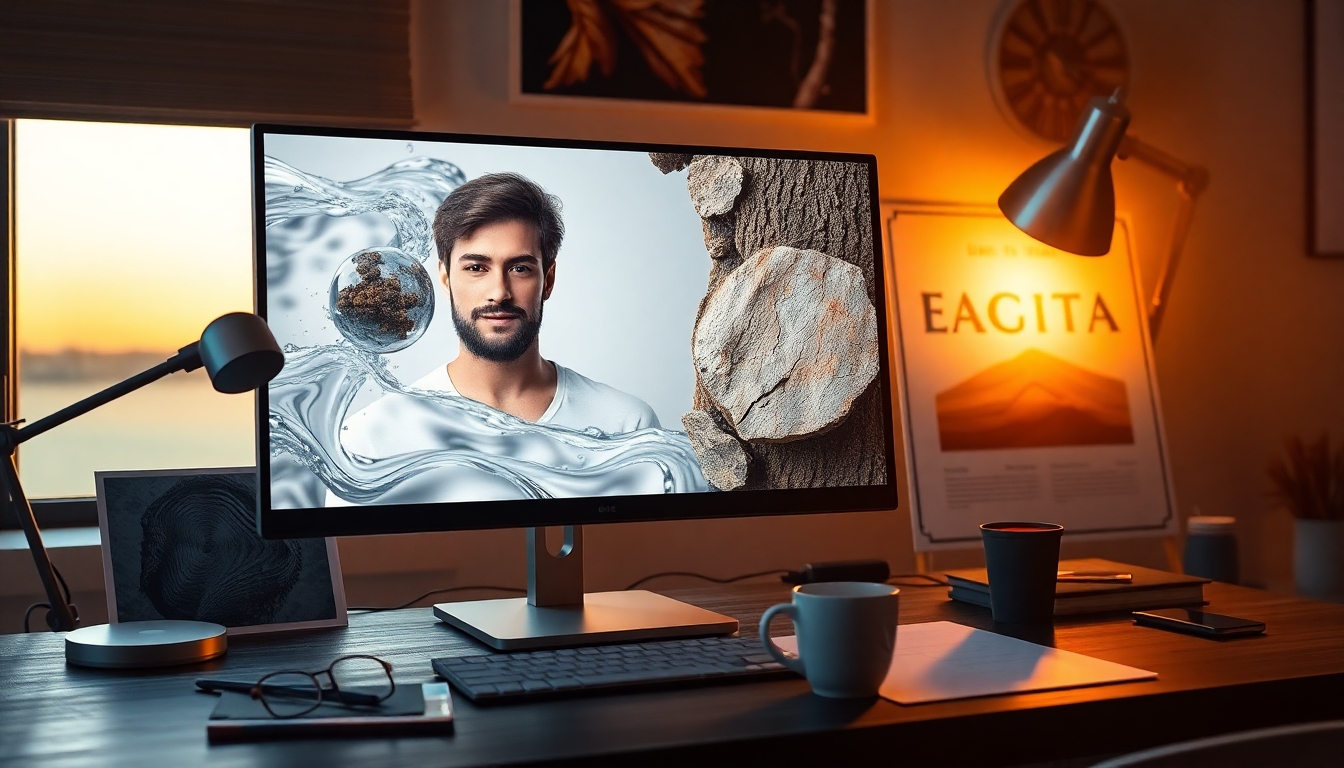
Why Content Creators Should Care About qwen image 2512#
If you create visuals—storyboards, thumbnails, concept art, product mockups, educational posters, ads, or editorial illustrations—you’ve likely felt the gap between “plausible AI art” and “photoreal images that hold up in detail.” qwen image 2512 is designed to close that gap. It’s an updated, open-source text-to-image model from the Qwen team that focuses on three things that matter most in production:
- Enhanced realism for people, including lifelike faces, age cues, and subtle anatomy
- Finer natural textures like water, wood, stone, fur, and vegetation
- Stronger and more accurate text rendering for posters, packaging, and UI
According to results reported on the AI Arena benchmarking platform (10,000+ blind rounds), qwen image 2512 ranks as the strongest open-source image model, while remaining competitive with closed-source systems. It’s built for creative teams who want the flexibility of open tooling without sacrificing quality. Released on December 31, 2025, qwen image 2512 brings substantial gains in realism and typography, making it a compelling upgrade for day-to-day creative pipelines.
In this guide, we’ll unpack what’s new, show how to get started with diffusers, explain its performance, outline community integrations, and detail which image types qwen image 2512 is best at generating.
What’s New in qwen image 2512#
qwen image 2512 builds on the original Qwen-Image model with targeted improvements you’ll notice immediately in your outputs:
-
Enhanced human realism
- More natural skin tones and pore-level detail
- Better age portrayal (youth, middle-aged, elderly) without cartoonish smoothing
- Hair, eyebrows, and beards appear less “AI-styled” and more photographic
- Eyes, eyelids, and eyelashes render with sharper fidelity and fewer artifacts
-
Finer natural textures
- Landscapes: sharper trees and grass, believable atmospheric haze
- Water: more physically convincing reflections and surface detail
- Fur and feathers: less clumping, more strand-level variation
- Materials: wood grain, stone veins, textiles, and metals read with tactile realism
-
Stronger text rendering
- Improved layout and line spacing in posters, covers, and packaging
- Fewer letter-swaps and misspellings compared to prior versions
- Better handling of mixed fonts, sizes, and decorative display text
-
Top-tier open-source ranking
- In >10,000 blind comparisons on AI Arena, qwen image 2512 is positioned as the strongest open-source image model
- Elo-style ratings suggest robust preference in head-to-head matchups
For content creators, these upgrades translate to fewer re-rolls, less touch-up work, and more keeping the first or second image. That means faster storyboards, better key visuals, and quicker route-to-campaign. If you’re shipping graphics at scale, qwen image 2512 is built for repeatable, realistic results.
Quick Start: Generate with diffusers#
The fastest way to try qwen image 2512 is with Hugging Face diffusers. Make sure you have a recent PyTorch and CUDA stack.
Python environment setup:
- Python 3.10+
- torch with CUDA support (or CPU if you just want to test)
- diffusers, transformers, accelerate, safetensors, and Pillow
Install:
pip install --upgrade diffusers transformers accelerate safetensors pillow
Basic text-to-image with qwen image 2512:
from diffusers import AutoPipelineForText2Image
import torch

model_id = "Qwen/Qwen-Image-2512"

pipe = AutoPipelineForText2Image.from_pretrained(
    model_id,
    torch_dtype=torch.bfloat16
).to("cuda")

prompt = (
    "a candid, natural-light portrait of a middle-aged woman with freckles, "
    "soft background bokeh, realistic skin texture, sharp eyes, 50mm lens aesthetic"
)

result = pipe(
    prompt=prompt,
    num_inference_steps=25,
    guidance_scale=3.5,
    height=1024,
    width=768
)

image = result.images[0]
image.save("portrait_qwen_image_2512.png")
Notes for creators using qwen image 2512:
- Guidance scale: 2.5–4.5 is a solid working range. Lower for more adherence to the prompt’s holistic look; higher for extra stylization.
- Steps: 20–30 usually hits a good quality-speed balance; 35–50 for hero shots.
- Negative prompts: Use to avoid artifacts (e.g., “text artifacts, extra digits, extra fingers, watermark, logo”).
- Safety: Always review generated content for licensing, likeness, and appropriateness in your context.
Aspect Ratios and Resolution#
qwen image 2512 handles common aspect ratios well. Choose dimensions that match your use case:
- Square: 1024 × 1024 (general-purpose, social posts, thumbnails)
- Portrait: 768 × 1024 or 1024 × 1536 (posters, magazine covers, character sheets)
- Landscape: 1536 × 1024 or 1280 × 720 (banner images, YouTube thumbnails)
Example: change aspect ratio with qwen image 2512:
ar_prompts = [
    ("poster", 1024, 1536,
     "a bold cinematic poster of a futuristic rover on a red desert, clear typography space"),
    ("banner", 1536, 1024,
     "a sweeping landscape of a coastal cliff at sunrise, realistic water spray and haze")
]

for name, w, h, p in ar_prompts:
    img = pipe(
        prompt=p,
        num_inference_steps=28,
        guidance_scale=3.2,
        height=h,
        width=w
    ).images[0]
    img.save(f"{name}_qwen_image_2512.png")
Tip: If you need large prints, start at 1024–1536 in the long edge with qwen image 2512, then upscale with an external tool (e.g., ESRGAN, Stable Diffusion upscalers, or Gigapixel) to preserve detail while keeping generation time manageable.
Showcase: Where qwen image 2512 Excels#
You can expect marked gains in three categories: human realism, natural scenes, and text-in-image layouts. Here’s how that impacts common creator workflows.
Human realism for portraits, fashion, and lifestyle#
- Portraits: More convincing skin microtexture, catchlights, and hair detail reduce retouching.
- Fashion/lifestyle: Fabrics drape more believably; fewer “plastic” reflections on leather or latex.
- Age depiction: Young, adult, and elderly subjects all present with more accurate anatomy and wrinkles.
If your work relies on photoreal people—model sheets, character posters, or editorial-style imagery—qwen image 2512 is particularly strong. For marketers and production designers, this minimizes the “uncanny valley” that can undermine campaign credibility.
Prompt pattern to try with qwen image 2512:
"editorial photo of a streetwear model in soft morning light, ultra-realistic skin texture,
layered fabrics (denim, cotton, leather), crisp shadows, subtle motion in hair, 85mm lens,
shot on location, minimal makeup"
Natural textures for environments and product backdrops#
- Water and glass: Better specular highlights and surface detail for beverage, cosmetics, and product ads.
- Vegetation: Leaves, bark, and moss layer more naturally, ideal for outdoor scenes and eco branding.
- Fur/feathers: Pet and wildlife visuals look less synthetic—a boon for educational posters and wildlife-themed campaigns.
For video creators building storyboard plates, qwen image 2512 provides reliable environmental realism that translates well to animatics or mood boards.
Accurate text rendering for posters and packaging#
- Headline clarity: Fewer letter errors, more consistent baseline alignment.
- Mixed typography: Better composition control when combining fonts and sizes (e.g., title + subtitle + footnote).
- UI and signage: More readable labels and directional signage for concept mockups.
This makes qwen image 2512 a strong choice for posters, covers, and early packaging explorations. While no generative model is perfect at text, the improvement over prior versions is significant for production-oriented visuals.
AI Arena: Benchmarking qwen image 2512#
AI Arena is a large-scale, blind-comparison platform where generated images face off in head-to-head matchups, producing Elo-style ratings (similar to chess). With over 10,000 blind rounds reported, qwen image 2512 tops the open-source leaderboard and holds its own against closed-source models.
Why this matters:
- Reduces bias: Evaluations are prompt-controlled and anonymized.
- Compares real preference: Human raters pick the best image, not just numeric metrics.
- Helps you pick tools: Confirms that qwen image 2512 is more than a parameter bump—it wins on perceived quality.
For content teams, an Elo-backed signal means fewer experiments and clearer ROI: if your goal is realism and text fidelity, qwen image 2512 is a proven first choice.
Learn more:
- Hugging Face model page: https://huggingface.co/Qwen/Qwen-Image-2512
- AI Arena: https://aiarena.alibaba-inc.com
- Technical report and blog: see links on the model page for details
Community Support and Day-0 Integrations#
From day one, qwen image 2512 is supported by key community tools that matter when you’re integrating into production:
- Lightx2v: Day-0 acceleration support for qwen image 2512, helping you run fast on modern GPUs
- vLLM-Omni: High-performance inference pathways for qwen image 2512 from Day-0
- Ecosystem partners and platforms: Hugging Face, ModelScope, SGLang, WaveSpeedAI, LiblibAI, cache-dit
This ecosystem matters because it reduces friction: you can move from exploration to production quickly, whether you’re scripting batch renders, building a custom UI, or deploying a creative toolchain for your team.
Best-Fit Use Cases for Creators#
qwen image 2512 is versatile, but it especially shines in these scenarios.
-
Marketing and advertising
- Photoreal product hero shots with polished materials
- Lifestyle imagery with believable lighting and human detail
- Poster and OOH mockups with more accurate text
-
Concept art and previsualization
- Character look-dev with realistic skin, hair, and clothing
- Environmental plates with complex natural textures
- Vehicle and prop explorations with convincing materials and reflections
-
Industrial and product design
- Early packaging studies where typography must be legible
- CMF (color, material, finish) explorations that read true to life
- Mood boards that stakeholders can evaluate without the “AI look”
-
Education and editorial
- Informational posters combining images and text
- Magazine covers and spot art with strong type handling
- Scientific illustrations that need lifelike textures (rocks, plants, water)
-
Social and creator economy
- Thumbnails and channel art that look polished at a glance
- Brand kits and templates where text accuracy matters
- Storyboards for short-form video with realistic scenes and people
If your deliverable benefits from realism, clarity, and text fidelity, qwen image 2512 is likely a fit.
Prompting Tips to Maximize qwen image 2512#
- Be specific about light and lens
- “soft morning light,” “overcast diffused light,” “cinematic rim light,” “35mm lens,” “85mm portrait lens”
- Declare materials and finishes
- “brushed aluminum,” “matte ceramic,” “satin fabric,” “weathered walnut,” “clear PET with condensation”
- Tame unwanted artifacts
- Negative prompts: “text artifacts, watermark, extra digits, extra fingers, misspelled letters”
- Structure text requests
- Put the text content in quotes and keep it short. For example:
- “poster headline ‘Aurora’ in bold sans serif, subtitle ‘Festival 2026’”
- Put the text content in quotes and keep it short. For example:
- Iterate with constraints
- Start at 1024 on the long edge; upscale later
- Adjust guidance scale between 2.8 and 4.0 for control vs. creativity
- For consistent characters
- Save a seed per character or style
- Use named descriptors consistently (e.g., “red bob haircut,” “freckled cheeks,” “navy windbreaker”)
qwen image 2512 responds reliably to these patterns, reducing trial-and-error.
Production Workflow: Speed, Batching, and Quality#
- Batch generation
- Use list prompts to generate multiple variations in one pass
- Keep seeds for reproducibility when a client picks a favorite
- Post-processing
- Light retouching in Photoshop or Affinity for skin and edges
- Use upscalers for print deliverables
- Asset management
- Name files with prompt snippets, seed, and step count
- Version control with DVC or Git LFS if you’re sharing across teams
qwen image 2512, combined with good pipeline hygiene, helps agencies and studios maintain speed without compromising output fidelity.
Release, License, and Citation#
- Release date: December 31, 2025
- Parameter size: 20B
- Model type: Text-to-image generation
- License: Apache 2.0 (permissive, commercial-friendly)
BibTeX citation for qwen image 2512:
@misc{qwenimage2512,
  title        = {Qwen-Image-2512: Open-Source Text-to-Image Generation},
  author       = {Qwen Team},
  year         = {2025},
  howpublished = {\url{https://huggingface.co/Qwen/Qwen-Image-2512}},
  note         = {Apache-2.0 License}
}
Always review the full license terms on the model page before use, especially for commercial contexts.
Links and Resources#
- Hugging Face: https://huggingface.co/Qwen/Qwen-Image-2512
- ModelScope: see the model card for the latest link
- AI Arena: https://aiarena.alibaba-inc.com
- Technical Report: linked on the model page
- Blog: linked on the model page
- Lightx2v: https://github.com/ModelTC/LightX2V
- vLLM-Omni: see the model page for details
- Community: Join Discord or WeChat via links on the model page; for hiring or collaboration, use the email listed there
These references will stay freshest on the Hugging Face model card, so bookmark it.
Limitations and Responsible Use#
- Text-in-image is improved, but not flawless. For mission-critical text, expect a few retries and consider compositing.
- Hyper-specific symbols, logos, or legal marks should be added in post.
- As with any generative model, ensure compliance with usage policies, likeness rights, and brand guidelines.
qwen image 2512 reduces common failure cases, but professional oversight remains essential.
Conclusion: Should You Switch to qwen image 2512?#
If your workflow depends on images that look real—especially people, materials, and product settings—qwen image 2512 is a standout open-source choice. It’s fast to adopt with diffusers, well-supported by the community, licensed for broad use under Apache 2.0, and validated by AI Arena rankings. For creative teams who need reliable, photoreal outputs with stronger typography, qwen image 2512 shortens the road from prompt to publishable.
Start with a few test prompts in your domain, lock in parameters that fit your art direction, and integrate qwen image 2512 into your batching and post-processing stack. Whether you’re a video creator, designer, writer, or voice actor building a brand presence, qwen image 2512 offers a practical upgrade in quality and consistency—right where it counts.


