Video Compressor
The best free Video Compressor for fast, high‑quality smaller files
Meet the Video Compressor from story321.com—your fast, secure, and intuitive way to shrink file sizes without sacrificing clarity. This Video Compressor blends smart codecs, device-ready presets, and batch processing to help you get videos ready for web, email, and mobile in minutes. Whether you need lighter 4K for streaming, a smaller MP4 for messaging, or a compact clip for your site, the Video Compressor makes it effortless.
What is a Video Compressor?
A Video Compressor reduces the size of your video files by re-encoding them with efficient codecs and optimized settings. The Video Compressor on story321.com offers both lossy and lossless approaches, letting you balance quality and size for each use case. By adjusting resolution, bitrate, frame rate, and codec (like H.264, HEVC, VP9, or AV1), the Video Compressor preserves visual fidelity while dramatically cutting megabytes. Whether you’re sending videos by email, uploading to social platforms, or embedding on a website, a modern Video Compressor streamlines your workflow, saves bandwidth, and speeds up delivery without the guesswork.
Smart presets in the Video Compressor for YouTube, Instagram, TikTok, Vimeo, email, and web
Batch mode to compress multiple files with the Video Compressor at once
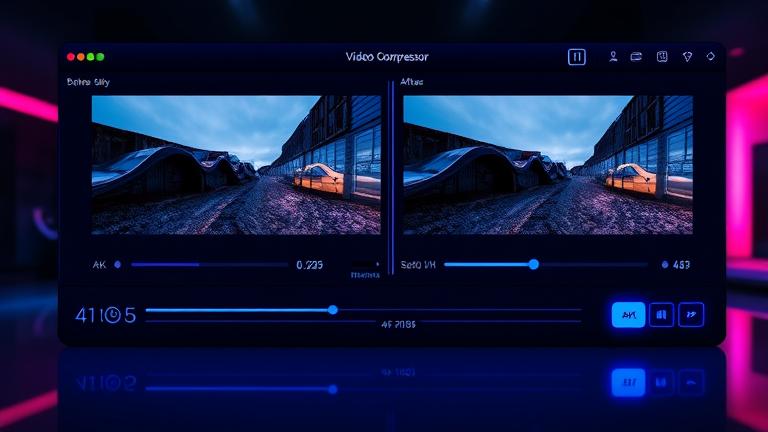
Side‑by‑side preview to inspect quality before exporting in the Video Compressor
Powerful features in one Video Compressor
From quick wins to deep control, the Video Compressor combines speed, quality, and ease of use. Explore what’s inside.
One‑click platform presets
Choose YouTube, Instagram, TikTok, Vimeo, Email, Web, or Mobile. The Video Compressor selects ideal resolution, bitrate, and codec automatically.
Adaptive bitrate control
The Video Compressor’s rate control targets quality instead of raw size, giving you smaller files with fewer artifacts and smoother motion.
Codec flexibility
Export with H.264, HEVC (H.265), VP9, or AV1. The Video Compressor recommends the best match for your device, browser support, and timeline.
Resolution and frame‑rate tuning
Downscale 4K to 1080p or 720p, or keep it native. The Video Compressor can also adjust frame rate for silky playback and reduced size.
Smart audio compression
Choose AAC, Opus, or PCM. The Video Compressor balances bitrate and clarity so dialogue stays crisp while overall size drops.
Batch queue and automation
Drag folders into the Video Compressor, set a preset, and run. Save profiles to standardize output across teams and projects.
Side‑by‑side preview
Compare original vs. compressed quality before exporting. The Video Compressor shows fine details, grain, and motion to guide your settings.
Metadata and subtitle handling
Retain chapters, language tracks, and captions. The Video Compressor keeps accessibility intact while shrinking the container.
Watermark‑free exports
Even in the free plan, the Video Compressor never adds watermarks. Deliver clean, professional results every time.
Desktop and online modes
Choose the online Video Compressor for quick tasks or the desktop app for offline, large batch jobs and maximum privacy.
How to use the Video Compressor
Follow these quick steps to compress any clip with the Video Compressor. No steep learning curve—just import, pick a preset, preview, and export.
Upload or drag & drop
Open the Video Compressor on story321.com or launch the desktop app. Drag your video(s) in or click Upload to add files and folders.
Pick a preset or go manual
Choose a platform preset in the Video Compressor or switch to Advanced to set codec, resolution, bitrate, and frame rate.
Preview and adjust
Use the side‑by‑side viewer in the Video Compressor to check detail and motion. Tweak bitrate or resolution until quality and size feel right.
Batch and automate
Queue multiple files. Save your settings as a profile so the Video Compressor can apply them consistently across projects.
Export and share
Click Compress. The Video Compressor encodes your files, then provides links or local outputs ready for email, social, web, or archive.
Pro tips for the best results
- •In the Video Compressor, use AV1 or HEVC for the smallest files when your target platform supports them.
- •Keep bitrate variable for motion‑heavy scenes. The Video Compressor’s adaptive mode reduces artifacts.
- •For email, use a 720p preset in the Video Compressor to stay under typical size limits.
- •For websites, enable fast start (moov atom at front) in the Video Compressor for instant playback.
- •Use batch mode in the Video Compressor to standardize settings across an entire series.
- •When preserving detail, try the Video Compressor’s two‑pass encoding for higher quality at the same size.
Need stricter privacy? Use the desktop Video Compressor to process locally without uploading.
What you can do with the Video Compressor
From marketing teams to indie creators, the Video Compressor fits into any workflow. Here are practical ways to put it to work.
Email‑friendly clips
Use the Video Compressor to reduce 1080p clips to compact MP4 that meets common email attachment limits while preserving clarity.
Social‑ready posts
Optimize for Instagram, TikTok, YouTube Shorts, and Facebook. The Video Compressor sets aspect ratio, bitrate, and length for fast uploads.
Web performance
Speed up page loads by converting heavy hero videos to lightweight WebM or MP4. The Video Compressor reduces bandwidth and bounce rates.
Course and webinar archiving
Shrink long recordings so LMS storage isn’t overwhelmed. The Video Compressor retains readable slides and crisp voice tracks.
Client review and approvals
Send draft cuts quickly. The Video Compressor keeps quality high so stakeholders can judge color, motion, and titles accurately.
Mobile app assets
Prepare compact, device‑optimized videos for in‑app use. The Video Compressor ensures fast downloads and smooth playback.
E‑commerce product videos
Shorten load times on PDPs and landing pages. The Video Compressor balances size and sharpness to protect conversion rates.
Long‑term backups
Archive footage efficiently. The Video Compressor supports lossless options when exact quality must be preserved.
Video Compressor FAQs
Everything you need to know to get the most from the Video Compressor.
Will the Video Compressor ruin my video quality?
No. The Video Compressor uses perceptual encoding, adaptive bitrate, and two‑pass options to preserve detail. You control how aggressive compression is.
Is the Video Compressor really free?
Yes. The online Video Compressor is free with generous limits and no watermark. A Pro plan adds higher caps, advanced presets, and priority encoding.
Which formats does the Video Compressor support?
Import MP4, MOV, MKV, AVI, WebM, and more. The Video Compressor exports MP4 (H.264/HEVC/AV1) and WebM (VP9/AV1), with flexible audio codecs.
Does the Video Compressor work on mobile?
Yes. Use the browser version of the Video Compressor on modern mobile devices. For heavy jobs, we recommend the desktop app.
How fast is the Video Compressor?
Speed depends on your hardware and settings. The Video Compressor supports GPU acceleration and multithreading for rapid 1080p and 4K encoding.
Is my content safe in the Video Compressor?
Yes. Uploads are encrypted, and online sessions auto‑delete after processing. For maximum privacy, use the offline desktop Video Compressor.
Can I batch compress with the Video Compressor?
Absolutely. Add entire folders, apply a preset, and let the Video Compressor run. Save profiles to ensure consistent output.
Lossy vs. lossless—what does the Video Compressor offer?
Use lossy for the smallest files and lossless when exact fidelity is required. The Video Compressor provides both and explains tradeoffs.
Which codec should I choose in the Video Compressor?
H.264 is widely compatible, HEVC and AV1 are smaller at similar quality, and VP9 is great for web. The Video Compressor suggests the best option for your target.
How do I keep audio clear with the Video Compressor?
Use AAC or Opus at 128–192 kbps for most content. The Video Compressor matches speech and music profiles to maintain clarity at low bitrates.
Compress your video now—free and fast
Start with the best free Video Compressor on story321.com. Choose a preset, preview the result, and export in minutes—no watermarks, no hassle.
No sign‑up required for the online Video Compressor. Upgrade anytime for higher limits and advanced automation.