Introduction#
Higgsfield AI is a web-based platform for AI-powered video and image generation, positioned squarely at the intersection of speed, control, and cinematic quality. Unlike many “quick template” generators, Higgsfield AI emphasizes professional tools—camera language, visual effects, and model choice—while remaining approachable for creators who don’t want to wrestle with complex software. In this review, I’ll unpack what Higgsfield AI gets right, where it still feels early, and whether it deserves a slot in your creative toolkit in 2026.
If you’re a video creator, designer, social marketer, indie filmmaker, or small business owner aiming to accelerate production without sacrificing craft, Higgsfield AI promises a cohesive suite: text-to-video, image-to-video, sketch-to-video, Lipsync Studio, Cinema Studio, image editing, relighting, upscaling, and more. We’ll analyze ease of use, output realism, performance, customization, model variety, pricing, and how Higgsfield AI stacks up to rivals like Runway, Pika Labs, Synthesia, and others.
By the end, you should know exactly what Higgsfield AI can—and can’t—do for your workflow.
First Impressions#
Higgsfield AI greets you with a clean, modern interface that avoids the “feature soup” trap. The navigation is organized by creative intent (Features/Apps) and by Models, a separation that becomes important once you start experimenting. This split—workflows versus engines—makes Higgsfield AI feel like a creative lab rather than a single monolithic tool.
Onboarding is straightforward. You can start with a free tier to test core generation and editing. The guided entry points—Text-to-Video, Image-to-Video, Sketch-to-Video—help you get a first render quickly, while more advanced arenas like Cinema Studio and Lipsync Studio are just a click away. For creators familiar with generative tools, the learning curve is gentle; for complete beginners, the preset templates, trend-led starting points (Sora 2 Trends), and ready-made apps reduce early friction.
The visual design is uncluttered: prompts, parameters, model selection, and preview panes sit in logical places. Explorable presets (camera moves, styles) make it feel like a hybrid of a pro editor and a consumer-friendly generator. Even before diving deep, Higgsfield AI communicates its thesis clearly—give users filmic control and strong defaults without overloading them.
Key Features Deep Dive#
Text-to-Video#
Text-to-Video is the cornerstone of Higgsfield AI. You write a prompt, pick a model, and let the system compose a sequence that respects your scene and style cues. Where some platforms output generic clips, Higgsfield AI leans into cinematic composition: framing and motion often feel intentional, not random. The platform’s emphasis on camera language pairs well with descriptive prompts, and it rewards specificity.
The platform’s presets and Sora 2 Trends can jumpstart ideation, especially if you’re mimicking a social aesthetic or chasing a format like a short, kinetic commercial. While you still need to iterate prompts (that’s true of every generator today), Higgsfield AI often lands a usable first pass, which you can refine with camera controls or swappable models.
Image-to-Video#
Turning a static image into a dynamic shot is one of Higgsfield AI’s more impressive tricks. Feed it a photograph or concept art, and it extrapolates depth, camera moves, and environmental motion. This is particularly useful for motion design, product showcases, and storyboards that need a touch of life without commissioning a full shoot. The results are better when the source image has strong subject separation and clear lighting; noisy or ambiguous images can lead to muddier motion.
Sketch-to-Video#
Sketch-to-Video caters to pre-visualization. If you story sketch or block scenes in rough linework, Higgsfield AI can interpret those shapes into animated sequences. You won’t get production-ready shots out of the box, but as a pre-pro tool for testing angles, pacing, and coverage, it’s powerful—especially when paired with the platform’s camera controls.
Cinema Studio and Camera Controls#
Cinema Studio is where Higgsfield AI separates itself from “text-only” generators. Rather than relying solely on prompt luck, you can direct camera language: crash zooms, crane shots, dolly moves, and more. Camera Controls let you dial in speed, intensity, and path, bringing a director’s vocabulary to AI generations. For creators who think in terms of coverage and shot lists, this feature is a gift.
The benefit is twofold:
- It reduces iteration cycles by replacing vague prompts with precise camera instructions.
- It builds continuity across shots, especially when paired with Soul ID for character consistency.
Lipsync Studio#
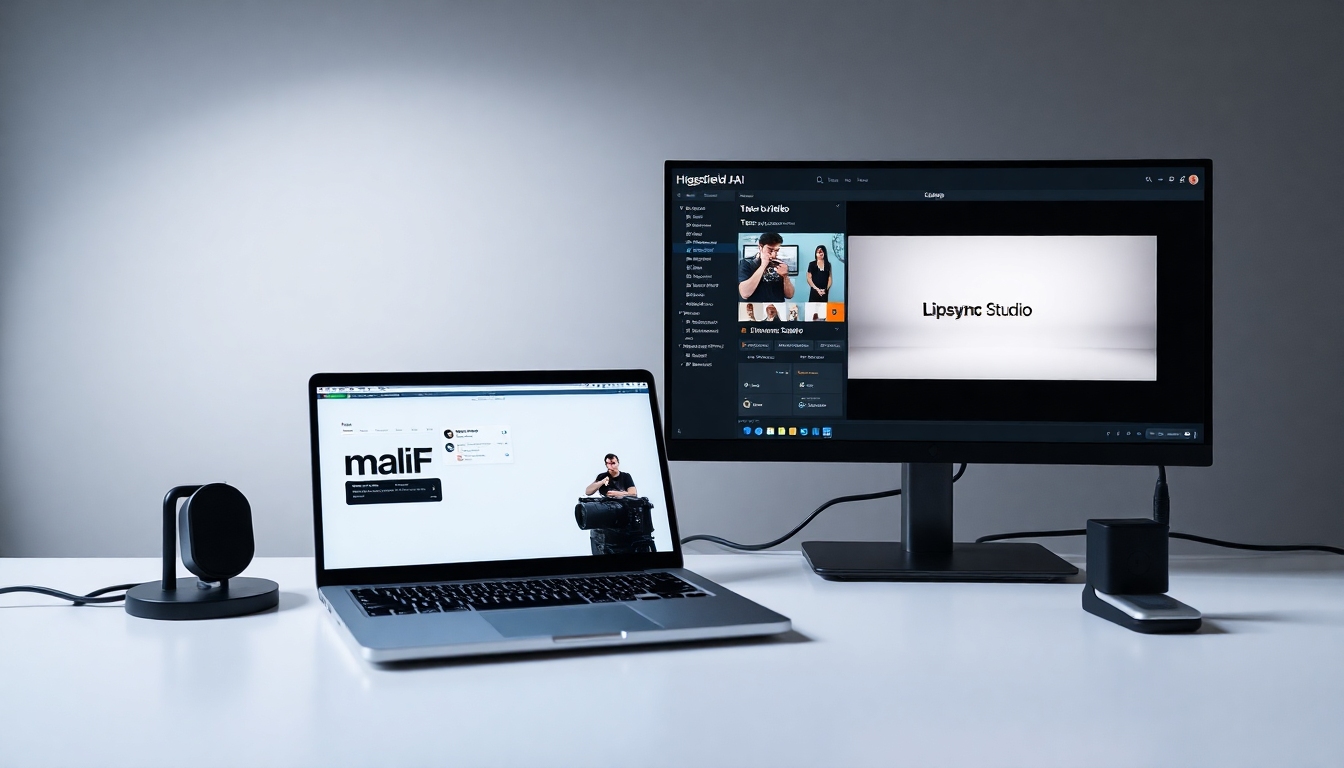
Lipsync Studio handles speaking performance. Provide audio, and Higgsfield AI aligns mouth movements. Lip-sync has been a sore spot in generative video; while not perfect, Higgsfield AI places lip-sync at the center of a dedicated workflow rather than treating it as an afterthought. For creators producing explainer segments, character dialogue, or voice-led promos, it lifts a traditionally laborious task.
Visual Effects#
Higgsfield AI offers VFX ranging from cinematic flourishes to surreal transformations. Think explosions, transitions that morph environments, or stylized effects that elevate a simple shot. This isn’t a replacement for a full compositor, but it covers popular, high-impact effects for social content and quick ads. The goal appears to be giving non-VFX artists tools to punch above their weight without diving into complex node graphs or external plug-ins.
Sora 2 Trends#
Sora 2 Trends acts as a cultural antenna. It surfaces templates and styles tracking what’s working in social feeds—short-form patterns, pacing, color palettes, and compositions that feel of-the-moment. It’s useful for creators who need to ship timely content without constantly studying the algorithmic zeitgeist. While trend-chasing can homogenize content, used sparingly it offers a smart shortcut.
Click to Ad#
Click to Ad is aimed squarely at marketers and small businesses. Paste a product link, and Higgsfield AI assembles a video ad automatically using product visuals, cropping, and styling aligned to common ad formats. It’s a pragmatic feature that condenses an entire workflow—asset gathering, story beats, callouts—into a few clicks. For teams with limited creative staff, this can be a serious time-saver.
AI Video Models and Model Switching#
A standout of Higgsfield AI is its explicit model choice. You can pick from engines like WAN 2.6, Minimax Hailuo 02, and Kling 2.6, each tuned for different outcomes (cinematic continuity, speed, lip-sync accuracy, etc.). This matters because no single model excels at everything. Higgsfield AI’s “Features vs Models” separation gives you an experimental sandbox: if a shot lacks realism, switch to a more photoreal model; if render time matters, pick a faster engine.
Soul ID for Character Consistency#
Maintaining character identity across shots is notoriously hard in generative pipelines. Soul ID addresses this by anchoring a character’s features so the same person can persist across multiple scenes and angles. For recurring brand mascots, narrative shorts, or UGC-style series with a consistent host, this stabilizes continuity in a way that pure prompt engineering rarely can.
Sora 2 Enhancer and Upscaling#
Sora 2 Enhancer aims to reduce common AI artifacts and lift perceived fidelity. Coupled with Upscale, which boosts resolution and detail, Higgsfield AI tries to close the gap between “impressive for AI” and “good enough for client work.” The Enhancer is particularly useful for rescuing otherwise solid generations that suffer from minor distortions or noise.
Text-to-Image and Image Editing#
Higgsfield AI isn’t only about video. Its image tools are practical:
- Text-to-Image for concept art, thumbnails, and backgrounds.
- Inpainting/brush-based editing for fixing regions or adding elements.
- Angles to generate alternate viewpoints of a subject.
- Relight for repositioning light sources with 3D-like control over intensity and color. These tools make Higgsfield AI a one-stop shop for both video and key visuals, reducing round trips to other apps.
AI Stylist#
AI Stylist is designed for instant outfit try-ons and look exploration. For fashion creators, stylists, and e-commerce sellers, it’s a fast way to prototype looks and create variations without a full photo shoot. As with any face/body manipulation tool, it requires careful ethical use and clear disclosure to audiences.
Face Swap#
Face Swap promises near-instant swaps for photos. It’s snappy and useful for creative experiments, parody, or safely anonymizing images. But again—ethical considerations are paramount. Higgsfield AI empowers creators here, but it’s up to you to secure permissions and avoid misleading applications.
Presets and Higgsfield Apps#
Presets supply camera moves, styles, and templates that accelerate production. Higgsfield Apps go further by packaging workflows for one-click content: viral effects, polished commercials, and ready-to-share outputs without manual editing. For creators juggling deadlines, these options deliver speed while still allowing customization post-generation.
Community and Remixing#
Higgsfield AI includes project sharing and remixing. For creators, this means you can learn from others’ setups, iterate on templates, and benefit from community best practices. A vibrant community often correlates with faster skill growth and more inventive outputs. Remixing also promotes reproducibility—a big plus when clients ask, “How did you make that?”
Performance & User Experience#
Higgsfield AI’s user experience balances power with approachability. While you can generate a clip from a simple prompt, the platform really clicks when you lean into its camera controls, model switching, and presets. The interface invites experimentation without forcing you to dig through arcane menus.
- Ease of use: For beginners, Higgsfield Apps, presets, and Sora 2 Trends lower the barrier. For experienced users, the ability to direct shots in Cinema Studio and tweak camera paths provides precision rarely found in generalist tools.
- Learning curve: Expect a short ramp for basic generation and a moderate one for mastering cinematic controls and model differences. The platform feels coherent; once you learn a control, it shows up consistently across workflows.
Performance hinges on three factors: chosen model, clip length, and subscription tier. Higgsfield AI offers faster processing and priority queues for Pro users; Enterprise teams can negotiate service levels. Render speed is generally competitive with peers and benefits notably from the “right tool for the job” approach—pick a model tuned for your goal, and you’ll often get faster, cleaner results.
Stability felt solid during extended use, with the usual caveat that generative workloads can spike during peak hours. Higgsfield AI’s modularity helps here: if one model’s queue is long, you can swap to another without upending your entire setup, then use Sora 2 Enhancer or Upscale to recover quality where needed.
On quality, Higgsfield AI’s emphasis on camera language and Enhancer tools does reduce the “AI stiffness” you’ll still see in some competitors. Human motion and micro-expressions remain the hardest test, but the platform’s Lipsync Studio and model choices provide a better-than-average floor. For many commercial and social use cases, clips are publishable with light touch-ups. For cinematic short films, expect to do some manual polish.
Output formats and resolutions: Higgsfield AI’s public pages focus more on creative features than technical export specs. If you have strict delivery requirements (specific codecs, bitrates, or resolutions), verify in-app export options before committing large projects. Enterprise customers should clarify output needs in contracts.
Integration capabilities: Higgsfield AI is web-first. While no broad third-party integrations are highlighted on public materials, the Enterprise tier advertises custom integrations and advanced analytics. If your workflow depends on specific DAMs, cloud storage, or NLE round-trips, discuss this with the team; otherwise, plan on a download-and-edit pipeline with your preferred editor.
Ethical tools and transparency: Features like Face Swap and Lipsync demand responsible usage. Higgsfield AI provides the means; creators must ensure consent, accuracy, and clear labeling where appropriate. For brands, establish internal guidelines before deploying these features at scale.
Pricing & Value#
Higgsfield AI follows a tiered subscription model:
- Free: Limited usage, core features, community support, standard processing.
- Pro: Paid tier with expanded or unlimited usage, premium features, faster processing, advanced customization, and priority support.
- Enterprise: Custom pricing with team collaboration, dedicated support, SLA-backed performance, advanced analytics, and custom integrations.
The value proposition is straightforward: reduce production time and costs without surrendering creative control. Where some generators force you into rigid templates, Higgsfield AI’s camera controls, model switching, and post tools (Enhancer/Upcale) offer a flexible route to polished outputs.
Compared to Runway and Pika Labs, Higgsfield AI feels more director-centric, particularly with Cinema Studio and explicit camera language. Compared to Synthesia (strong in talking-head corporate content), Higgsfield AI is broader: it handles narrative, stylized ads, and visual effects alongside lip-synced segments. Lumen5, Pictory, and Designs.ai lean more toward templated social videos—fast for slideshows and text overlays—but offer less granular cinematic control.
For solo creators and small teams, Pro is the practical tier—render priority and premium features can be the difference between hitting a trend window and missing it. For agencies and studios, Enterprise’s SLAs and collaboration features will matter more than raw price. As always, evaluate volume needs; if you produce multiple videos daily, the time-savings can justify the cost quickly.
Pros and Cons#
Pros:
- Director-grade control: Cinema Studio and Camera Controls bring real shot language to AI video.
- Model flexibility: Choose from multiple AI video models (WAN 2.6, Minimax Hailuo 02, Kling 2.6) optimized for different goals.
- Lipsync Studio: Dedicated workflow for speaking performances improves lip-sync reliability.
- Soul ID: Maintains character consistency across scenes and projects.
- Strong polishing tools: Sora 2 Enhancer and Upscale elevate quality and reduce artifacts.
- Broad toolkit: Text-to-Video, Image-to-Video, Sketch-to-Video, VFX, and robust image tools (Relight, Angles, Face Swap, AI Stylist).
- Speed to publish: Presets, Sora 2 Trends, and Higgsfield Apps help creators ship faster.
- Community remixing: Share projects and learn from others’ setups.
- Tiered pricing: Free tier for testing, Pro for serious output, Enterprise for teams.
Cons:
- Learning curve for cinematic controls: Mastery of camera language takes time.
- Lip-sync and nuanced realism still vary: Not all models nail micro-expressions consistently.
- Export specifics not prominently documented: Professionals may need to verify formats and resolutions in-app.
- Subscription costs: Pro and Enterprise may be steep for hobbyists or low-volume users.
- Web dependency: Requires stable internet; heavy workloads can strain slower connections.
- Ethical risk factors: Face Swap and Lipsync demand strict consent and disclosure practices.
Who Should Buy This?#
Higgsfield AI is a strong fit for:
- Content creators who want cinematic control without deep editing expertise.
- Social video producers who need trend-aware outputs fast, with room to customize beyond templates.
- Marketers and small businesses that benefit from Click to Ad and streamlined ad creation.
- Indie filmmakers and video artists using AI for pre-visualization, storyboards, concept tests, and stylized sequences.
- Agencies seeking scale, consistency, and SLAs through Enterprise.
Higgsfield AI may not be ideal for:
- Purists who require frame-perfect realism or complex multi-shot narratives with traditional continuity—expect post work.
- Hobbyists with minimal output needs who can rely on basic, cheaper template tools.
- On-premise or air-gapped environments where web-based generation isn’t allowed.
Final Verdict#
Higgsfield AI is one of the few AI video platforms that treats creators like directors, not just prompt typists. By separating features from models and foregrounding camera language, it gives you meaningful authorship over motion, composition, and continuity. Add in Lipsync Studio, Soul ID, Sora 2 Enhancer, and a thoughtful set of image tools, and you’ve got a platform that can genuinely shorten production timelines without boxing you into cookie-cutter results.
It isn’t perfect—lip-sync and realism fluctuate by model and scene complexity, and professionals will want clearer documentation on export formats and technical specs. The learning curve around cinematic controls is real, too. But the upside is considerable: for many workflows, Higgsfield AI can move you from ideation to publishable content in hours instead of days.
Score: 4.5/5 Recommendation: Highly recommended for creators and teams who value speed and cinematic control. If you care about directing the camera as much as writing the prompt, Higgsfield AI belongs on your shortlist.
FAQ#
What exactly is Higgsfield AI?#
Higgsfield AI is a web-based platform for AI video and image creation. It offers text-to-video, image-to-video, sketch-to-video, Lipsync Studio, Cinema Studio with camera controls, visual effects, and image tools like Relight, Upscale, AI Stylist, Face Swap, and Angles.
How does Higgsfield AI differ from tools like Runway or Pika Labs?#
Higgsfield AI emphasizes camera language and model choice, letting you direct shot movement and switch engines for different goals. It feels more director-focused, while many competitors prioritize templates or single-model simplicity.
Can Higgsfield AI create talking-head videos with synchronized lips?#
Yes. Lipsync Studio aligns mouth movements to provided audio. While results vary by model and material, it’s more reliable than trying to coax lip-sync from generic text-to-video workflows.
What are the pricing tiers?#
Higgsfield AI offers Free (limited usage), Pro (paid, priority processing and premium features), and Enterprise (custom pricing, dedicated support, SLA, and team features). Review the site for current pricing and inclusions.
Does Higgsfield AI maintain character consistency across scenes?#
Yes. Soul ID is designed to keep a character’s identity consistent across multiple videos, which is useful for episodic content, brand mascots, or recurring hosts.
What output formats and resolutions can I export?#
Higgsfield AI’s marketing materials emphasize creative features over detailed export specs. Verify export formats, aspect ratios, and resolutions in-app to ensure they match your delivery requirements. Enterprise customers can often tailor this via custom engagements.
Can I integrate Higgsfield AI with my existing tools?#
Higgsfield AI is primarily web-based. Public materials don’t list broad native integrations, but Enterprise offers custom integrations and advanced analytics. For most users, the workflow is generate, download, and finish edits in your preferred NLE.
How good is the realism of its video output?#
Higgsfield AI aims for cinematic realism and includes Sora 2 Enhancer and Upscale to reduce artifacts. It can produce very convincing results, though micro-expressions and complex human motion remain challenging for all AI tools. Choosing the right model and using camera controls helps.
Is there a learning curve?#
A modest one. You can generate simple clips quickly, but getting the most from Cinema Studio and Camera Controls takes practice. Presets, Sora 2 Trends, and community projects help you learn faster.
Are there ethical concerns with Face Swap and Lipsync?#
Yes. Always obtain consent, follow platform policies, and disclose synthetic content where appropriate. Higgsfield AI provides powerful tools, and it’s on creators to use them responsibly.
Who gets the rights to content produced with Higgsfield AI?#
Rights depend on the platform’s terms of service and your subscription plan. Review the terms and, if needed, clarify with Higgsfield AI—especially for commercial or enterprise use.
Is Higgsfield AI good for ads and social content?#
Yes. Between Click to Ad, Sora 2 Trends, presets, and quick export, it’s well-suited for timely, on-brand social pieces and performance creatives. Camera Controls and VFX help elevate beyond generic outputs.


