Introduction#
Vidnoz AI is an online AI-powered video creation platform built to help creators, educators, marketers, and teams produce professional videos in minutes. In this comprehensive Vidnoz AI review, we examine how its AI avatars, text-to-speech (TTS), templates, and a growing list of automation tools stack up against the current field of AI video generators. We’ll explore whether Vidnoz AI delivers on its promise of speed, simplicity, and cost-effectiveness, and what trade-offs you can expect compared to traditional editing suites and higher-end avatar solutions.
If you’re a content creator looking to accelerate production or a business trying to scale training, marketing, or internal communications without breaking the bank, this Vidnoz AI review breaks down what works, what doesn’t, and who will get the most value.
First Impressions#
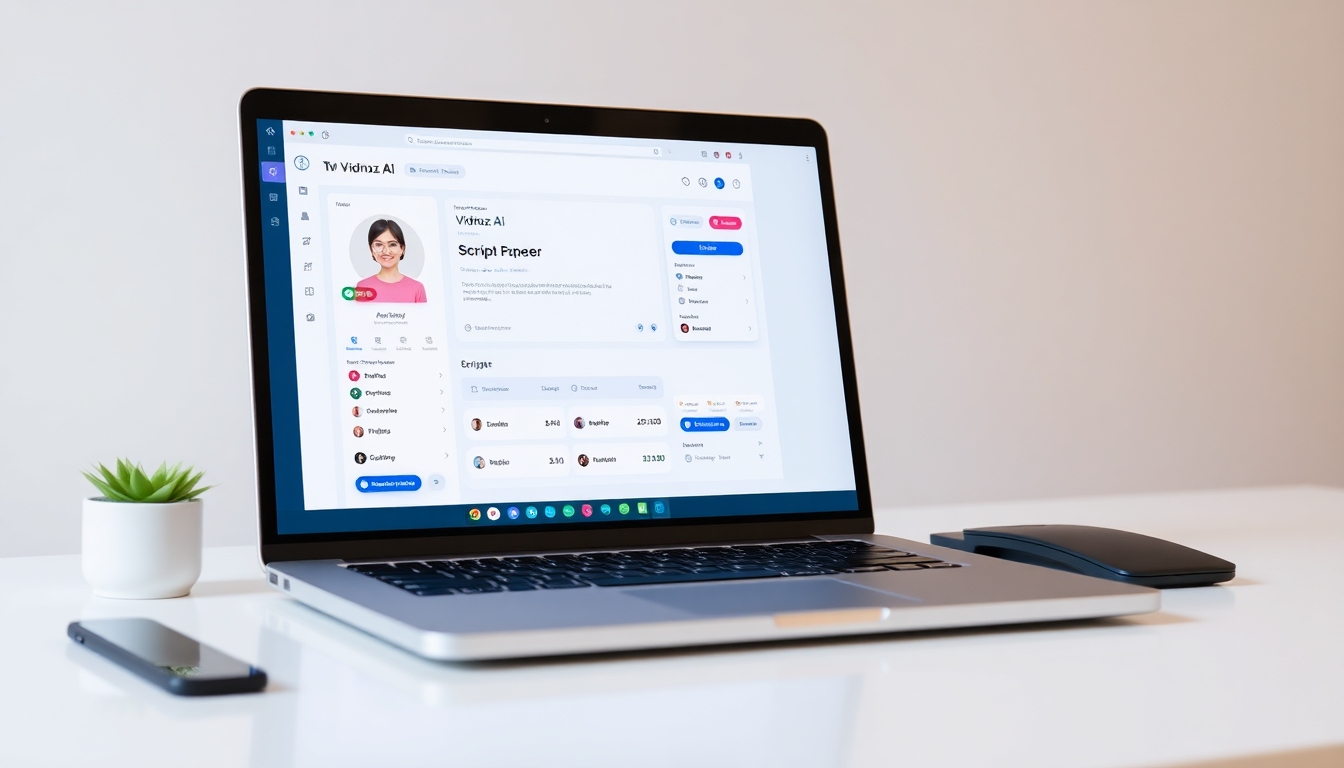
Vidnoz AI presents itself as an approachable, all-in-one content creation tool. The onboarding is streamlined: an email sign-up leads directly into a template-driven dashboard where you can pick a format, drop in text, assign a voice, select an avatar, and generate a video. The interface favors guided steps over complexity, signaling that Vidnoz AI is aimed at users who don’t want to wrestle with pro-level timelines or multi-layer compositing.
The overall design is clean, with sensible labels and large, clickable tiles for templates, AI tools, and assets. Vidnoz AI uses a familiar left-to-right workflow that helps beginners quickly understand where to start and how to preview, render, and export. For first-time users, the template wizard and AI script assistant reduce blank-page anxiety. The free plan makes it easy to explore Vidnoz AI without immediate payment, though you’ll encounter limitations like watermarks and shorter video durations.
What stands out at first glance is breadth. Vidnoz AI bundles avatars, TTS, translation, script generation, image generation, auto-captions, a brand kit, and even SCORM export into one browser-based platform. This positions Vidnoz AI as more than an avatar generator—it’s a production hub that aims to replace multiple tools for many workflows.
Key Features Deep Dive#
AI Avatars (Including Expressive and Motion Avatars)#
Vidnoz AI’s headline feature is its extensive avatar library. Vidnoz AI claims 1900+ pre-designed AI avatars spanning diverse looks, ages, and styles. For many use cases—especially training narrators, corporate presenters, marketing spokespeople, and explainer hosts—this variety reduces repetitive visuals. Vidnoz AI offers expressive avatars that attempt to convey emotions and micro-gestures, plus motion avatars that animate photos with facial expressions and body movements.
Vidnoz AI also enables custom avatar creation from a photo, letting you produce a digital replica. This can be compelling for personal branding, thought-leadership videos, or sales outreach where authenticity matters. However, with any avatar generator, realism is a spectrum: while Vidnoz AI has improved on facial animations and lip-sync timing, occasional uncanny moments remain, particularly with complex phonemes or extreme emotions. Compared to top-tier competitors like Synthesia, Colossyan, or Hour One, Vidnoz AI aims for a balance of realism and affordability. In some scenes, Vidnoz AI avatars may look slightly less nuanced in micro-expressions, but they are often good enough for e-learning modules, internal comms, and social explainers.
For users new to avatars, Vidnoz AI provides presets and pose controls, but you won’t get the granular animation controls of a full 3D rig. Vidnoz AI’s focus is speed and consistency, not cinematic character acting. That trade-off will suit most business and education scenarios.
Text-to-Speech (TTS), Voice Cloning, and Emotional Voices#
Vidnoz AI offers a large catalog of AI voices—reportedly 2000+—across 140+ languages. Vidnoz AI’s TTS generally produces clear, intelligible speech with tunable pace, pitch, and emphasis. Emotional voices add tonal variation (friendly, excited, serious), making it easier to match brand voice or lesson mood. In many languages, Vidnoz AI TTS sounds natural enough to replace basic voiceover recording for explainer content.
Voice cloning in Vidnoz AI is available as an add-on. This lets you create a synthetic version of your own voice; when used with care and consent, it can enhance consistency across large content libraries. The voice cloning feature in Vidnoz AI is especially handy for creators and organizations that want a recognizable voice at scale. However, expect occasional prosody challenges or odd pronunciations, especially with specialized jargon. Vidnoz AI provides pronunciation and pacing controls, but power users will still want manual tweaks for critical content.
As with all AI TTS, some voices in Vidnoz AI can sound robotic in certain contexts. It’s wise to audition several voices and test your scripts with phonetic hints. Vidnoz AI keeps selection friction low with search and filters by gender, style, and language, which speeds up the matching process.
Templates for Marketing, E-Learning, Sales, and Beyond#
Vidnoz AI includes a template library that reportedly exceeds 2800 options. Vidnoz AI uses modern, on-trend designs for common use cases: product explainers, onboarding, course modules, social ads, HR updates, and presentation conversions. The templates are practical starting points with built-in placeholders for avatars, script blocks, titles, images, charts, and calls to action. Vidnoz AI leans into the idea that “done is better than perfect”—start with a polished layout, then customize quickly.
Template variety is a key strength. Vidnoz AI covers vertical and horizontal formats, niche industries, and education-specific modules. While advanced designers might find some layouts generic, the goal of Vidnoz AI templates is speed and consistency, and they deliver on that. You can adapt brand colors and fonts via the brand kit, swap media, and adjust transitions to avoid cookie-cutter output.
AI Script Generation and AI Image Generator#
Vidnoz AI includes an AI script assistant to generate or refine scripts from prompts. If you’re drafting a product demo, course introduction, or LinkedIn promo, Vidnoz AI helps produce a scaffolded, on-brand script fast. It can also adapt tone (formal, friendly, humorous) and adjust for length. For creators dealing with production calendars, this feature in Vidnoz AI cuts prep time significantly.
The AI image generator turns text prompts into visuals. For creators who need quick background plates, abstract illustrations, or thumbnail art, Vidnoz AI’s image generator fills gaps without leaving the platform. Quality varies by prompt complexity, and ultra-specific photorealism may require iterative prompting. Nonetheless, for quick assets, Vidnoz AI offers meaningful convenience.
AI Video Translation with Lip-Sync#
Global reach is a distinct advantage of Vidnoz AI. The platform supports translation into 140+ languages and provides lip-sync adjustments to help avatars match the target language. This makes Vidnoz AI attractive for international training and localized marketing, where maintaining brand consistency across markets is critical. The translation quality depends on source complexity; expect better results with clear, declarative scripts. Vidnoz AI minimizes friction by automating much of the pipeline—translate, adjust, regenerate—so teams can scale multilingual content.
Background Removal, Auto Captions, and On-Video Editing#
Vidnoz AI integrates background removal to isolate presenters, swap scenes, or create green-screen effects without external tools. Auto captions help with accessibility and compliance, and Vidnoz AI’s captioning usually requires light cleanup. The embedded editor supports text overlay, transitions, and timing adjustments. Compared with professional NLEs (non-linear editors), Vidnoz AI is intentionally simpler; it trades deep layer control for an efficient, template-first editing flow. For most explainer and training content, Vidnoz AI’s editing is sufficient and significantly faster than traditional timelines.
Media Library, Brand Kit, and Assets#
Vidnoz AI includes a media library for images, stock videos, icons, and music. The brand kit—available on higher tiers—centralizes logos, palettes, and typography for consistent output. This is a standout for teams who want to standardize design across departments. Once set up, Vidnoz AI applies brand settings to templates, lowering the chance of off-brand visuals. It’s not as all-encompassing as enterprise DAMs, but it’s a practical, integrated solution for SMBs and mid-market teams.
Screen Recording and PPT/PDF to Video#
Vidnoz AI offers screen recording for quick demos, tutorials, and walkthroughs. Paired with TTS or a cloned voice, Vidnoz AI helps convert procedural guides into shareable training clips. The PPT/PDF to Video conversion is another productivity booster: import slides, then enhance with avatars, voiceover, animations, and captions. Vidnoz AI is clearly optimized for teams migrating from static docs to dynamic, watchable content without reauthoring from scratch.
SCORM Export and E-Learning Focus#
For educators and L&D teams, Vidnoz AI’s SCORM export means you can bring generated modules into LMS platforms. This makes Vidnoz AI not only a creative tool but also a distribution-friendly authoring companion. While dedicated course authoring tools may offer deeper interactivity, Vidnoz AI strikes a useful balance for video-first learning paths, microlearning, and quick course updates at scale.
Team Collaboration and Analytics#
Vidnoz AI supports team collaboration on higher plans, letting multiple stakeholders access shared assets, templates, and brand kits. Permissions and version control are straightforward; Vidnoz AI is designed to keep non-technical collaborators productive. Basic analytics (views, watch time, engagement) help teams iterate content. While not as robust as specialized analytics platforms, Vidnoz AI’s built-in stats are enough for quick performance checks and A/B testing on messaging or visuals.
Performance & User Experience#
Vidnoz AI prioritizes speed. Most short videos render within minutes, and Vidnoz AI keeps the queue visible so you can multitask while assets process. Longer or more complex projects naturally take more time. During peak hours, cloud render time can increase, which is common across AI video platforms. Vidnoz AI’s responsiveness in the editor is generally solid; occasional stutters can occur when swapping avatars, regenerating voices, or refreshing media-heavy timelines.
In daily workflows, Vidnoz AI helps reduce context switching. Script, voice, avatar, translate, and edit inside one browser window—it’s the centralization that makes Vidnoz AI feel efficient. Beginners will appreciate that Vidnoz AI’s defaults produce decent results; power users may want more granular control over motion, lip-sync fine-tuning, and voice phonemes. Vidnoz AI’s features are geared toward a broad user base, so it leans toward “good enough quickly” rather than “pixel-perfect with granular control.”
In terms of reliability, Vidnoz AI is stable overall, though you may encounter occasional glitches—misaligned captions, a stuck render, or minor sync drift after multiple edits. These are not unique to Vidnoz AI and are typical for fast-moving AI platforms. Saving and versioning frequently mitigates risk, and Vidnoz AI’s support documentation helps with common troubleshooting.
AI accuracy is a mixed but improving picture. For general English voiceovers, Vidnoz AI TTS is strong; for technical topics or specialized terms, add pronunciation guides. Lip-sync accuracy varies by language and avatar; Vidnoz AI’s translation with lip-sync is good enough for many international contexts but may require manual review for high-stakes content.
Finally, because Vidnoz AI is cloud-based, a stable internet connection is essential. If your connection is slow or flaky, uploads, previews, and renders will be affected. This is an inherent constraint of any web-first production tool.
Pricing & Value#
Vidnoz AI follows a freemium model with multiple paid tiers. The Free plan is generous for testing, offering a limited set of avatars, voices, and templates, 720p exports, and a watermark. It’s enough to trial Vidnoz AI’s core workflow or create lightweight internal drafts. The Starter plan typically unlocks 1080p, removes watermarks, extends duration limits, and increases monthly credits. The Business plan adds advanced features like voice cloning, translation, a brand kit, collaboration, and more credits. For organizations with bigger teams or specialized needs, Vidnoz AI’s Enterprise option offers custom credits and dedicated support.
Vidnoz AI uses a credit system for rendering and premium features. The simplicity and cost-effectiveness depend on how your team produces content. If you publish steady volumes of short videos, Vidnoz AI’s credits can be predictable. If your usage is spiky—heavy one month, light the next—the possibility of non-rolling credits can be frustrating. Compared to competitors, Vidnoz AI is often competitive on price, especially at the entry tiers. Add-ons like Avatar Pro and voice cloning increase costs but can be worthwhile for brands seeking differentiation and voice consistency.
When judged by time saved versus traditional production—scripting, hiring voice actors, filming, editing—Vidnoz AI can pay for itself quickly. For creators replacing multiple subscriptions (TTS, translation, image generation, templates), Vidnoz AI’s bundled approach is appealing. The main trade-offs are avatar realism compared to top-tier avatar specialists and the limitations of a template-first editor. If you need absolute control over cinematography or hyper-real digital humans, you’ll likely need pricier tools. For most content marketing, training, and internal comms, Vidnoz AI’s value proposition is strong.
Pros and Cons#
Pros:
- Vidnoz AI offers a large library of avatars and templates, accelerating production for common use cases.
- Vidnoz AI’s TTS supports 140+ languages and 2000+ voices, with emotional tones and voice cloning add-ons.
- Vidnoz AI integrates script generation, translation with lip-sync, image generation, captions, and background removal in one platform.
- Vidnoz AI’s brand kit, SCORM export, and collaboration tools make it team- and LMS-friendly.
- Vidnoz AI’s interface is beginner-friendly; templates and wizards reduce the learning curve.
- Vidnoz AI’s pricing is competitive at entry tiers; the free plan is useful for testing and drafts.
Cons:
- Vidnoz AI avatars can feel somewhat artificial in nuanced expressions compared to top-tier competitors.
- Vidnoz AI’s TTS occasionally sounds robotic or mispronounces domain-specific terms, requiring manual tweaks.
- Vidnoz AI’s credit system can be confusing; unused credits may expire, and heavy months can get costly.
- Vidnoz AI’s editor prioritizes speed over granular control; advanced motion and fine phoneme edits are limited.
- Vidnoz AI free plan includes watermarks and duration limits that restrict professional use.
- Vidnoz AI, as a cloud tool, depends on stable internet; render times can spike at peak hours.
Who Should Buy This?#
- Solo creators and YouTubers: Vidnoz AI helps produce explainers, listicles, and tutorials quickly without filming gear. Templates, TTS, and avatars let you ship content on a cadence.
- Marketers and small businesses: Vidnoz AI is ideal for product videos, social ads, landing page explainers, and personalized outreach. Brand kit and templates ensure consistency.
- Sales and customer success teams: Vidnoz AI makes demo videos, onboarding, and FAQ content repeatable and scalable. Translation with lip-sync helps reach global prospects.
- E-learning creators and educators: Vidnoz AI’s SCORM export, captions, and multilingual support suit course modules, microlearning, and lecture conversions.
- HR and internal comms: Vidnoz AI enables rapid production of policy updates, culture pieces, and training refreshers without booking studios or talent.
- Agencies and freelancers: Vidnoz AI can augment services with quick-turn video options for clients on constrained budgets.
Who might look elsewhere:
- Cinematic storytellers and high-end brand films: Vidnoz AI’s avatars and editor are not designed for film-level nuance and bespoke animation.
- Teams requiring deep motion control: If you need granular control over animation curves, lip-sync phonemes, or shot-by-shot VFX, Vidnoz AI will feel limiting.
- Organizations that dislike credit models: If you need unlimited or predictable throughput with rollover, explore platforms with different billing.
Final Verdict#
Vidnoz AI succeeds at what most creators and teams need: faster, cheaper video production that looks professional enough for marketing, training, and social channels. The combination of avatars, TTS, translation, templates, and AI helpers gives Vidnoz AI an edge as an all-in-one platform. While avatar realism and fine control don’t match premium, specialized tools, Vidnoz AI’s value and speed make it a strong choice for everyday video.
If your priority is scaling content efficiently—without managing multiple tools or hiring production crews—Vidnoz AI is easy to recommend. Power users seeking ultra-real digital humans or frame-accurate control may want to complement Vidnoz AI with specialist apps. For everyone else, Vidnoz AI offers a practical blend of features and affordability.
Overall rating: 4.2/5
FAQ#
What makes Vidnoz AI different from other AI video tools?#
Vidnoz AI differentiates itself by bundling avatars, a large TTS library, translation with lip-sync, script and image generation, captions, background removal, screen recording, a brand kit, SCORM export, and team collaboration into a single platform. While some competitors excel in one area (such as hyper-real avatars), Vidnoz AI’s strength is being an all-in-one solution that prioritizes speed and affordability.
How realistic are the avatars in Vidnoz AI?#
Vidnoz AI avatars are convincing for many business, education, and marketing scenarios, especially at typical viewing distances and screen sizes. However, in close-ups or emotionally dense scenes, they can feel less nuanced than avatars from specialized competitors. For most explainer and training content, Vidnoz AI achieves a “professional and consistent” standard rather than “cinematic realism.”
Does Vidnoz AI support multiple languages and lip-sync?#
Yes. Vidnoz AI supports 140+ languages and offers lip-sync adjustments for translated content. Quality is best with clear, well-structured scripts. Complex jargon or idioms may require manual review; Vidnoz AI makes it easy to regenerate sections until you’re satisfied.
Can I clone my voice in Vidnoz AI?#
Vidnoz AI offers voice cloning as an add-on. With appropriate consent and recordings, you can create a synthetic replica of your voice to maintain brand consistency across projects. Always ensure you have rights and consent for any voice or likeness you clone in Vidnoz AI.
Is the free plan of Vidnoz AI usable for real projects?#
The free plan of Vidnoz AI is useful for testing and internal drafts, but it imposes limitations: fewer avatars/templates, 720p exports, watermarks, and lower duration caps. For client-facing or public content, most users upgrade to remove watermarks and unlock 1080p, longer durations, and more credits.
How does the credit system work in Vidnoz AI?#
Vidnoz AI uses credits for rendering and premium features. Each render or action consumes credits; allocations vary by plan. Unused credits may not roll over, so plan your production schedule accordingly. If your usage spikes, consider a higher tier or Enterprise for custom quotas.
Can Vidnoz AI replace my traditional video editor?#
For many marketing, sales, training, and explainer videos, Vidnoz AI can replace a traditional editor thanks to its templates, TTS, avatars, and simple timeline tools. For advanced motion graphics, heavy compositing, or cinematic storytelling, you’ll still want a dedicated NLE. Many teams use Vidnoz AI for 80% of work and reserve pro editors for complex projects.
How fast does Vidnoz AI render videos?#
Render speed in Vidnoz AI depends on project length, complexity, and server load. Short videos often render in minutes. During peak times, expect queues. Vidnoz AI displays render status and allows you to keep working while waiting.
What about data privacy and rights when using Vidnoz AI?#
As with any AI platform, you should review Vidnoz AI’s terms, privacy policy, and licensing around avatars, voice cloning, and generated media. Ensure you have consent and rights for any likeness or voice you upload, and follow your organization’s compliance policies when using Vidnoz AI.
Who gets the most value from Vidnoz AI?#
Creators, marketers, educators, and SMB teams who need to produce a steady stream of explainers, training modules, social videos, and demos get the most value. Vidnoz AI is designed for speed, consistency, and cost control—ideal for content calendars and multilingual distribution.


