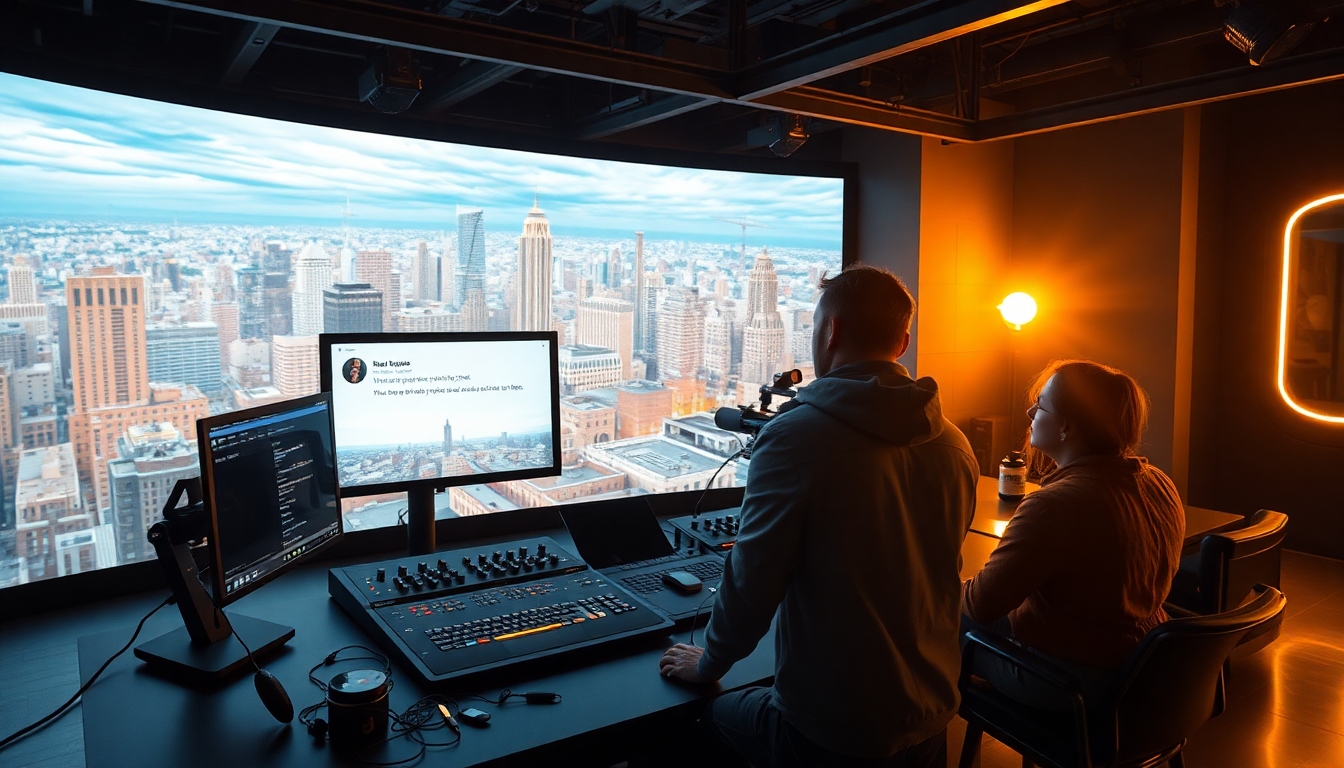
The Next Leap in Interactive Video Creation#
The era of waiting minutes—or hours—for AI video renders is ending. With real-time video generation already proven by Odyssey-2, creators can prompt, steer, and iterate on moving images as they stream. Odyssey 2 Pro is the natural evolution of that breakthrough: a pro-grade, interactive video engine designed for speed, control, and cinematic fidelity that content creators can actually use in production. If you’re a video creator, motion designer, writer, voice actor, or brand storyteller looking to supercharge your workflow, Odyssey 2 Pro is positioned to become your core creative tool.
In short, Odyssey 2 Pro takes the “hybrid world generator” vision and pushes it toward studio reliability—maintaining the fundamental magic of chat-to-video while giving professionals the knobs, anchors, and guardrails they need to ship.
What Is Odyssey 2 Pro?#
At its foundation, Odyssey-2 introduced an interactive video model that streams footage in real time, adapting continuously to your text prompts and the evolving scene. It learns physics and dynamics from video data and acts like a world model, generating the next frame based on what’s already happened and what you request next. Odyssey 2 Pro builds on that core by focusing on higher fidelity, lower latency, better consistency over longer durations, and fine-grained artistic control.
Think of Odyssey 2 Pro as a live, promptable camera that “understands” the world it renders—and a pro suite layered on top. You direct it through natural language and specialized controls; it responds with high-quality visuals that feel cohesive, purposeful, and ready for editing.
How Odyssey 2 Pro Builds on Real-Time Interactive Video#
Odyssey-2 streams at interactive rates (new frames in tens of milliseconds) and responds to your prompts as the action unfolds. Odyssey 2 Pro extends this capability across professional workflows:
- It keeps you in “creative flow” by minimizing latency and maintaining scene coherence as you iterate.
- It treats your text prompts like a director’s notes, preserving narrative intent over time.
- It incorporates camera language, lighting logic, and art direction into a controllable system.
- It aims to reduce artifacts and increase perceptual realism via improved stability in world modeling.
The result: a creative loop where you prompt, preview, adjust, and publish—without breaking rhythm. Odyssey 2 Pro is built for that loop.
Core Features of Odyssey 2 Pro#
Below are the pro-grade capabilities creators can expect as Odyssey 2 Pro matures around the real-time engine.
1) Higher Resolution and Cinematic Fidelity#
- Upscaled streaming with crisper edges, cleaner motion, and richer textures.
- Improved detail preservation for faces, hands, fabrics, and complex scenes.
- Style-accurate rendering for branded looks, from gritty analog to glossy commercial.
- More stable color science and exposure handling, so your look stays consistent as you iterate.
For creators who care about polish, Odyssey 2 Pro makes shot quality a first-class citizen.
2) Lower Latency, Smoother Interaction#
- Responsiveness is the heart of creative flow. Odyssey 2 Pro is engineered for lower-latency streaming and faster “prompt-to-frame” response, keeping your session feeling live.
- Streamed feedback reduces guesswork: describe the shot, watch it morph, refine it, and lock it.
- Designed to maintain interactivity as complexity rises—so world detail doesn’t cost you a beat.
3) Physics- and Dynamics-Aware World Modeling#
- Odyssey’s core strength is learned physics and dynamics from video. Odyssey 2 Pro advances that realism with more nuanced physical responses—weight, inertia, collision plausibility, and environmental influence.
- This matters for continuity: falling leaves behave “believably,” a moving camera respects parallax, and characters occupy space with coherent motion.
4) Granular Artistic Control#
- Camera: focal length, depth of field, exposure, motion styles, and stabilized tracking.
- Lighting: key/fill/rim strength, color temperature, time of day, and practical/ambient sources.
- Materials & surfaces: glossiness, texture density, fabric behavior, and weather effects.
- Composition: rule-of-thirds framing, leading lines, and balanced negative space. Odyssey 2 Pro brings these controls into prompt-friendly terms and UI sliders so you can dial in exact looks.
5) Advanced Editing and On-Timeline Refinement#
- Real-time edit points: drop markers during a live stream to snapshot moments you’ll reuse.
- Non-destructive revisions: re-prompt a portion of a sequence without unraveling the rest.
- Camera relights: adjust lighting after the fact for quick look exploration.
- Visual continuity: maintain subject identity, wardrobe, and set details over longer runs. Odyssey 2 Pro transforms “AI video generation” into “interactive video editing.”
6) Expanded Control Interfaces#
- Text prompts for broad direction.
- Scene graphs for relationships between objects and actors.
- Shot templates for consistent coverage (wide, medium, close).
- Gesture- or voice-driven tweaks for live sessions and performance control. Odyssey 2 Pro adapts to your style—whether you’re a writer painting with words or a director steering the lens.
7) Creative Safety Nets: Consistency, Anchors, and Reusability#
- Anchors: lock-in a character, product, prop, or environment to persist across shots.
- Versioning: branch variations without losing your “hero” look.
- Replayable setups: package camera, lighting, and style into reusable presets. Odyssey 2 Pro encourages craft continuity while staying infinitely flexible.
8) Export and Integration Options#
- Stream-to-edit pipeline with common export formats suitable for NLEs like Premiere and Resolve.
- Snapshot stills, seamless loops, alpha-friendly passes for motion graphics.
- Practical hooks for live production (OBS, broadcast tools) and prototyping (game engines). Odyssey 2 Pro plays well with the tools you already use.
Professional Use Cases Tailored for Creators#
Odyssey 2 Pro is not a novelty; it’s a daily driver for creative teams.
- Video creators and filmmakers: Rapid previs and shot design. Generate coverage, test lighting, and lock scenes before committing to shoots. Odyssey 2 Pro saves time and unlocks iteration that budget or location constraints once prevented.
- Motion designers and VFX artists: Real-time comps, plate generation, and style frames become dynamic shots. With Odyssey 2 Pro, you can reshape sequences mid-stream and export directly to your pipeline.
- Designers and brand teams: Craft cinematic product stories in minutes. Odyssey 2 Pro keeps brand color, finish, and feel consistent across campaigns.
- Writers and narrative designers: Turn outline beats into blocking and camera language. Odyssey 2 Pro lets you “write” in moving pictures, testing multiple endings or branching interactions.
- Voice actors and podcasters: Pair narrated ideas with living visuals for trailers, teasers, or concept reels. Odyssey 2 Pro transforms audio into richly guided imagery on the fly.
- Game and VR prototypers: Build worlds interactively, test mechanics, and simulate dynamics. Odyssey 2 Pro’s physics-aware world modeling helps you validate ideas quickly.
- Live performers and streamers: Drive visuals from chat prompts in real time. Odyssey 2 Pro enables audience co-creation and reactive scenes for shows or events.
Workflow: From Prompt to Production in Odyssey 2 Pro#
Here’s a creator-first approach to shipping work with Odyssey 2 Pro.
- Previsualize
- Start with natural language: “Golden-hour city rooftop, handheld 35mm, shallow DOF, dancer in red silk.”
- Layer control tokens: “Soft key at 45°, warm rim light, gentle lens-flare, light wind.”
- Build a look book as you watch the stream evolve. Odyssey 2 Pro lets you capture still frames and motion blocks.
- Direct the Scene
- Live-tweak movement, pacing, and camera angles. “Cut to medium close-up,” “Dolly forward,” “Slow down to 50%.”
- Introduce character beats: “She glances right, silk catches wind, smile widens.”
- Odyssey 2 Pro retains narrative momentum while you revise.
- Polish and Iterate
- Lock anchor details: wardrobe, hair, prop materials.
- Smooth transitions, refine lighting, and retime action to match your voiceover or music.
- Odyssey 2 Pro encourages controlled experimentation without forcing you to start over.
- Export and Integrate
- Send your best takes to the NLE for titles and sound design.
- Export loopable shots for motion graphics and social.
- Use OBS for live shows; Odyssey 2 Pro plays back interactively so you can react in real time.
Quality, Consistency, and Control: What to Expect#
Creators demand coherence across minutes, not just seconds. Odyssey 2 Pro focuses on:
- Long-horizon stability: Maintaining subject identity and set integrity over extended sequences.
- Artifact reduction: Tackling flicker, edge warping, and temporal inconsistencies.
- Style lock: Preserving lighting, color palette, and cinematic feel across variations.
- Predictability: Reproducible results from prompts and presets so teams can collaborate.
Behind the scenes, Odyssey’s world model approach—an action-conditioned dynamics model—continues to improve autoregressive stability so that what you see is less “next-frame guesswork” and more “consistent story logic.” Odyssey 2 Pro is where these research advances meet production needs.
Performance, Cost, and Practicalities#
Interactive video is compute-intensive. Existing references indicate that today’s infrastructure for real-time interactive experiences can cost on the order of $1–$2 per user-hour, depending on served quality. Odyssey 2 Pro, with its higher-fidelity aspirations, may vary by settings, resolution, and session complexity. For teams planning production use:
- Budget per iteration: Treat real-time sessions like a virtual stage—book time, define goals, and capture hero shots.
- Use presets: With Odyssey 2 Pro, lock look profiles to avoid reworking fundamentals.
- Record live: Capture streams as you iterate; often your in-progress exploration yields unexpected gold.
- Optimize your network: Low latency is a creative multiplier. Wired connections or reliable Wi-Fi reduce jitter during live direction.
The bottom line: Odyssey 2 Pro lets you buy creative certainty—fewer blind renders, more directed outcomes.
How Odyssey 2 Pro Compares to Other AI Video Tools#
Most AI video tools batch-render short clips after you give a prompt. That model is fine for ideation but slow for directing. Odyssey 2 Pro emphasizes:
- Real-time responsiveness over queue times.
- A physics-aware world model over isolated clip synthesis.
- Pro controls (camera, lighting, anchors) over purely text-based luck.
- Interactive editing during generation over “wait and see.”
If you’re used to generating a dozen static clips to find one usable moment, Odyssey 2 Pro flips the workflow: shape the moment in-stream, then export the best version. It’s less lottery, more craft.
Prompt Patterns and Creative Recipes for Odyssey 2 Pro#
Use these patterns to get more from Odyssey 2 Pro.
-
Look-locker prompt “35mm cinematic, tungsten key 45°, soft fill, 1/125 feel, subtle film grain, gentle vignetting; teal-and-orange palette; late-afternoon sun; subject in red silk; shallow DOF; handheld with slight sway.” Follow with: “Reduce grain 25%,” “Glimmerglass filter vibe,” “Shift sun lower by 10°.”
-
Action-with-intent prompt “Wind picks up slightly; fabric catches; camera pushes in slowly; subject smiles, turns toward horizon; flare ramps subtly.” Follow with: “Hold on the glance; extend moment by 2 seconds; warm the rim light.”
-
Environment evolution prompt “Clouds thicken; city lights begin to glow; wet asphalt reflections; rain starts lightly; keep contrast moderate.” Follow with: “Add steam from vents; lift midtones; maintain rich red saturation on the dress.”
-
Coverage prompt “Wide establishing shot, cut to medium, then close-up on hands; keep continuity. Lock wardrobe and hair.” Follow with: “Repeat coverage with a 50mm lens; stabilize the close-up.”
Each recipe is fast to iterate. The beauty of Odyssey 2 Pro is how these prompts compound into a coherent cinematic language.
Creative Team Play: Directors, Writers, and Designers in One Session#
Odyssey 2 Pro shines in collaborative settings:
- The director steers camera and pacing.
- The writer refines beats and dialogue.
- The designer safeguards color, type of light, and product or costume fidelity.
- The producer flags takes, sets markers, and tracks presets for reuse.
Because the model adapts continuously, the whole team can move decisively in one live session. Odyssey 2 Pro compresses pre-production, production, and rough-post into a single environment.
Limitations Today—and How Odyssey 2 Pro Addresses Them#
No AI video system is perfect. Typical constraints include:
- Temporal drift and identity changes in long sequences.
- Fine-detail artifacts on hands, faces, and textural edges.
- Style instability when prompts grow complex.
- Latency spikes in dense, fast-evolving scenes.
Odyssey 2 Pro aims to mitigate these with world-model stability improvements, better identity and style anchoring, pro-grade parameterization, and responsive controls that help you course-correct in real time. The result is not “fire-and-forget” but “direct-and-deliver.”
Real-Time Storytelling: A New Medium Emerges#
When video responds as you speak, creative roles evolve. Directors stage action while it happens; writers “paint” with motion; audiences co-author moments during streams. Odyssey 2 Pro doesn’t just make content faster—it changes the grammar of visual storytelling.
- Branching narratives become natural: keep the camera rolling, choose the path, and stay with your characters.
- Live performances morph into shared world-building: the crowd prompts, the scene obeys.
- Branded content becomes modular: one source-of-truth look, many target outputs.
This is where a “hybrid world generator” becomes a creative operating system. Odyssey 2 Pro is a step toward that operating system.
Getting Started with Odyssey 2 Pro#
- Define your story’s look: Create a three-line prompt capturing lens, light, and palette.
- Set your anchors: Lock your hero subject, prop, or set before improvising.
- Direct in passes: First movement, then coverage, then micro details.
- Capture as you go: Mark moments in-stream so you can export clean selects.
- Integrate: Send chosen takes to your NLE or stream via OBS for live shows.
The shortest path from idea to moving picture is the one with the fewest stops. Odyssey 2 Pro keeps you moving.
Final Take: Why Odyssey 2 Pro Matters for Creators#
Creative momentum is fragile. Every minute spent waiting on a render is a minute where the scene in your head cools off. Odyssey 2 Pro preserves momentum by keeping the camera “on,” your prompts in control, and your visuals evolving in the direction you intend. It’s a tool made for people who ship—content creators who juggle ideas, stakeholders, and deadlines and still want work that feels authored.
If you’re exploring the frontier of AI-driven video and you want the responsiveness of a live set with the power of a world model, Odyssey 2 Pro is the platform to watch—and the engine to try. Start small, iterate fast, and let the model meet you in your craft. Odyssey 2 Pro will make your process faster; you’ll make the results yours.


