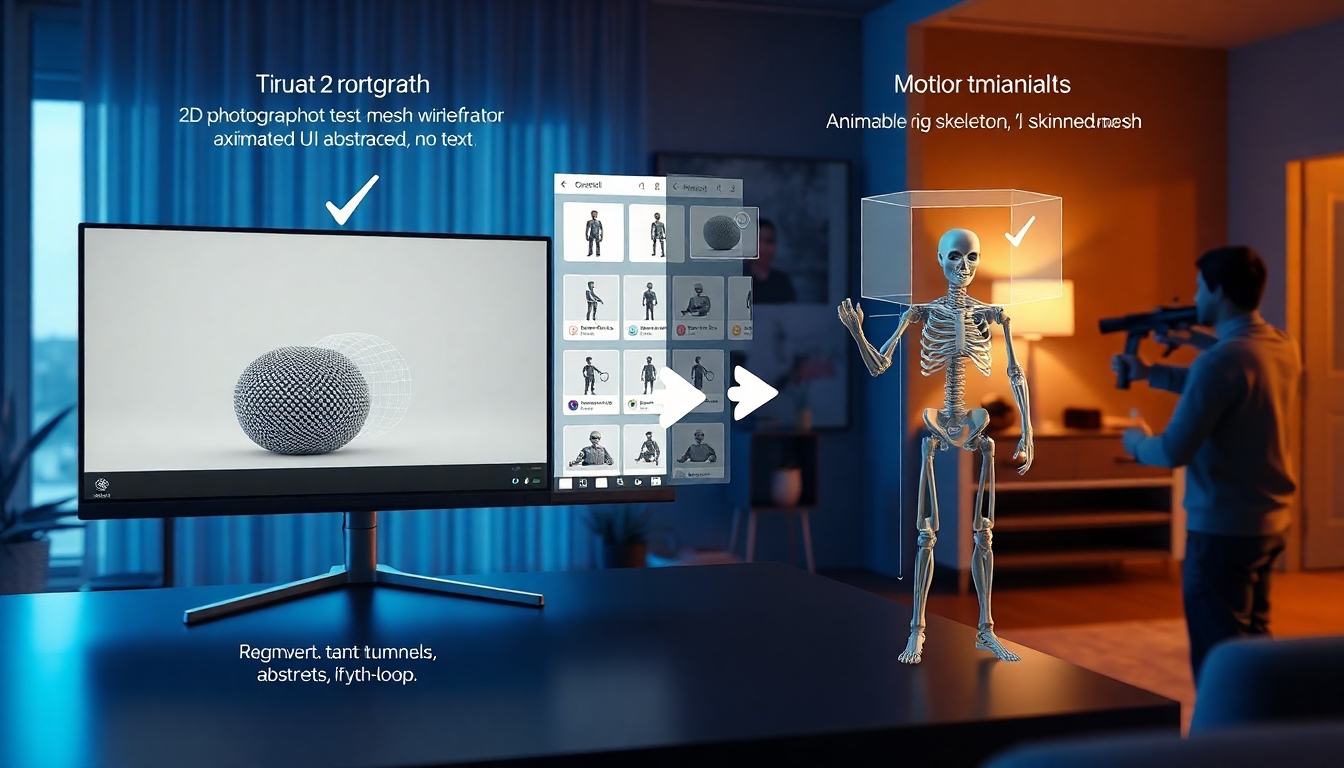
What Is SAM 3D and Why Creators Should Care#
SAM 3D is Meta AI’s newest step in the Segment Anything family, adding 3D understanding to everyday images. Instead of needing multi-view photos or dense scans, SAM 3D reconstructs plausible 3D objects and human bodies from a single 2D input. For content creators who live on tight timelines—video editors, 3D designers, motion artists, AR producers, indie game devs, even writers producing pitch visuals—SAM 3D cuts concept-to-asset time from days to minutes.
At its core, SAM 3D includes two specialized models:
- SAM 3D Objects: Builds 3D meshes of everyday objects and predicts their pose within a scene.
- SAM 3D Body: Estimates human body shape and pose, using a novel open-source rig called MHR (Meta Momentum Human Rig).
SAM 3D works on natural images, handles partial visibility and occlusion, and runs near real-time. It’s already powering Facebook Marketplace’s “View in Room,” where a single product image becomes a placeable 3D object. For creators, that same capability unlocks rapid prototyping, previsualization, AR test scenes, and quick turnarounds for clients.
The Two Pillars of SAM 3D#
SAM 3D Objects: Single-Image 3D for Things and Scenes#
SAM 3D Objects takes a standard image, identifies the object of interest, and produces a 3D mesh with a sensible pose. It’s trained to be visually grounded in the physical world, not just synthetic datasets, and explicitly aims to look right to human observers. In human preference tests, SAM 3D Objects wins by at least 5:1 against other leading baselines, highlighting how strong the reconstructions are for real creative use.
Key strengths of SAM 3D Objects:
- Single-image 3D reconstruction of products, props, decor, tools, and more.
- Object pose estimation that situates items convincingly in a photographed scene.
- Meshes designed to be good enough for downstream tasks like AR tryouts, product previews, and concept boards.
- Robustness to occlusion and clutter common in natural photos.
Limitations to keep in mind:
- Moderate output resolution: fine surface details on very complex objects may need manual touch-up.
- One object at a time: SAM 3D Objects does not reason about physical interactions across multiple items simultaneously.
- Physical fidelity: while visually convincing, it’s not a physics simulator and won’t infer hidden geometry beyond plausible estimates.
SAM 3D Body: Pose, Shape, and a Rig You Can Animate#
SAM 3D Body processes a photo of a person and estimates their body shape and pose, returning an animatable mesh. It’s built around MHR (Meta Momentum Human Rig), an open-source mesh format that separates skeletal structure from soft tissue shape for more interpretable and reusable outputs. For creators, that means faster motion tests, stylized realism, or background extras without the expense of full mocap.
Key strengths of SAM 3D Body:
- Single-image human body shape and pose estimation.
- Works on everyday photos with partial occlusions, non-studio lighting, and varied clothing.
- Open-source MHR improves rig consistency and plays well with pipelines that need retargeting and animation.
Limitations:
- Processes each person individually; it doesn’t model multi-person interactions or human-object contact reasoning.
- Hand pose accuracy is solid but won’t surpass specialized, hand-only methods.
- Like all single-image estimators, it infers hidden geometry; use your artistic judgment for close-ups.
How SAM 3D Works: The Data Engine Advantage#
What makes SAM 3D stand out is not just the models—it’s the data engine behind them. Instead of relying solely on painstaking manual mesh creation, Meta built a scalable annotation system that focuses on verifying and ranking candidate meshes generated in the loop. This approach dramatically accelerates dataset growth while staying aligned with human preferences.
Highlights creators should know:
- SA-3DAO (SAM 3D Artist Objects) is a benchmark and dataset curated to reflect natural image distributions—the kind you actually shoot.
- For SAM 3D Objects, Meta annotated nearly a million distinct images and generated approximately 3.14 million model-in-the-loop meshes, curating the best ones based on human-verified quality.
- For SAM 3D Body, training drew on roughly 8 million images, helping the model generalize to diverse body shapes, clothing, and real-world settings.
This tight coupling of data generation, human verification, and post-training “steers” SAM 3D toward the kind of 3D that looks and feels right in real scenes—exactly what creators care about.
Why SAM 3D Matters for AR, Video, and Design#
SAM 3D fits the way creative work actually happens: incremental, iterative, and often constrained by time. For AR especially, instant 3D from a single image is a breakthrough:
- AR content from existing product shots: convert a catalog photo into an AR-ready preview.
- Shared spatial understanding: SAM 3D supports believable placement and rotation, enabling more realistic virtual-physical interactions.
- Faster iteration: update props and scenes on the fly during preproduction or client reviews.
According to industry analysis, the AR market is projected to grow substantially this decade; tools like SAM 3D are catalysts because they lower the barrier to 3D content creation and improve realism without expensive scans. For video creators, SAM 3D means faster previz, storyboards that pop, and quick background elements. For designers, it means rapid product visualization. For game artists, it means early asset drafts you can refine. Even writers and voice actors benefit: pitch decks with 3D scenes, character blocking, and simple avatar stand-ins that help sell a story or performance.
SAM 3D in the Ecosystem: Ties to SAM 3 and the Segment Anything Playground#
SAM 3 introduced a unified approach to detection, segmentation, and tracking, and it informs how SAM 3D perceives structure in scenes. SAM 3D extends that foundation into the third dimension, bringing segmentation intelligence into mesh generation and pose estimation. For creators, the Segment Anything Playground is the fastest place to try SAM 3D—no local installs, just upload an image and experiment. Meta is also sharing model checkpoints and inference code, plus the open-source MHR, to help developers integrate SAM 3D into tools and pipelines.
Getting Started: How to Use SAM 3D in Minutes#
Here’s a practical, creator-friendly walkthrough using the Segment Anything Playground. The exact UI may evolve, but the core workflow remains consistent.
- Prepare your image
- Choose a clear photo with your subject reasonably centered. SAM 3D handles clutter and occlusion, but avoid extreme blur or heavy motion streaks.
- For SAM 3D Objects, ensure the object isn’t cropped too aggressively; leave a bit of context for pose estimation.
- For SAM 3D Body, full-body or three-quarter views work best. Side views can work, but front or three-quarter offers more detail.
- Pick your mode: Objects or Body
- If you’re reconstructing a product, prop, or scene item, select SAM 3D Objects.
- If you’re capturing a person’s pose and shape, pick SAM 3D Body.
- Select the subject
- Use a lasso, click-to-select, or segmentation mask to designate the subject. The underlying Segment Anything capabilities help isolate precise regions.
- If multiple items exist, run SAM 3D Objects on one item at a time.
- Generate the 3D
- Click generate. In a few moments, SAM 3D returns a plausible mesh and pose with texture derived from your image.
- For SAM 3D Body, you’ll receive an MHR-driven mesh with a skeleton that you can animate.
- Inspect and adjust
- Rotate the model to check for obvious issues. Moderate-resolution meshes might need smoothing or normal fixes in your DCC tool.
- For objects, check the pose; if it’s slightly off, adjust within your 3D app or rerun with a cleaner crop.
- For bodies, preview the rig; minor corrections are typical if clothing creates ambiguous contours.
- Export for your pipeline
- Export to a standard format supported by your tools (OBJ/GLB/FBX, depending on availability in the Playground).
- Bring the mesh into Blender, Unity, Unreal Engine, or your preferred app for shading, lighting, and animation.
- Iterate
- SAM 3D is fast and low-friction. Try alternate angles, different crops, or slight retouching to improve tricky surfaces.
- For AR use, test in realistic environment lighting to validate look and scale.
Workflow Recipes for Different Creators#
Here are a few production-ready recipes that highlight SAM 3D for common creative roles.
- Video creator: Previz props and set dressing
- Capture: Snap a photo of a prop or use a client’s product image.
- Reconstruct: Use SAM 3D Objects to generate a mesh.
- Import: Bring into your editor or 3D tool; block out camera angles.
- Light: Add simple HDR lighting to approximate the final mood.
- Iterate: If the surface looks too smooth, rerun SAM 3D with a tighter crop or add procedural detail in post.
- AR designer: Try-on or place-in-room prototype
- Capture: Use high-contrast product shots or stage a neutral background photo.
- Reconstruct: Run SAM 3D Objects and export GLB if supported.
- Integrate: Load the model into a mobile AR framework or prototyping app.
- Validate: Check scale and pose; tweak pivots for natural placement.
- Present: Show clients a working AR demo the same day.
- Game artist: Early asset ideation
- Reference: Gather a mood board, then take a quick reference photo of a real-world analog.
- Reconstruct: Generate a mesh with SAM 3D Objects as a base.
- Refine: Retopologize and bake normals in your DCC; replace textures as needed.
- Stylize: Apply your game’s shader and palette; use SAM 3D only for speed, not final look.
- Motion/character artist: Pose research without mocap
- Capture: Single image of a performer in a key pose.
- Reconstruct: Use SAM 3D Body to get a rigged mesh via MHR.
- Animate: Retarget to your control rig or directly keyframe for quick blocking.
- Refine: For hands and facial detail, add specialized passes or manual adjustments.
- Writers and voice actors: Pitch-ready visuals
- Mood: Use SAM 3D to visualize a scene or character pose from a concept photo.
- Combine: Drop the mesh into a quick Unreal scene for atmosphere.
- Present: Use the reconstructed render in decks or animatics to sell tone and performance.
Best Practices and Pro Tips#
- Shoot with intent: While SAM 3D handles clutter, good composition yields better results. For objects, aim for diffuse lighting; for bodies, avoid extreme foreshortening.
- Use masks aggressively: The Segment Anything foundation helps you isolate subjects. Clean masks reduce silhouette ambiguities that affect mesh quality.
- Embrace iteration: SAM 3D’s speed encourages trying variants—different crops, minor edits, or alternate photos of the same subject.
- Mix with procedural detail: For high-end scenes, start with SAM 3D for shape and pose, then add procedural textures, displacements, or kitbash for detail.
- Validate scale in AR: Use standard objects (like a chair or book) in the photo to help with visual plausibility, then adjust scale in your AR tool.
- Post-process normals: Small artifacts disappear with a quick normal recalculation or mesh smoothing in Blender or Maya.
- Separate rig and mesh: With MHR, keep skeletal edits distinct from mesh sculpting to maintain clean retargeting paths.
Limitations and Workarounds#
Every tool has boundaries; knowing them helps you deliver better results with SAM 3D:
- Moderate mesh resolution: For hero assets, consider SAM 3D as a base. Add subdivision, sculpt detail, or displacement maps.
- Single-object reasoning: If your scene has multiple interacting items, run SAM 3D Objects per item and compose them in a 3D scene for layout.
- Human-object contact: SAM 3D Body doesn’t model physical contact; pose intersections may occur. Solve with manual tweaks or physics in your 3D app.
- Hands and accessories: For precision hand poses or small accessories, supplement SAM 3D Body with specialized hand/face tools or model these elements separately.
- Hidden geometry guesses: Because SAM 3D is single-view, occluded sides are inferred. If accuracy matters, capture an extra reference photo or manually correct.
SAM 3D vs. Traditional Approaches#
- Photogrammetry: Traditional multi-view capture yields high fidelity but requires many images, controlled turns, and time-consuming alignment. SAM 3D trades perfect accuracy for speed and convenience—one photo, instant mesh.
- Manual modeling: Hand modeling is precise but slow. SAM 3D provides an editable starting point that gets you 70–80% to your goal in minutes.
- Neural radiance fields (NeRFs): Great for view synthesis from multiple images, but not always straightforward to extract clean, game-ready meshes. SAM 3D outputs meshes directly, making it friendlier for pipelines needing OBJ/FBX/GLB assets.
In short: SAM 3D is a concepting accelerant. Use it to move fast, then refine.
Performance, Data, and Openness#
- Performance: SAM 3D operates near real-time in practical use cases—perfect for interactive iteration and live client sessions.
- Data: SAM 3D Objects training involved nearly one million annotated images and ~3.14 million candidate meshes curated via a human-in-the-loop process; SAM 3D Body trained on approximately 8 million images.
- Benchmarks: Human preference tests show SAM 3D Objects winning at least five to one over leading methods across diverse categories.
- Openness: Meta is sharing model checkpoints and inference code for experimentation. The MHR human rig is open-sourced, enabling consistent rigs and easier retargeting across tools.
Real-World Applications Already Emerging#
- Marketplace previews: SAM 3D powers “View in Room,” letting buyers visualize items instantly.
- AR and spatial computing: Immediate 3D generation fuels try-outs, interior planning, and mobile AR experiences without studio-grade capture.
- Film and TV: Previz and virtual production benefit from quick prop and character stand-ins to test blocking and lighting.
- Robotics and research: Rapid object understanding aids simulation and perception experiments.
- Sports and health: Pose estimation and rigged humans unlock coaching aids and motion analysis prototypes, with appropriate oversight.
Roadmap Signals and Ecosystem Momentum#
From SAM to SAM 3 to SAM 3D, the throughline is general perception that transfers across tasks. Paired with a scalable data engine and open assets like MHR, SAM 3D looks set to keep improving—better resolution, multi-object reasoning, richer human-object interactions, and more consistent, tool-friendly exports. The industry response—from LinkedIn announcements to developer blogs—shows strong interest in folding SAM 3D into apps, design tools, and creative pipelines.
Frequently Asked Questions About SAM 3D#
-
What is SAM 3D? SAM 3D is a pair of models from Meta AI that reconstruct 3D objects and human bodies from a single 2D image, designed to be visually grounded in natural photos.
-
How does SAM 3D differ from SAM and SAM 2? SAM and SAM 2 focused on segmentation and tracking; SAM 3 introduced a unified perception stack. SAM 3D extends this to generate meshes and body rigs from images.
-
Can SAM 3D replace photogrammetry? Not for maximum-fidelity scans. SAM 3D is ideal for speed, iteration, and concepting. For hero assets, start with SAM 3D and refine, or combine with traditional methods.
-
Does SAM 3D work with occlusions and clutter? Yes. SAM 3D is trained for natural images, including partial visibility and busy scenes.
-
What formats can I export from SAM 3D? Expect common 3D formats suitable for DCC tools and engines. Check the Playground and repo for current options.
-
Is SAM 3D open-source? Meta is sharing model checkpoints and inference code. The MHR human rig is open-sourced. Review the official repositories for licenses and usage.
-
Where can I try SAM 3D? The Segment Anything Playground offers hands-on experimentation with SAM 3D Objects and SAM 3D Body.
Quick Start Checklist for Creators#
- Decide: Objects or Body? Pick the SAM 3D mode that fits your task.
- Prepare: Use a clear photo; mask cleanly.
- Generate: Create meshes in the Playground.
- Export: Bring results into Blender, Unreal, or Unity.
- Refine: Smooth normals, add detail, and retarget rigs as needed.
- Deliver: Preview in AR or render for client approval.
Sources and Further Reading#
- Meta AI’s announcement and technical overviews of SAM 3D and the Segment Anything ecosystem.
- Ultralytics analysis on SAM 3 and SAM 3D’s unified perception approach.
- AR industry perspectives on how SAM 3D accelerates AR content and e-commerce experiences.
- AI trade coverage summarizing capabilities and performance.
- Community discussions and announcements indicating strong interest across creative industries.
SAM 3D turns everyday photos into practical 3D assets. Whether you’re a solo creator or part of a studio pipeline, it’s a force multiplier: faster ideation, better client communication, and a smoother path from concept to captivating visuals.


