Sketch to 3D - Transform Hand Drawings into 3D Models with AI
Revolutionize your creative workflow with our AI-powered sketch to 3D converter. Transform hand-drawn sketches, pencil drawings, and concept art into stunning 3D models in seconds. No 3D modeling skills required - perfect for product designers, game developers, architects, and creators who want to bring their sketch to 3D visions to life instantly.
Save Your 3D Models
Login to save, manage and share all your generated 3D models
Community 3D Models
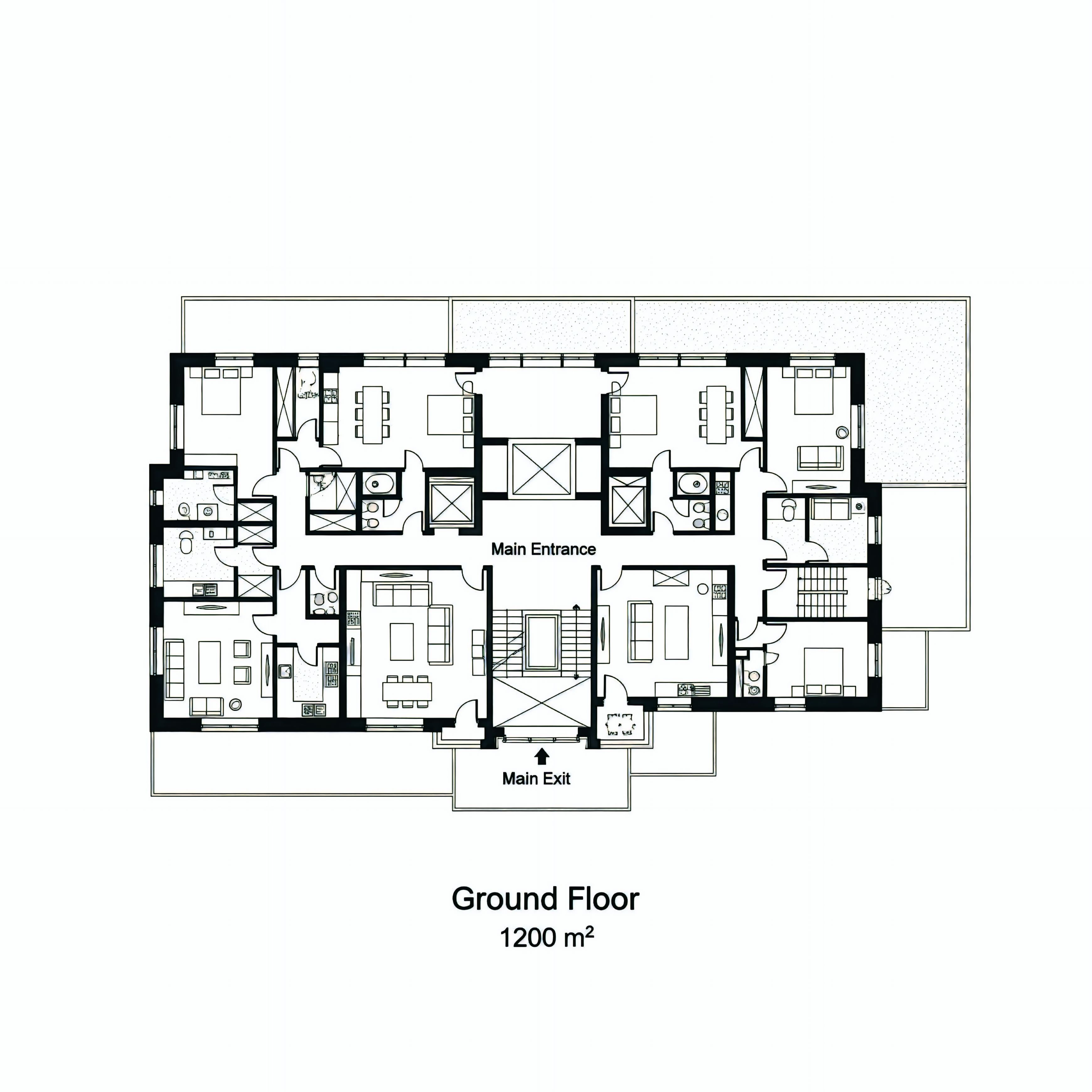
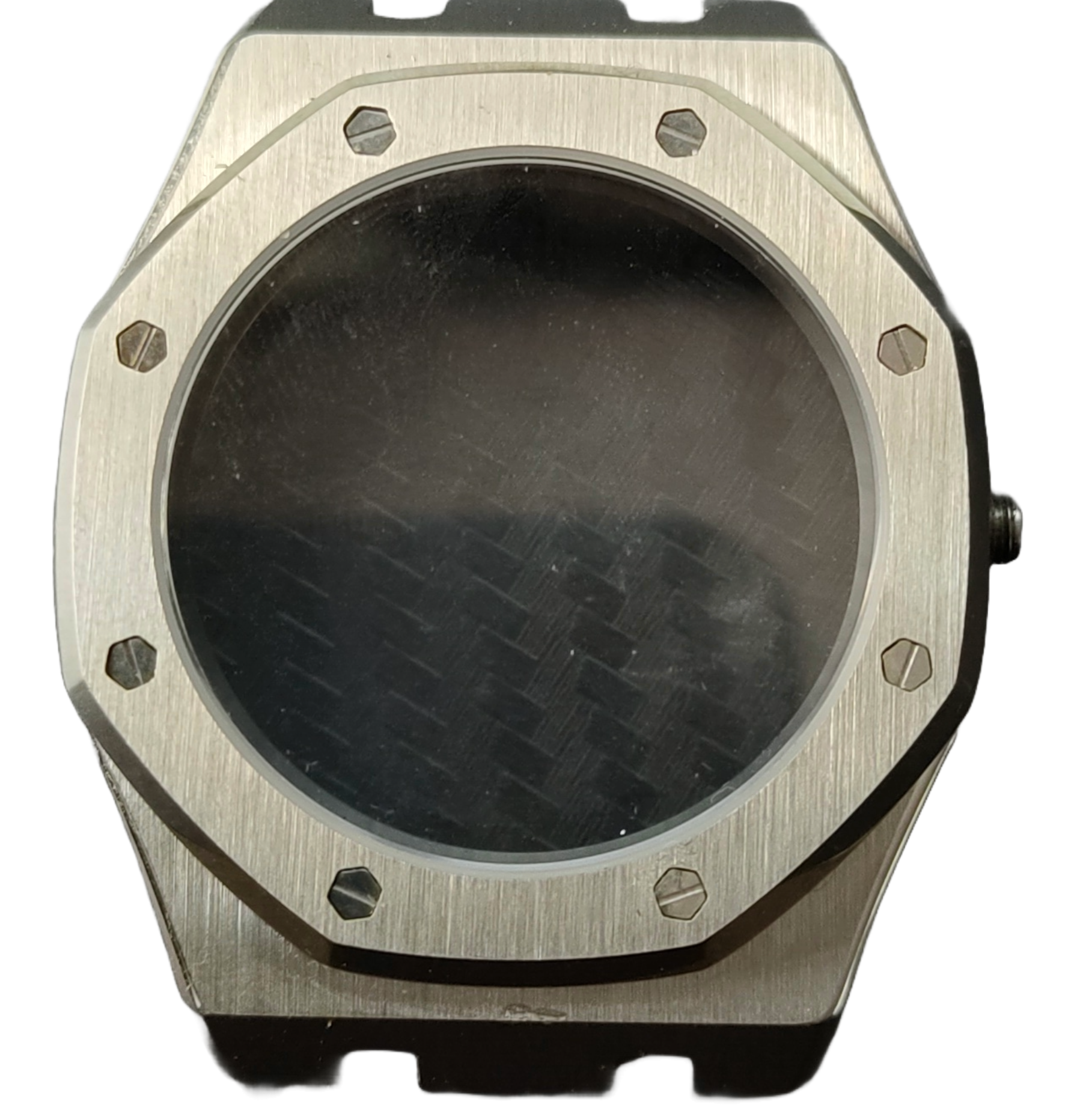
What is sketch to 3D conversion?
Sketch to 3D conversion turns a hand-drawn sketch into a three-dimensional model with AI. You upload a photo or scan of a pencil drawing, concept art, or technical sketch, and the AI reconstructs it into a GLB 3D model you can preview, download, and use in games, product design, 3D printing, and AR/VR. Story321 runs sketch to 3D on Hunyuan 3D V3 and shows the credit cost before you generate.
Powerful Sketch to 3D Conversion Features
Advanced AI Sketch to 3D Technology
Our sketch to 3D converter leverages cutting-edge Hunyuan 3D V3 AI model trained specifically for sketch to 3D transformation. The AI understands hand-drawn lines, shading, and perspective from your sketches, automatically converting them into accurate 3D geometry. This sketch to 3D technology preserves your design intent while adding realistic depth and dimension.
PBR Material Support for Professional Quality
Enable Physically Based Rendering (PBR) materials when converting sketch to 3D for stunning, realistic textures. The PBR option in our sketch to 3D tool generates industry-standard materials with accurate light reflection, roughness, and metallic properties - perfect for professional product visualization, game assets, and high-end renderings.
Multiple Sketch Types Supported
Our sketch to 3D converter handles various drawing styles - from rough pencil sketches and ink drawings to digital concept art. Whether you're doing quick sketch to 3D ideation or detailed product design sketches, our AI adapts to your drawing style and generates impressive 3D models that capture your creative vision.
Fast Online Sketch to 3D Processing
Convert sketch to 3D model online without installing complex 3D software. Our cloud-based sketch to 3D generator processes your drawings in just seconds, delivering ready-to-use 3D assets directly to your browser. No downloads, no learning curve - just upload your sketch and get 3D results instantly.
GLB Format for Maximum Compatibility
Export your sketch to 3D conversions in universal GLB format, compatible with Blender, Unity, Unreal Engine, Three.js, and major 3D software. The sketch to 3D output integrates seamlessly into your existing 3D workflow, whether for game development, product visualization, or 3D printing projects.
Intelligent Depth Reconstruction
The sketch to 3D AI analyzes line weight, hatching patterns, and perspective cues in your drawings to intelligently reconstruct 3D depth. Unlike simple extrusion, our sketch to 3D converter creates true volumetric 3D models with proper geometry, making it ideal for professional design work.
Why Professionals Choose Our Sketch to 3D Converter?
Bridge the Gap Between 2D and 3D Design
Many talented designers and artists excel at 2D sketching but struggle with complex 3D modeling software. Our sketch to 3D tool eliminates this barrier, letting you work in your preferred medium - hand sketching - while automatically generating professional 3D models. This sketch to 3D workflow respects your artistic process and supercharges your productivity.
Rapid Prototyping for Product Designers
Transform rough product sketches into 3D models for client presentations in minutes instead of hours. The sketch to 3D converter accelerates your design iteration cycle - sketch a concept, convert to 3D, gather feedback, and refine. This rapid sketch to 3D workflow helps product designers, furniture designers, and industrial designers validate ideas faster and bring products to market sooner.
Game Asset Generation from Concept Art
Game developers and concept artists can rapidly convert character sketches, environment drawings, and prop designs into 3D game assets. Our sketch to 3D tool understands the stylized aesthetics common in game concept art and generates 3D models ready for Unity or Unreal Engine. Streamline your game development pipeline with fast sketch to 3D asset creation.
Architectural Visualization from Hand Sketches
Architects and interior designers often start with hand-drawn sketches and concept drawings. Our sketch to 3D converter transforms these architectural sketches into 3D models for client presentations, virtual tours, and design validation. Quickly explore design iterations by sketching variations and converting each sketch to 3D for comparison.
Cost-Effective Alternative to 3D Scanning
Traditional 3D scanning requires expensive equipment and physical objects. With sketch to 3D technology, you can generate 3D models from simple drawings at a fraction of the cost. Perfect for creating 3D assets from historical photos, archived drawings, or when the physical object isn't available for scanning.
Preserve Artistic Style in 3D Form
Unlike generic 3D models, sketch to 3D conversion retains the unique character and style of your hand-drawn designs. The AI respects your artistic decisions - line quality, proportions, and design details - creating 3D models that feel authentic to your original sketch vision.
How to Convert Sketch to 3D Model in 3 Simple Steps
- 1
Upload Your Sketch Drawing
Take a photo or scan of your hand sketch, pencil drawing, or concept art. Our sketch to 3D converter accepts JPG, PNG, and WebP formats. For best sketch to 3D results, use clear, well-lit drawings with defined lines. Rough sketches, detailed ink drawings, and digital concept art all work excellently with our sketch to 3D AI.
- 2
Choose PBR Material Option
Decide whether you need basic or PBR (Physically Based Rendering) materials for your sketch to 3D conversion. Enable PBR for professional-quality materials with realistic light interaction - ideal for product visualization, game assets, and high-end renderings. Standard sketch to 3D mode is faster and suitable for quick iterations and general use.
- 3
AI Generates Your 3D Model
Our advanced sketch to 3D AI analyzes your drawing, understanding line work, shading, perspective, and design intent. The Hunyuan 3D V3 model reconstructs your 2D sketch into a complete 3D model with proper geometry and textures in just seconds. Download your sketch to 3D result as a GLB file ready for use.
Sketch to 3D Use Cases Across Industries
Product Design & Industrial Design
Product designers use sketch to 3D conversion to rapidly transform hand-drawn product concepts into 3D models for client presentations, prototyping, and manufacturing preparation. Furniture designers sketch chair concepts and convert to 3D for visualization. Industrial designers turn rough sketches into detailed 3D CAD-ready models. The sketch to 3D workflow accelerates the entire product development cycle.
Game Development & Character Design
Game studios leverage sketch to 3D technology to convert character concept art, enemy designs, and environment sketches into 3D game assets. Indie developers can generate props and objects from hand sketches without hiring 3D modelers. Character artists sketch character designs and use sketch to 3D conversion to create base meshes for further refinement in Blender or Maya.
Architecture & Interior Design
Architects and interior designers use sketch to 3D tools to convert hand-drawn building concepts, floor plans, and furniture layouts into 3D models. Convert sketch to 3D for client presentations, design validation, and virtual walkthroughs. Quickly explore architectural iterations by sketching variations and generating sketch to 3D models for each option.
3D Printing & Custom Manufacturing
Makers and creators use sketch to 3D conversion to generate 3D printable models from hand drawings. Sketch custom figurines, personalized jewelry, or replacement parts and convert to 3D for printing. The sketch to 3D workflow is perfect for rapid prototyping - sketch ideas on paper, convert to 3D, print, and iterate. GLB files export can be converted to STL for 3D printing.
Fashion & Apparel Design
Fashion designers sketch clothing concepts and use sketch to 3D technology to create 3D garment visualizations. Convert dress sketches, shoe designs, and accessory drawings into 3D models for virtual try-on experiences, e-commerce displays, and manufacturing reference. Sketch to 3D helps fashion designers bridge traditional illustration with 3D digital fashion.
Education & Creative Learning
Art and design students learn 3D thinking by converting their hand sketches to 3D models. Teachers use sketch to 3D tools to demonstrate the relationship between 2D drawing and 3D form. Students can sketch organic shapes, characters, or objects and instantly see the sketch to 3D conversion, accelerating their understanding of spatial relationships and 3D design principles.
Toy & Collectible Design
Toy designers and collectible creators sketch character concepts and use sketch to 3D conversion to generate production-ready 3D models. Convert action figure sketches, toy concepts, and collectible designs into 3D for prototyping and manufacturing. The sketch to 3D workflow is ideal for small studios and independent toy designers who need fast concept-to-3D capabilities.
Jewelry & Accessories Design
Jelry designers sketch ring, necklace, earring, and bracelet designs, then use sketch to 3D technology to create 3D models for 3D printing and casting. Convert intricate hand-drawn jewelry designs into precise 3D geometry ready for production. Sketch to 3D helps jewelry designers rapidly iterate on designs and present 3D concepts to clients.
Frequently Asked Questions
What types of sketches work best for sketch to 3D conversion?
Our sketch to 3D converter works with various drawing styles including pencil sketches, ink drawings, charcoal sketches, and digital concept art. For optimal sketch to 3D results, use drawings with clear, defined lines and good contrast. Rough concept sketches, detailed technical drawings, and stylized illustrations all convert successfully to 3D. The sketch to 3D AI adapts to your artistic style - from quick gesture sketches to refined detailed drawings.
How accurate is the sketch to 3D conversion compared to traditional modeling?
Our sketch to 3D AI uses advanced Hunyuan 3D V3 technology specifically trained for sketch to 3D transformation, achieving impressive accuracy in understanding your design intent. While sketch to 3D conversion may not match the precision of manual CAD modeling for engineering applications, it excels at capturing form, proportion, and character from your sketches. The sketch to 3D tool is perfect for visualization, prototyping, and concept validation. For final production models, you can refine the sketch to 3D output in traditional 3D software.
What is PBR and should I enable it for sketch to 3D conversion?
PBR (Physically Based Rendering) creates realistic materials that accurately interact with light in 3D environments. Enable PBR in sketch to 3D conversion when you need professional-quality materials for product visualization, game assets, or high-end renderings. PBR sketch to 3D mode generates materials with proper roughness, metallicness, and normal maps. Standard sketch to 3D mode is faster and suitable for quick iterations, general visualization, or when you plan to apply custom materials later in your 3D software.
Can I use sketch to 3D generated models for commercial projects?
Yes! Sketch to 3D models generated through our platform can be used for commercial purposes including product design, game development, architectural visualization, and client projects. The sketch to 3D GLB files are ready for integration into professional workflows. Simply ensure you have rights to the original sketch artwork. Many businesses use our sketch to 3D converter for rapid prototyping, concept validation, and client presentations.
How long does sketch to 3D conversion take?
Our sketch to 3D converter typically generates 3D models in 30-60 seconds depending on the complexity of your sketch and whether PBR materials are enabled. Standard sketch to 3D mode without PBR is faster (30-40 seconds), while PBR-enabled sketch to 3D conversion takes slightly longer (45-60 seconds) due to the additional material generation processing. The sketch to 3D AI analyzes your drawing and reconstructs 3D geometry efficiently in the cloud.
What 3D file format does the sketch to 3D tool export?
Our sketch to 3D converter exports GLB (GL Transmission Format Binary) files, which are the industry standard for 3D asset delivery. GLB files from sketch to 3D conversion can be imported directly into Blender, Unity, Unreal Engine, Three.js, and most major 3D software. If you need sketch to 3D models for 3D printing, you can import the GLB into Blender and export as STL format. The sketch to 3D GLB format also works seamlessly with web-based 3D viewers and AR/VR platforms.
Can I edit the sketch to 3D generated models?
Absolutely! Sketch to 3D models exported as GLB files can be imported and edited in professional 3D software like Blender, Maya, 3ds Max, and ZBrush. Many designers use sketch to 3D conversion to quickly generate a base mesh, then refine details, add textures, adjust topology, or make modifications in their preferred 3D software. The sketch to 3D workflow accelerates the initial modeling stage, giving you more time for detailed refinement and creative iterations.
How much does sketch to 3D conversion cost?
We offer a free trial with credits so you can experience sketch to 3D conversion risk-free. Standard sketch to 3D conversion requires 80 credits, while sketch to 3D with PBR materials enabled requires 110 credits (accounting for the additional processing). New users receive free credits to test the sketch to 3D generator. This credit-based system ensures fast processing and continuous AI improvements. Bulk credit packages are available for professionals and teams with frequent sketch to 3D needs.
What AI model powers your sketch to 3D converter?
Our sketch to 3D tool is powered by Hunyuan 3D V3, Tencent's state-of-the-art AI model specifically trained for sketch to 3D transformation. This advanced sketch to 3D model excels at understanding hand-drawn lines, artistic styles, perspective cues, and design intent. The Hunyuan 3D V3 sketch to 3D technology has been trained on millions of sketch-3D pairs, making it one of the most capable and accurate sketch to 3D converters available.
Can sketch to 3D help me if I can't draw well?
Yes! Our sketch to 3D AI is surprisingly forgiving and works with various skill levels. Even rough, basic sketches can be successfully converted to 3D models. The sketch to 3D technology focuses on understanding the fundamental shapes and forms in your drawing rather than artistic perfection. Simple shapes, clear outlines, and basic forms convert well to sketch to 3D. As you practice and improve your sketches, the sketch to 3D results will continue to get better. Many users start with simple sketches and gradually develop both their drawing and sketch to 3D skills together.
Is sketch to 3D suitable for professional design work?
Definitely! Professional product designers, architects, game developers, and creative studios use our sketch to 3D converter daily to accelerate their workflows. Sketch to 3D technology is ideal for rapid prototyping, concept visualization, client presentations, and iterative design. Many professionals use sketch to 3D as the starting point in their pipeline, then refine models in traditional 3D software. The PBR material option makes sketch to 3D suitable for high-end visualization and production-ready asset creation.
How does sketch to 3D compare to 3D scanning?
Sketch to 3D and 3D scanning serve different purposes. 3D scanning captures existing physical objects digitally, while sketch to 3D converts your creative drawings into 3D models. Sketch to 3D is more accessible (no expensive equipment needed), faster (no physical setup), and enables you to generate 3D models from imagination rather than requiring a physical object. Sketch to 3D is perfect when you're designing new products, characters, or objects that don't exist yet. Many designers use both - sketch to 3D for concept development, then 3D scanning for prototyping physical iterations.
Sketch to 3D Pricing
New users get free credits to try sketch to 3D. The exact credit cost is shown in the form before submission.
- Standard sketch to 3D
- 80 credits per model
- Sketch to 3D with PBR materials
- 110 credits per model (+30 for PBR)
Sketch to 3D Technical Specifications
| AI Model | Hunyuan 3D V3 (Tencent) |
|---|---|
| Input Formats | JPG, PNG, WebP (Sketch photos or scans) |
| Supported Sketch Types | Pencil, ink, charcoal, digital concept art, technical drawings |
| Output Format | GLB (Binary glTF) |
| Processing Time | 30-60 seconds |
| Material Options | Standard or PBR (Physically Based Rendering) |
| Maximum File Size | 10 MB |
| Compatible Software | Blender, Unity, Unreal, Three.js, Maya, 3ds Max |
| 3D Printing Ready | Yes (GLB to STL conversion in Blender) |
| Commercial Use | Allowed |
Official Hunyuan 3D Sources
Read the Tencent Hunyuan 3D Engine announcement“bringing next-generation AI-powered 3D modeling tools to worldwide creators”
Create Your Sketch to 3D Model
Upload a sketch, choose Standard or PBR materials, review the credit cost, and generate a GLB 3D model you can preview, download, and share.
Generate a 3D Model